

New blog article → LinkedIn post
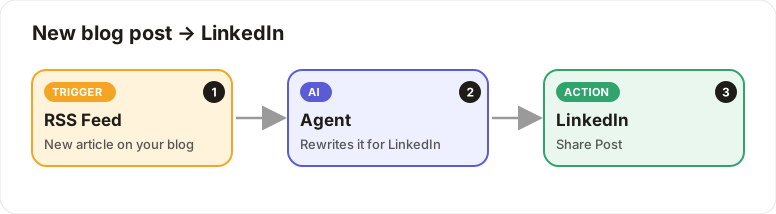
Every new article on your blog becomes a LinkedIn post automatically.
Level: Beginner · Time: about 10 minutes · Category: Social media
Watch the workflow being built in BeeGentic (no sound).
What it does
When your blog publishes a new article, the AI turns it into a short LinkedIn post and shares it on your profile.
You'll need
- Your blog's RSS feed URL (e.g.
https://yourblog.com/feed) - A LinkedIn account
- LinkedIn switched on by your admin. If you can't find the block, see Turning on integrations.
Build it step by step
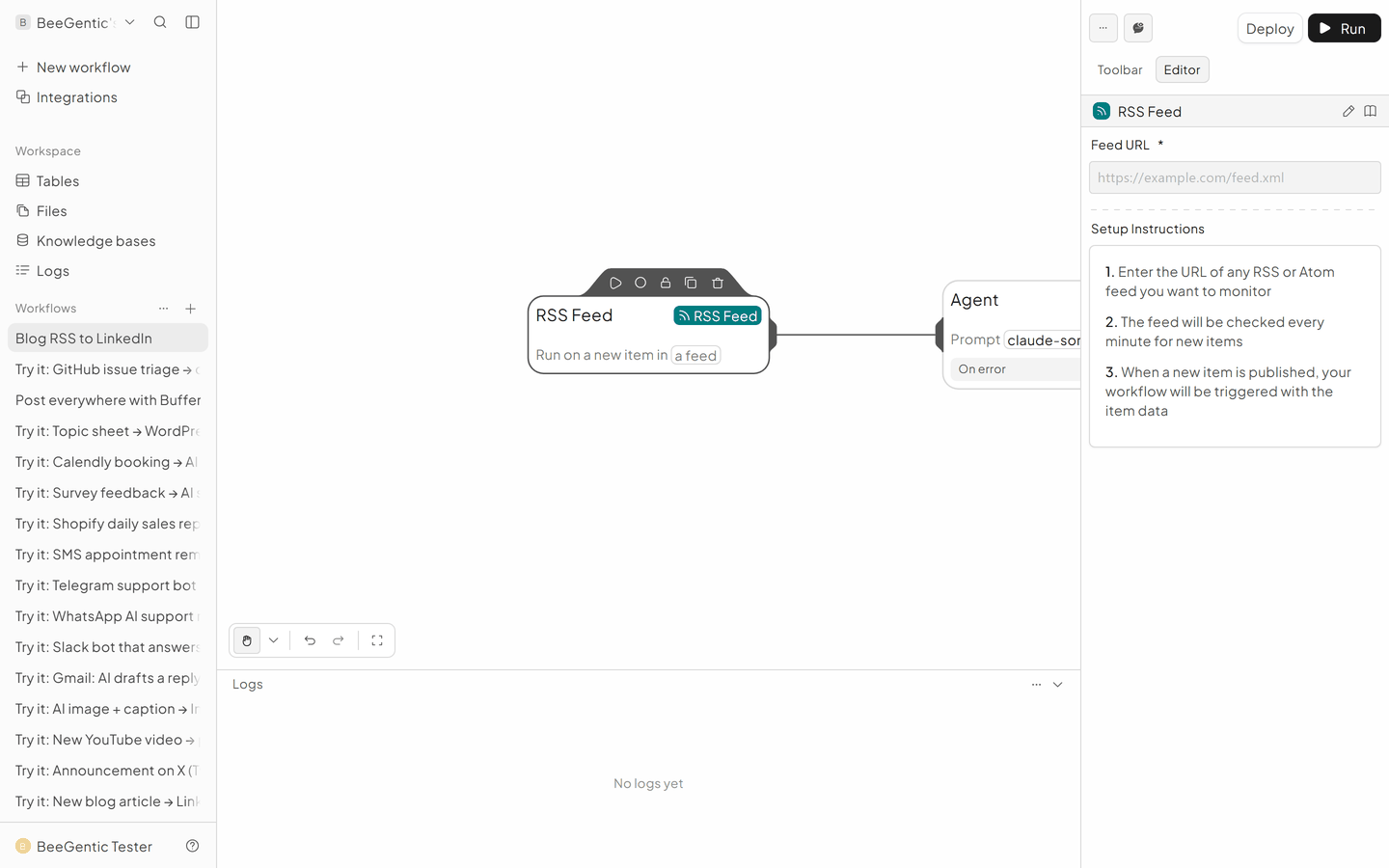
Add the RSS Feed trigger
New workflow Blog to LinkedIn, delete Start. Toolbar → Triggers → RSS Feed. Paste your feed URL. BeeGentic checks it regularly and runs once for each new article.
Add the Agent
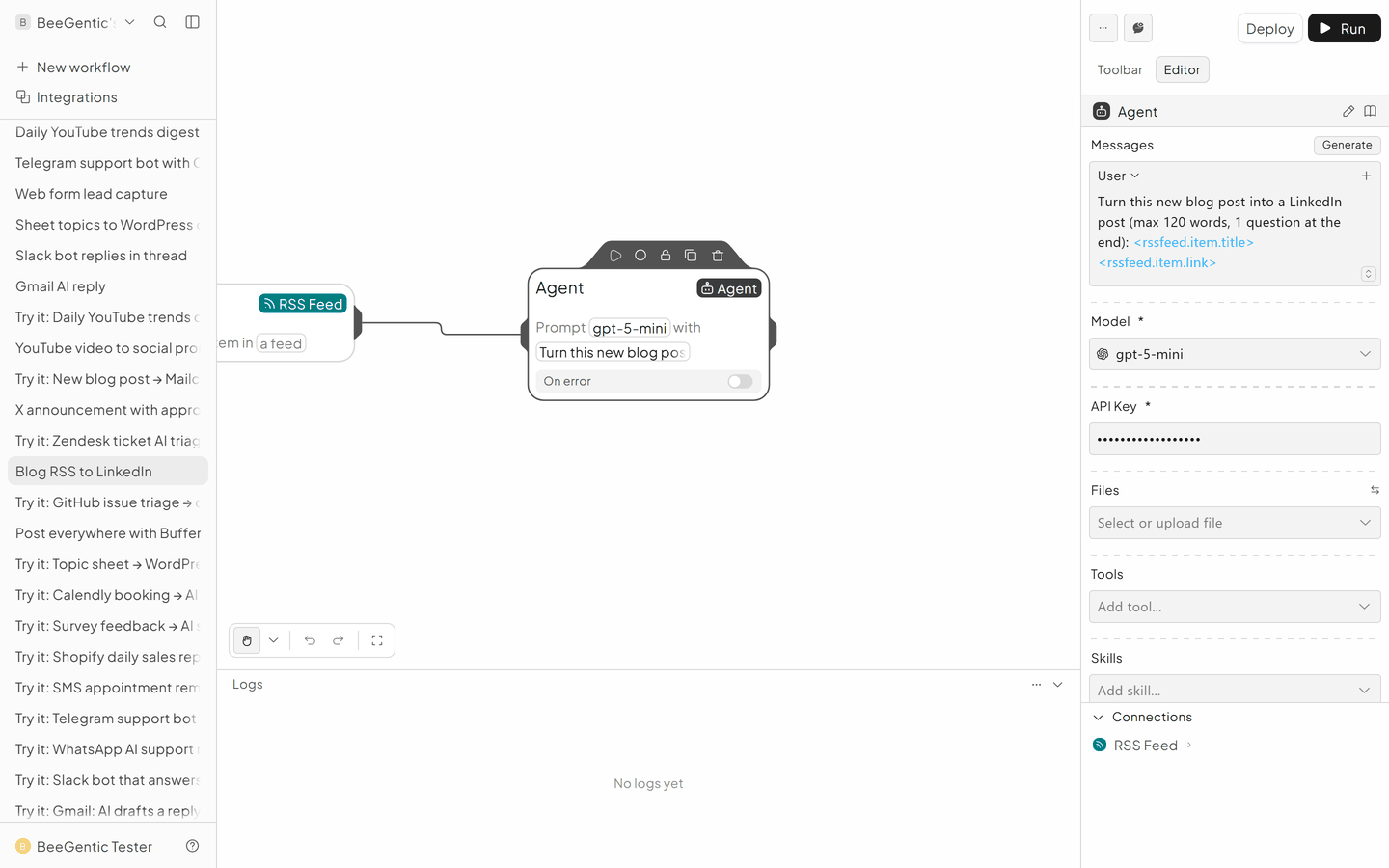
- Messages → User:
Turn this new blog post into a LinkedIn post (max 120 words, end with 1 question): <rssfeed.item.title> - <rssfeed.item.link> - Model:
gpt-5-mini - API Key:
{{OPENAI_API_KEY}}
Add LinkedIn
Toolbar → Integrations → LinkedIn.
- Operation: Share Post
- LinkedIn Account: Connect
- Post Text:
<agent.content> - Visibility: Public
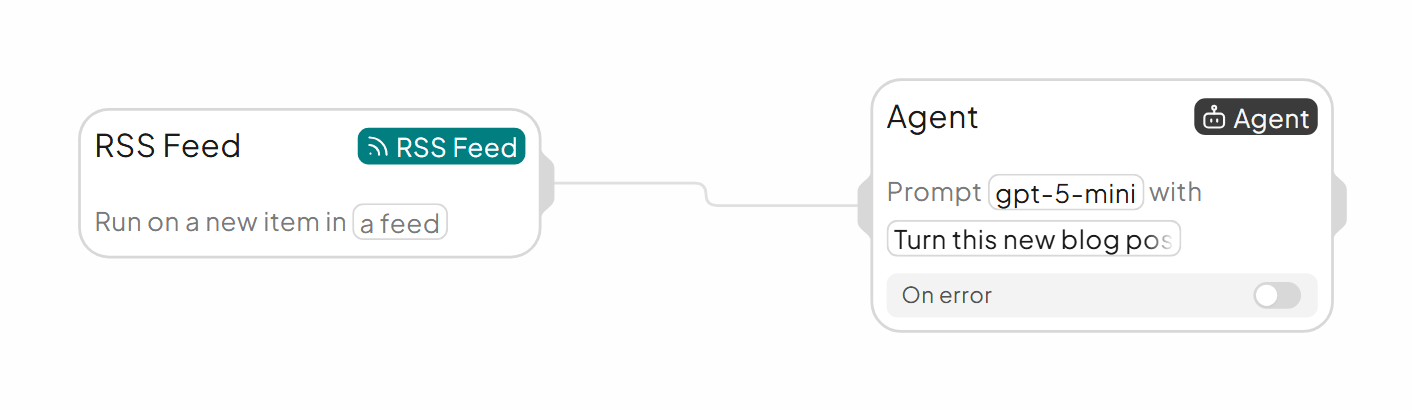
The finished workflow
Example result
We ran the AI step of this recipe in BeeGentic (model gpt-5-mini) with a sample input. The text below is the actual output, unedited.
Sample input:
Turn this new blog post into a LinkedIn post (max 120 words, end with 1 question): "5 automations every small business should run in 2026" - https://beegentic.ai/blog/5-automationsWhat BeeGentic produced:
Small businesses: automate to scale in 2026. Five automations you can't ignore: AI lead scoring + automated follow-up, conversational AI for 24/7 support, automated invoicing & payment reminders, marketing automation (segmented email + ads), and inventory/order-reorder workflows. These save time, reduce churn, and unlock growth without hiring a bigger team. Which process will you automate first?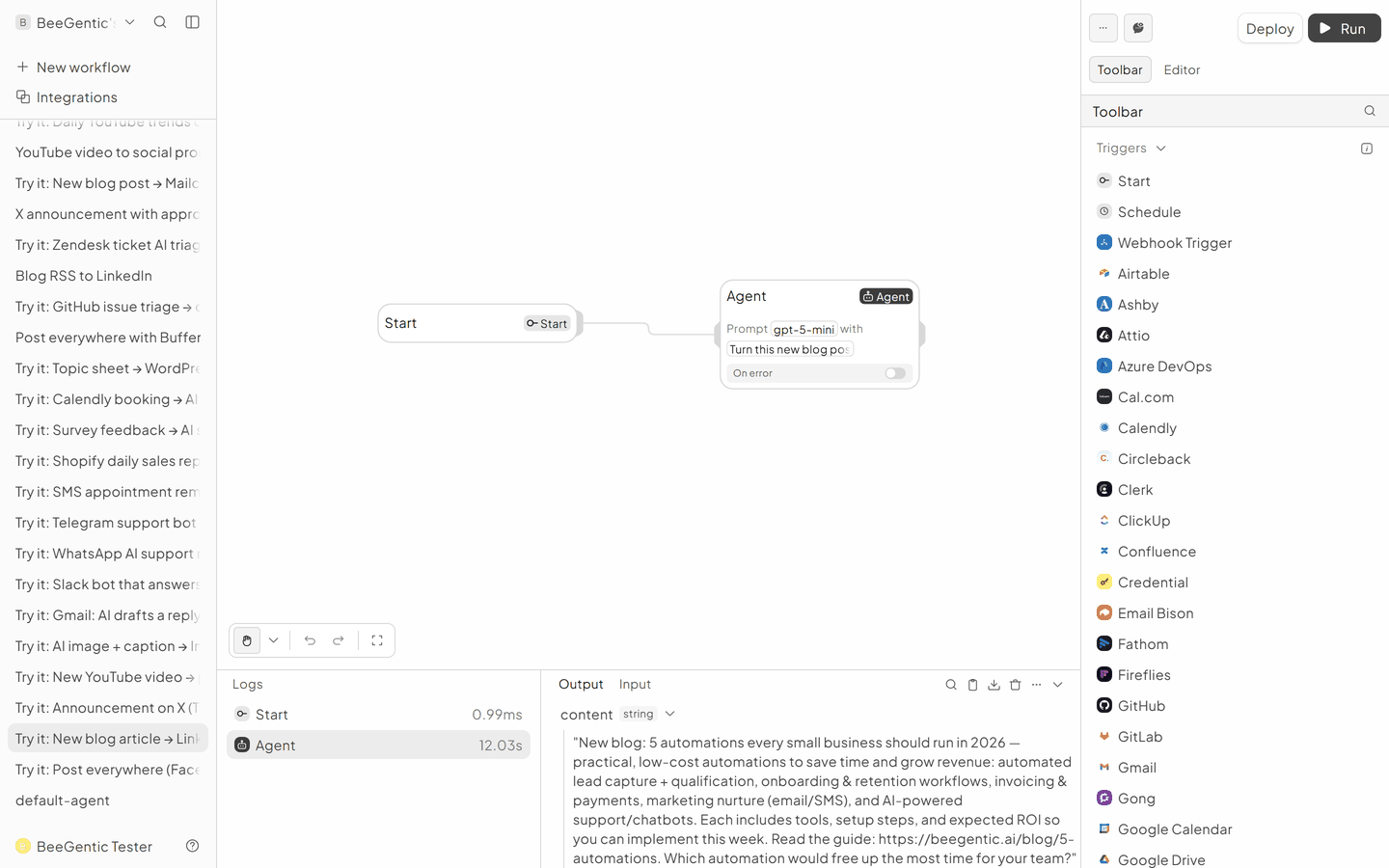
AI output varies from run to run. Change the wording of your prompt to change the style, length or tone.
Test it and switch it on
To test without waiting for a new article, put a real title and link straight into the Agent message and click Run. Then Deploy.
Make it yours
- Company pages or images: use Buffer instead of the LinkedIn block.
- Approval: add a Human block before LinkedIn.
Something not working? See Troubleshooting or get help.