

Slack bot that answers in the thread
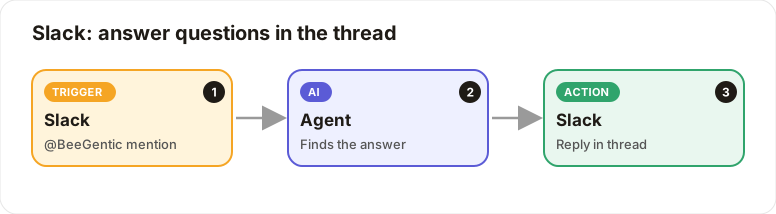
Mention the bot in Slack and it answers in the thread.
Level: Beginner · Time: about 10 minutes · Category: Email & messaging
Watch the workflow being built in BeeGentic (no sound).
What it does
Someone types @BeeGentic how do I reset my password? and the AI answers in that message's thread.
You'll need
- A Slack workspace where you can add apps (your admin must have Slack configured)
Build it step by step
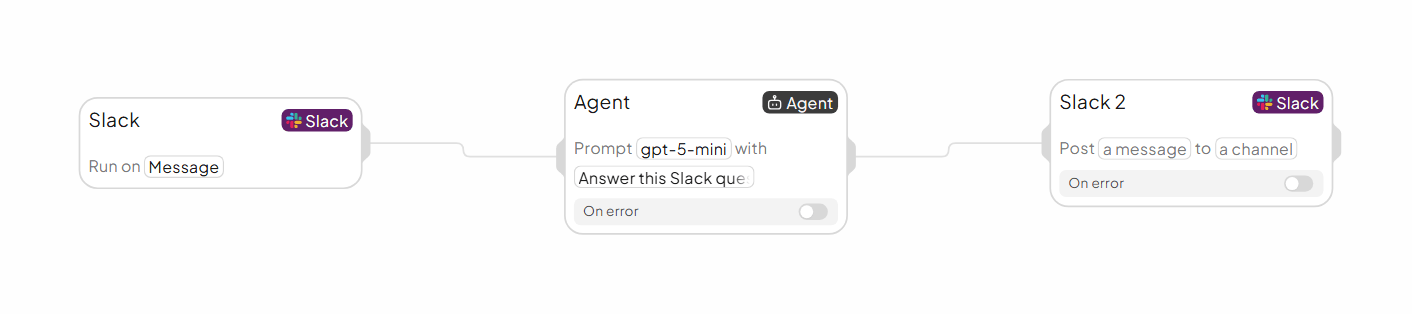
Add the Slack trigger
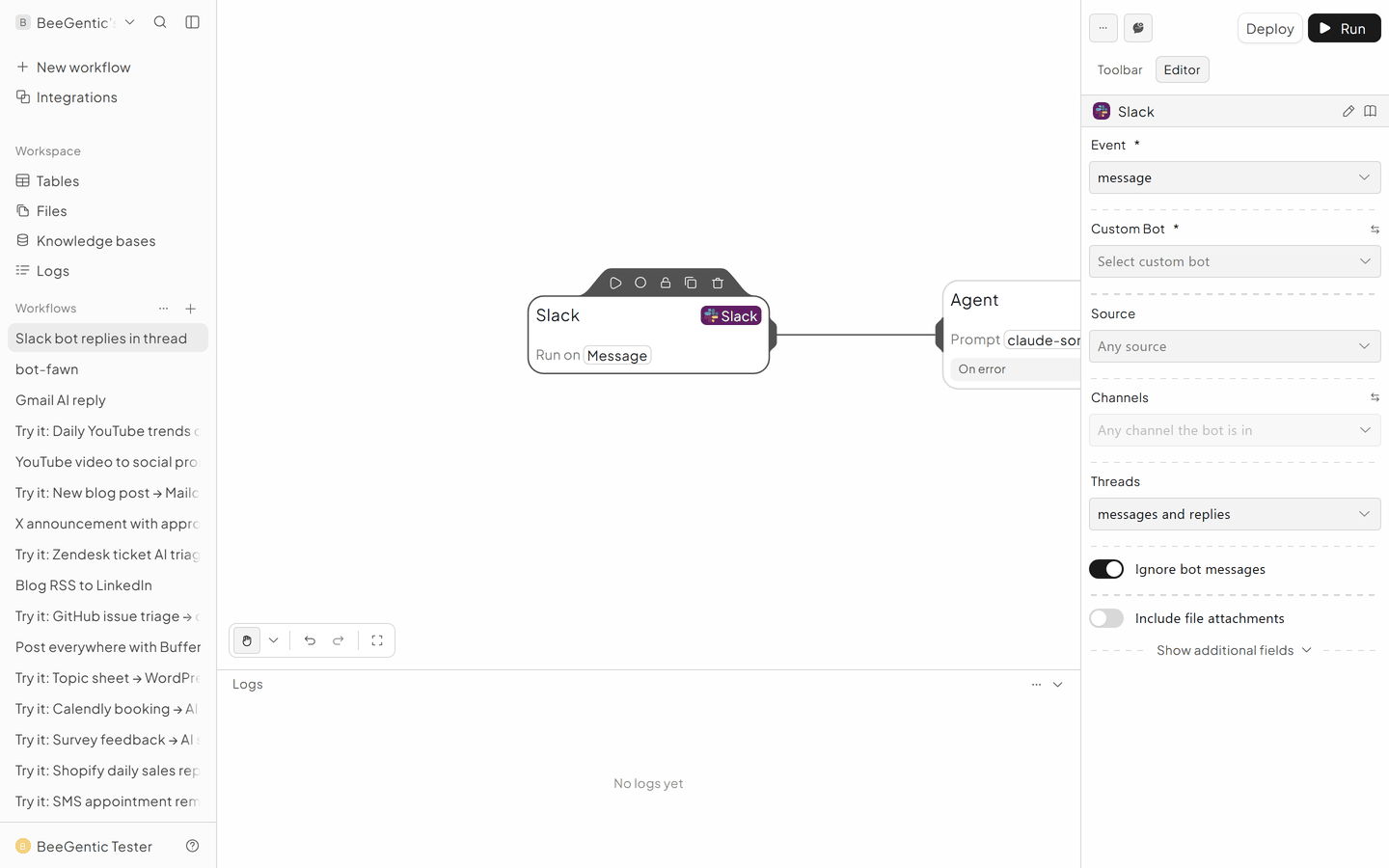
New workflow Slack Q&A bot, delete Start. Triggers → Slack.
- Event: App mention
- Channels: where to listen
- Ignore bot messages: on
Add the Agent
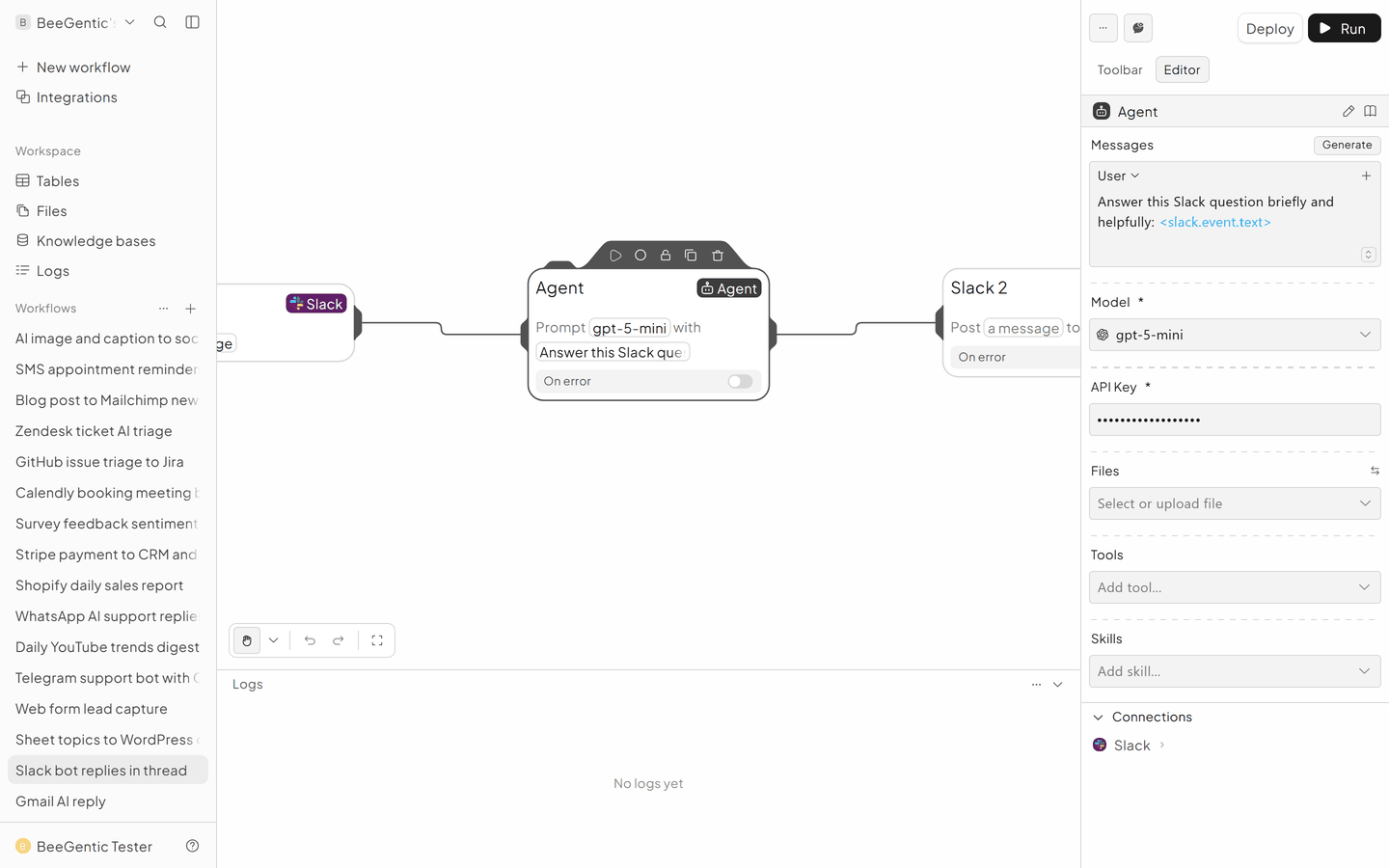
- System:
You are our internal helper. Max 3 sentences. Use bullet points for steps. - User:
<slack.event.text>
Reply with Slack
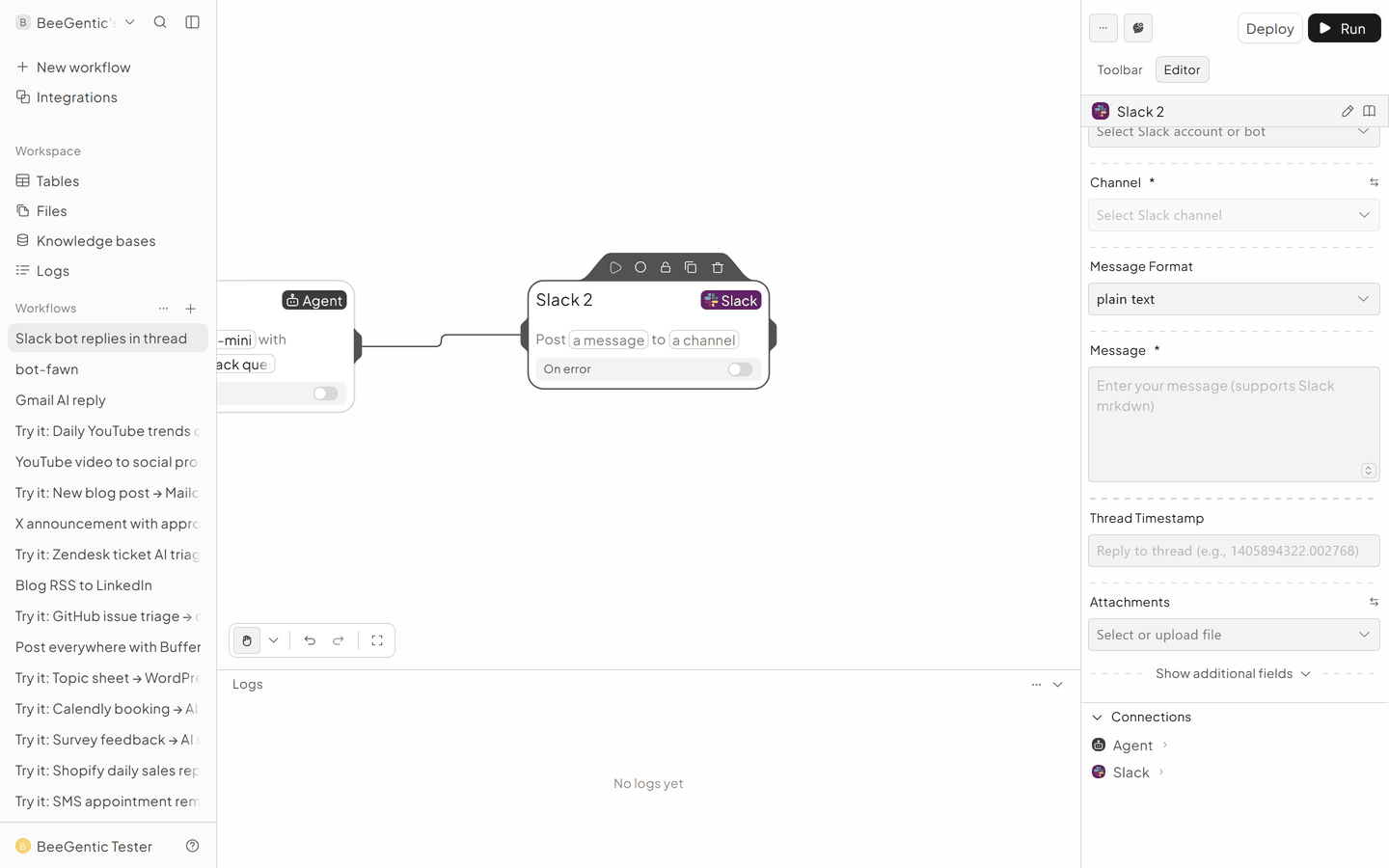
Integrations → Slack (Slack 2 on the canvas).
- Operation: Send Message
- Destination: Channel
- Channel:
<slack.event.channel> - Message:
<agent.content> - Thread Timestamp:
<slack.event.timestamp>, which makes it a thread reply - Invite the bot to the channel with
/invite @BeeGentic
The finished workflow
Example result
We ran the AI step of this recipe in BeeGentic (model gpt-5-mini) with a sample input. The text below is the actual output, unedited.
Sample input:
You are our internal helper. Max 3 sentences. Use bullet points for steps.
@BeeGentic how do I reset my password in the admin portal?
What BeeGentic produced:
- On the admin portal login page, click "Forgot password" (or "Reset password").
- Enter your admin email/username, submit, then open the reset email and follow the link to set a new password.
- If you don't receive the email or your account is locked, contact your IT/support team or the BeeGentic admin.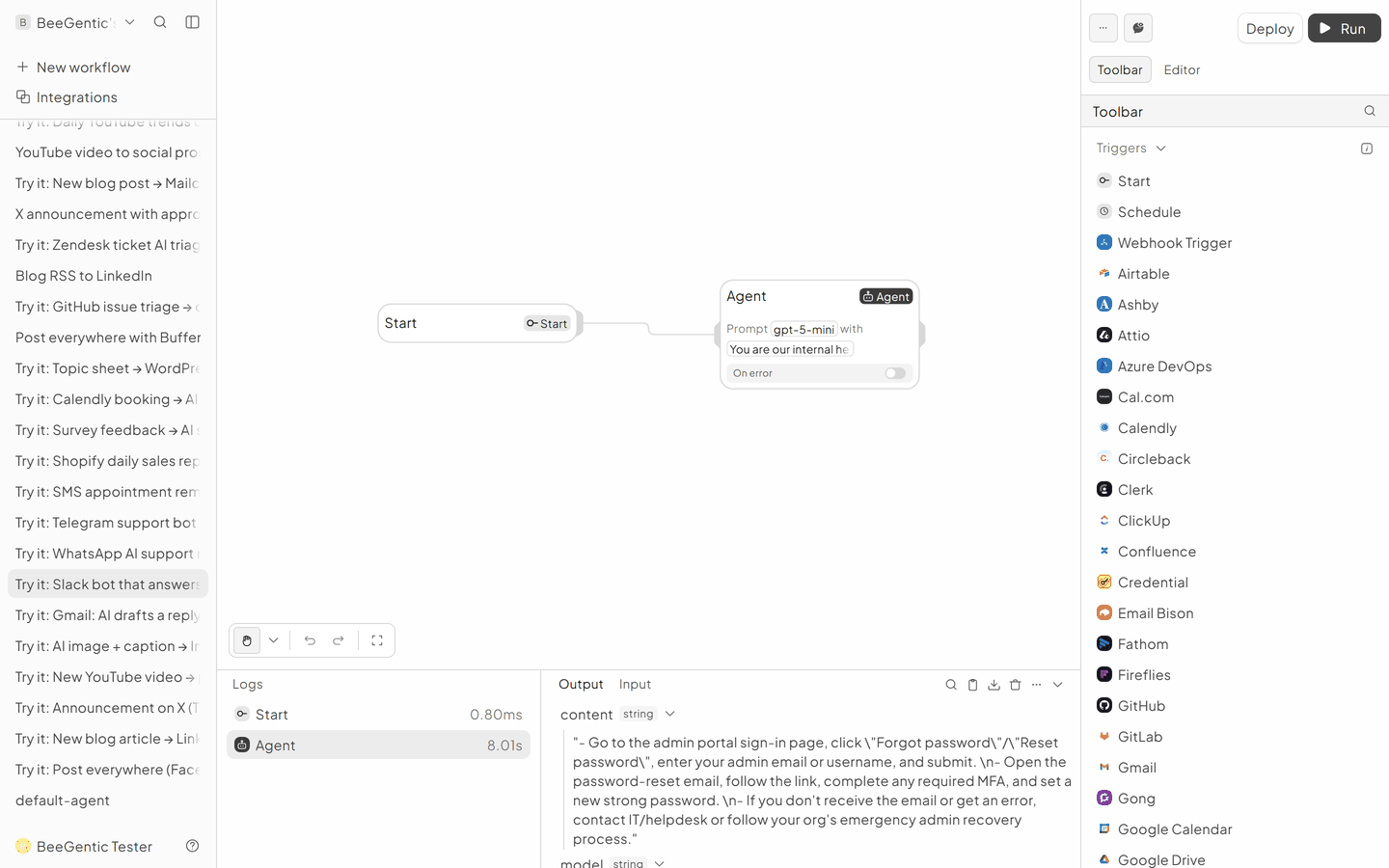
AI output varies from run to run. Change the wording of your prompt to change the style, length or tone.
Test it and switch it on
Deploy, then in Slack type @BeeGentic what can you do?. The answer appears in the thread.
Make it yours
- Team knowledge: add your handbook as a Knowledge base tool.
- Escalate: a Condition tags a person when the AI isn't sure.
Something not working? See Troubleshooting or get help.