

GitHub issue triage → comment + Jira ticket
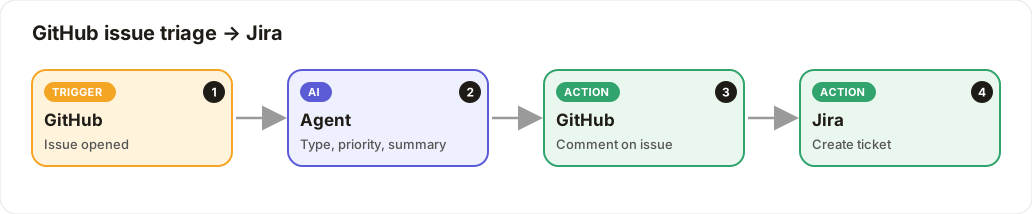
New GitHub issues are triaged by AI, answered with a comment, and bugs become Jira tickets.
Level: Intermediate · Time: about 15 minutes · Category: Support, content & operations
Watch the workflow being built in BeeGentic (no sound).
What it does
When someone opens a GitHub issue, the AI decides whether it's a bug, feature or question, sets a priority and writes a summary. It posts a friendly comment on the issue and creates a Jira ticket.
You'll need
- A GitHub token (
GITHUB_TOKEN) with repo access - Jira (your admin must have Jira configured)
Build it step by step
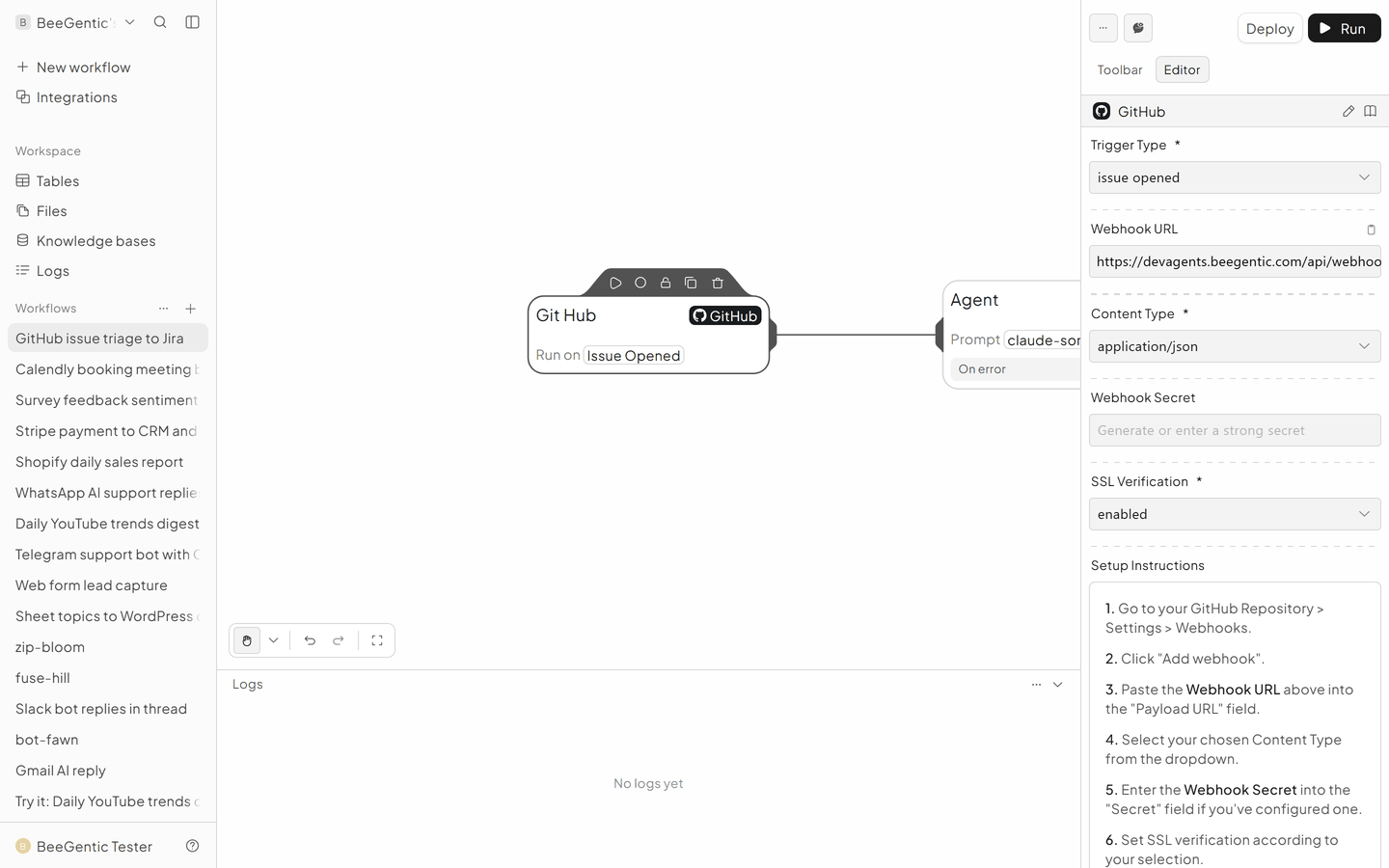
Add the GitHub trigger
Triggers → GitHub. Trigger Type: Issue Opened. Copy the Webhook URL to GitHub → repo Settings → Webhooks (content type application/json, event Issues).
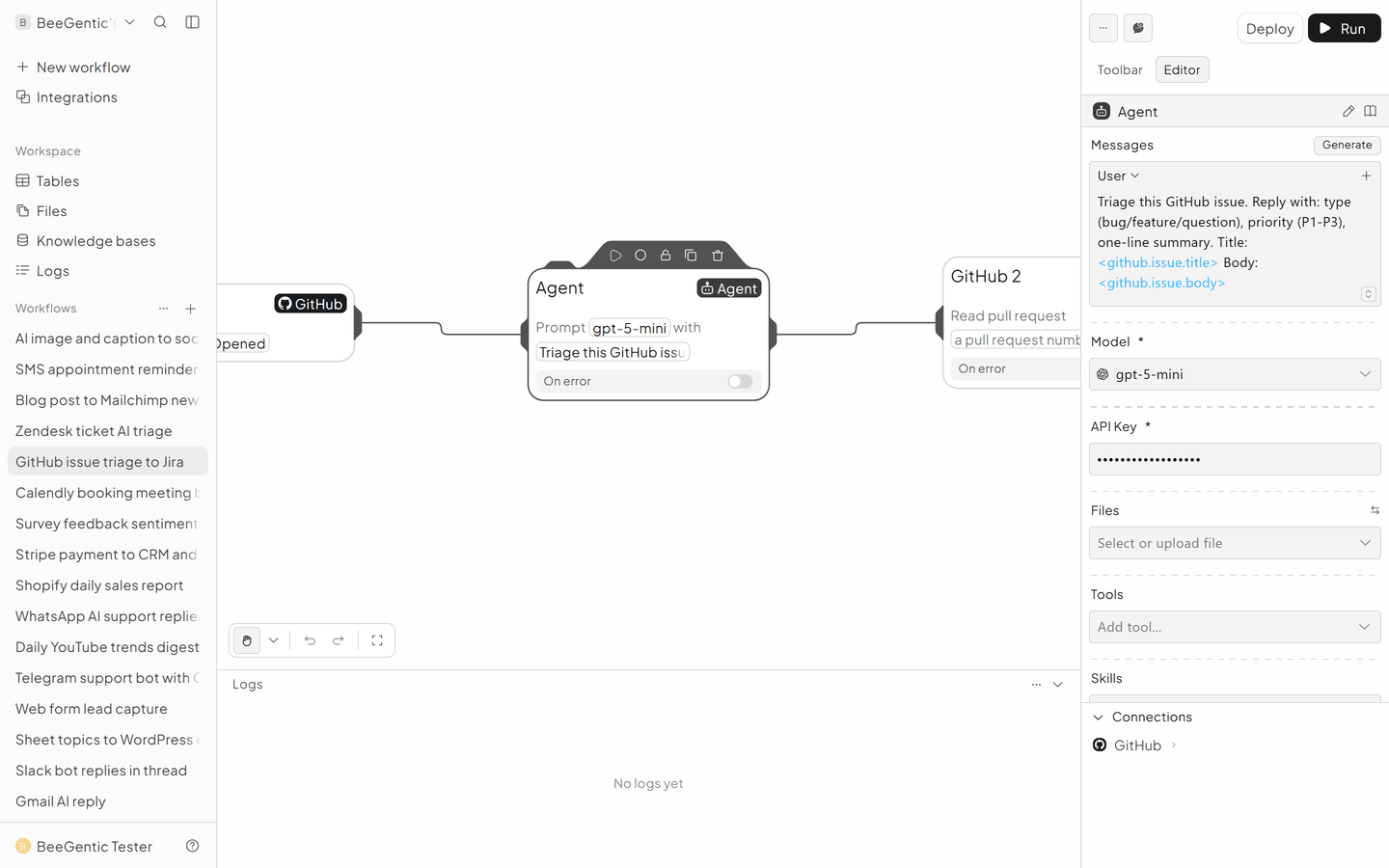
Triage with the Agent
User: Triage this GitHub issue. Reply with: type (bug/feature/question), priority (P1-P3), one-line summary. Title: <github.issue.title> Body: <github.issue.body>
Comment on the issue
Integrations → GitHub (GitHub 2).
- Operation: Create issue comment
- Repository Owner / Name: yours
- Issue Number:
<github.issue.number> - Comment Text:
Thanks for the report! Triage: <agent.content>
Create the Jira ticket
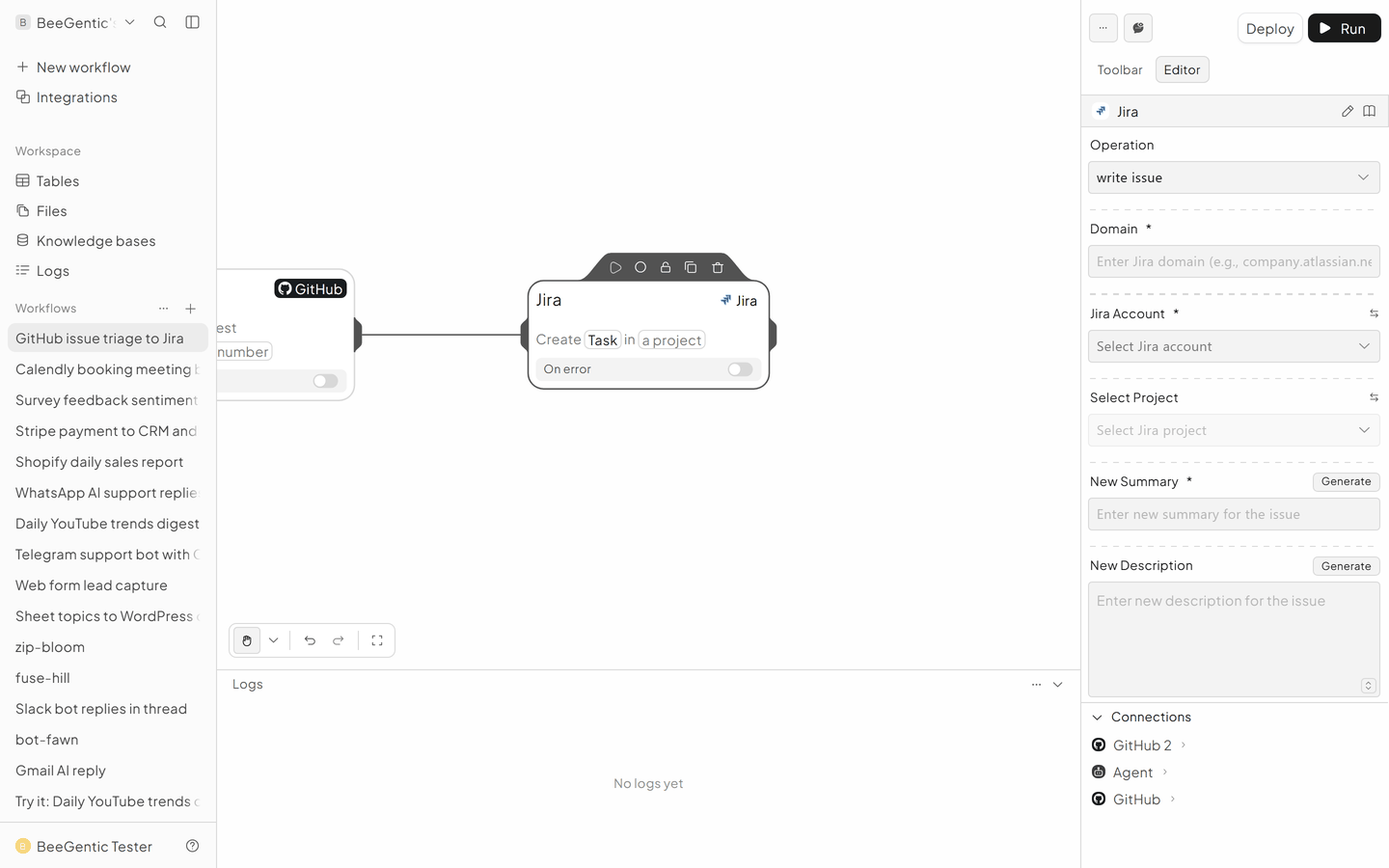
Integrations → Jira.
- Operation: Write Issue
- Project: yours
- New Summary:
<github.issue.title> - New Description:
<agent.content> - <github.issue.html_url>
The finished workflow

Example result
We ran the AI step of this recipe in BeeGentic (model gpt-5-mini) with a sample input. The text below is the actual output, unedited.
Sample input:
Triage this GitHub issue. Reply with: type (bug/feature/question), priority (P1-P3), one-line summary. Title: Export to CSV fails for tables over 10k rows Body: When I click Export on a table with ~12,000 rows the download never starts and the browser console shows a 504. Smaller tables work.What BeeGentic produced:
type: bug
priority: P1
one-line summary: Export to CSV for large tables (~12,000 rows) times out with a 504 and no download starts, while smaller tables export successfully.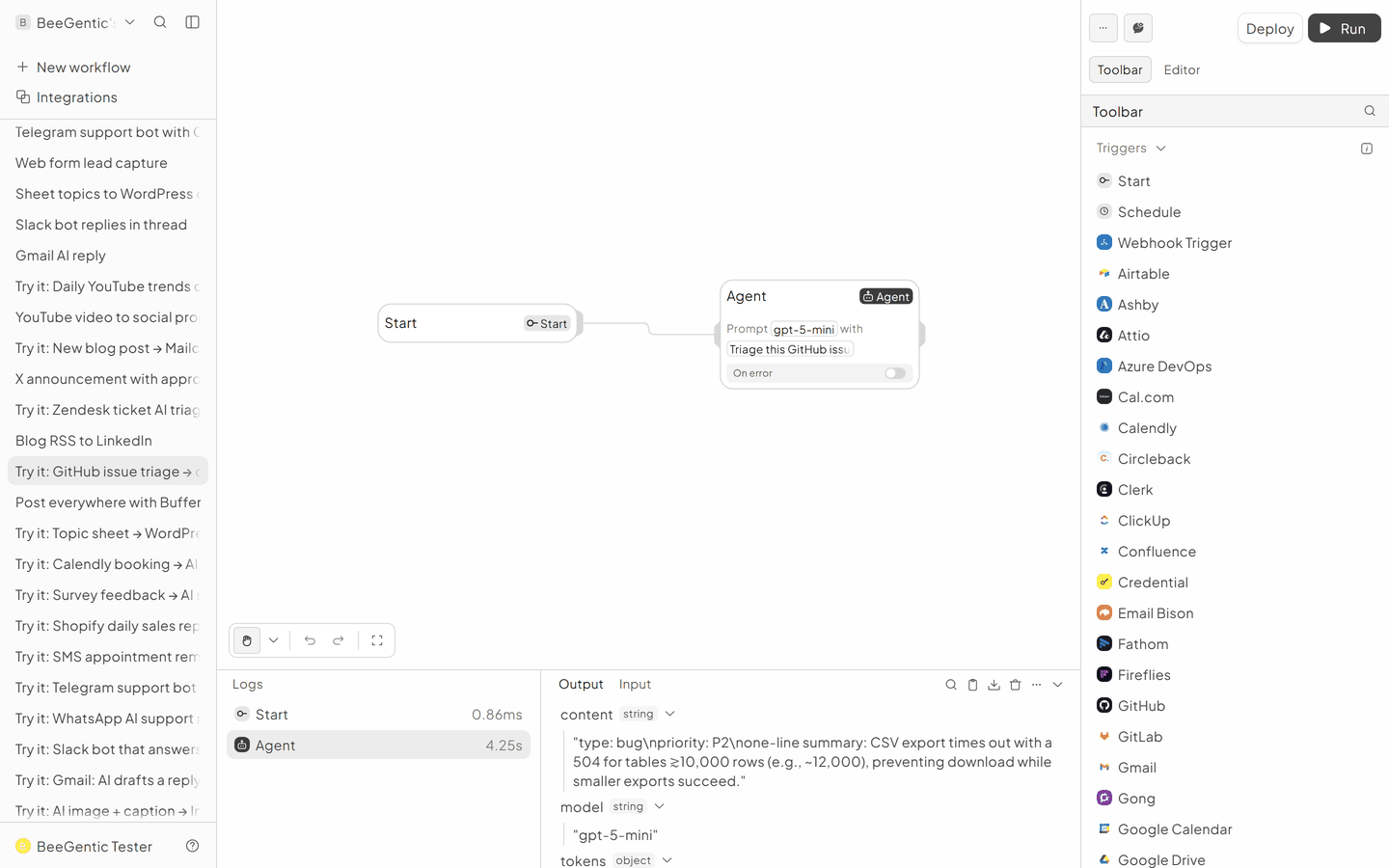
AI output varies from run to run. Change the wording of your prompt to change the style, length or tone.
Test it and switch it on
Deploy and open a test issue in your repo.
Make it yours
- Only bugs to Jira: add a Condition
<agent.content>.includes('bug')before Jira. - Labels: GitHub Add issue labels with the AI's type.
Something not working? See Troubleshooting or get help.