

New YouTube video → promo posts
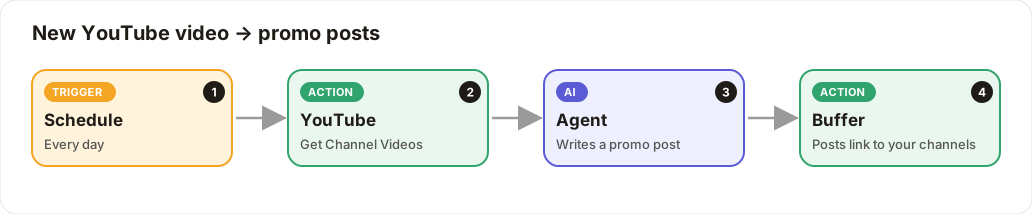
Your newest YouTube video is promoted on Facebook, LinkedIn and X automatically.
Level: Intermediate · Time: about 15 minutes · Category: Social media
Watch the workflow being built in BeeGentic (no sound).
What it does
Every day BeeGentic fetches your channel's newest video. The AI writes a promo post with the link, and Buffer shares it everywhere.
YouTube uploads: BeeGentic can read YouTube but can't upload yet; that's on the roadmap. Upload in YouTube Studio as usual and let this workflow do the promotion.
You'll need
- A YouTube Data API key (Google Cloud Console → Credentials, with YouTube Data API v3 enabled), saved as
YOUTUBE_API_KEY - Your YouTube channel ID (YouTube Studio → Settings → Channel → Advanced)
- Buffer set up as in Recipe 1
Build it step by step
Schedule it daily
New workflow YouTube promo, delete Start, add Schedule: Daily at 10:00.
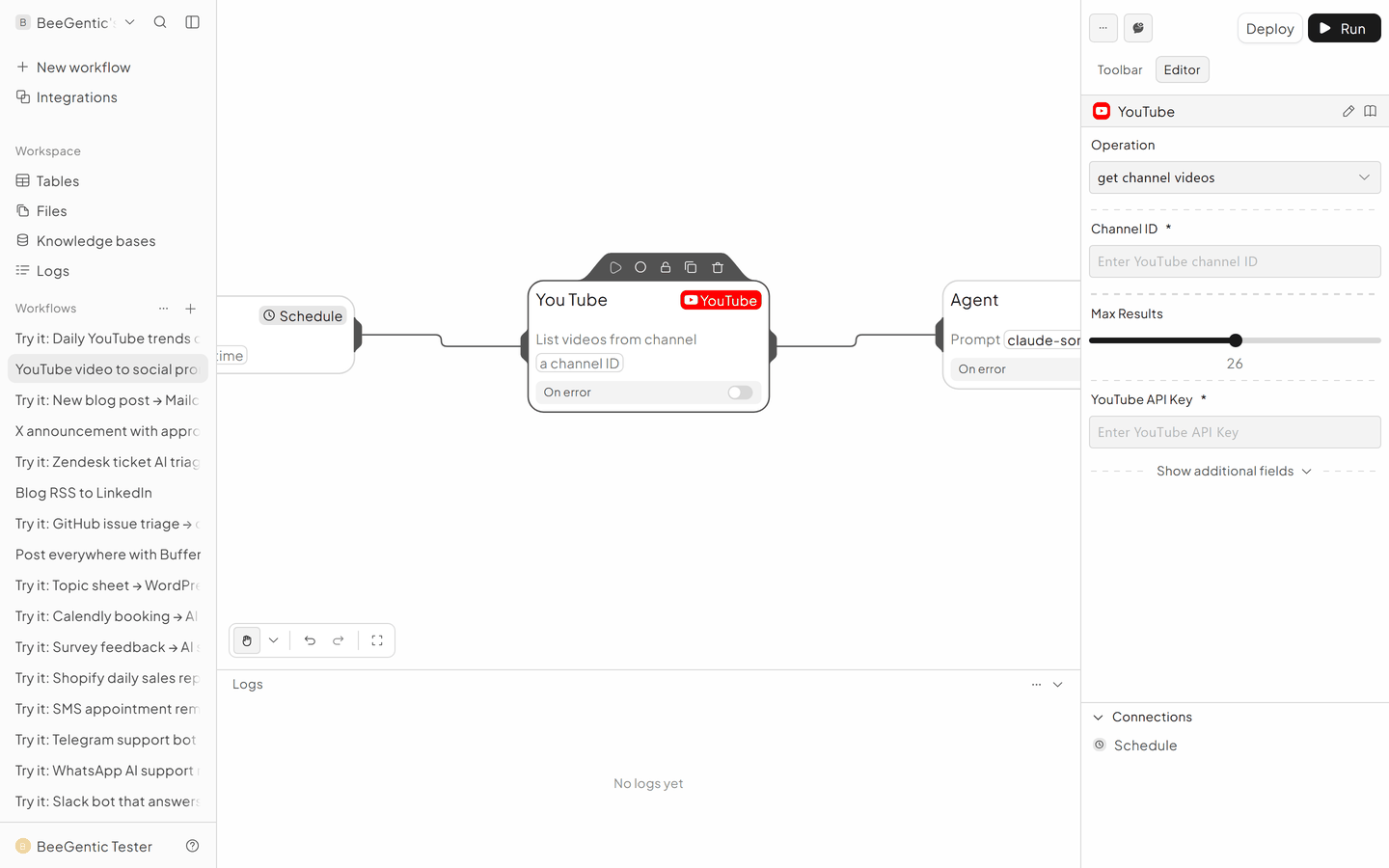
Add YouTube
- Operation: Get Channel Videos
- YouTube API Key:
{{YOUTUBE_API_KEY}} - Channel ID: yours
- Results: 1, the newest
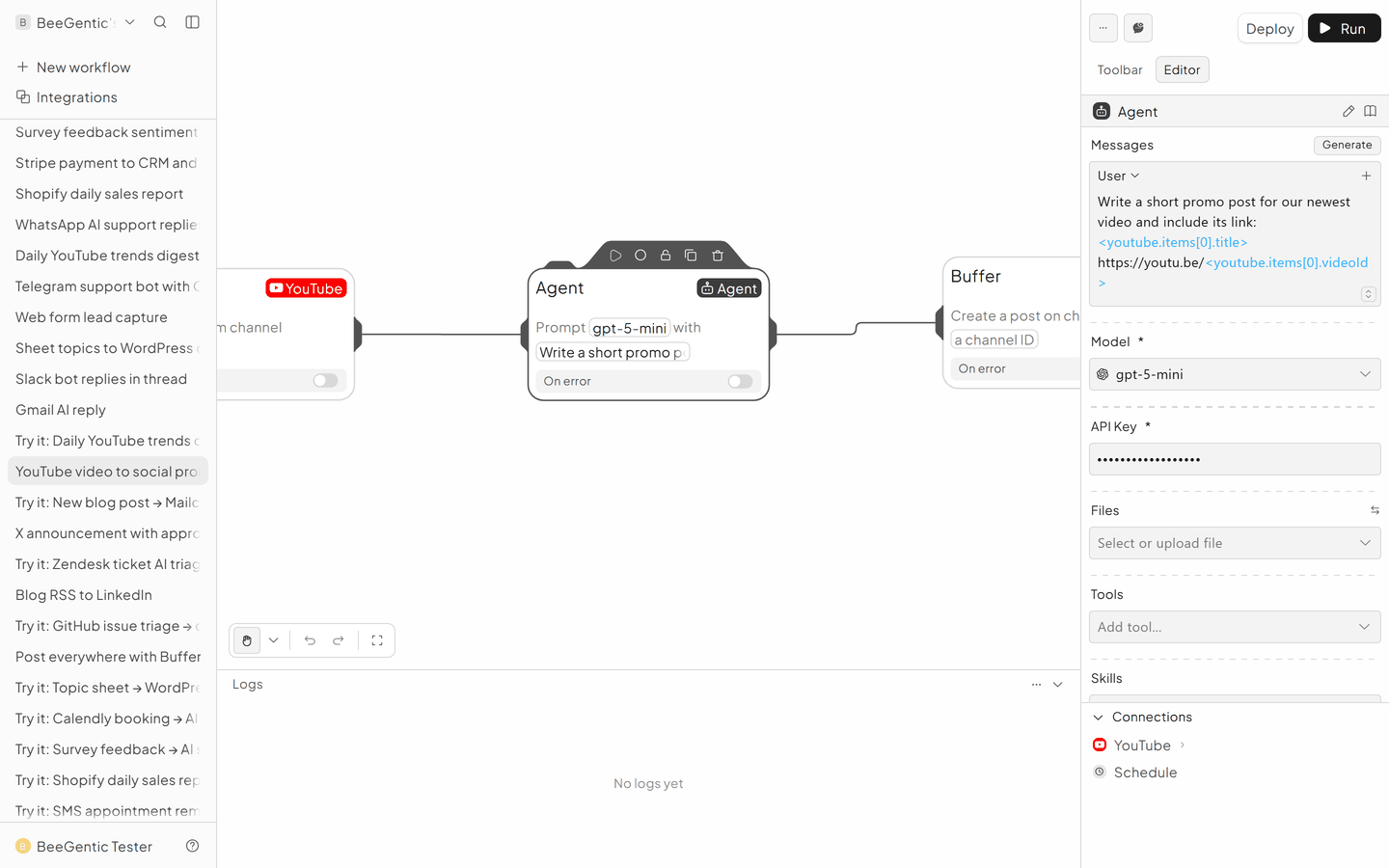
Add the Agent
- Messages → User:
Write a short promo post (max 50 words) for our newest video: <youtube.items[0].title> https://youtu.be/<youtube.items[0].videoId>
Add Buffer
- Create Post
- Text:
<agent.content> - One Buffer block per channel
The finished workflow

Example result
We ran the AI step of this recipe in BeeGentic (model gpt-5-mini) with a sample input. The text below is the actual output, unedited.
Sample input:
Write a short promo post (max 50 words) for our newest video: "Build a Gmail AI assistant in 10 minutes" https://youtu.be/abc123What BeeGentic produced:
Want a Gmail AI assistant in 10 minutes? Watch our step-by-step tutorial and build one today — no coding experience needed. Automate replies, sort messages, and save time. Watch now: https://youtu.be/abc123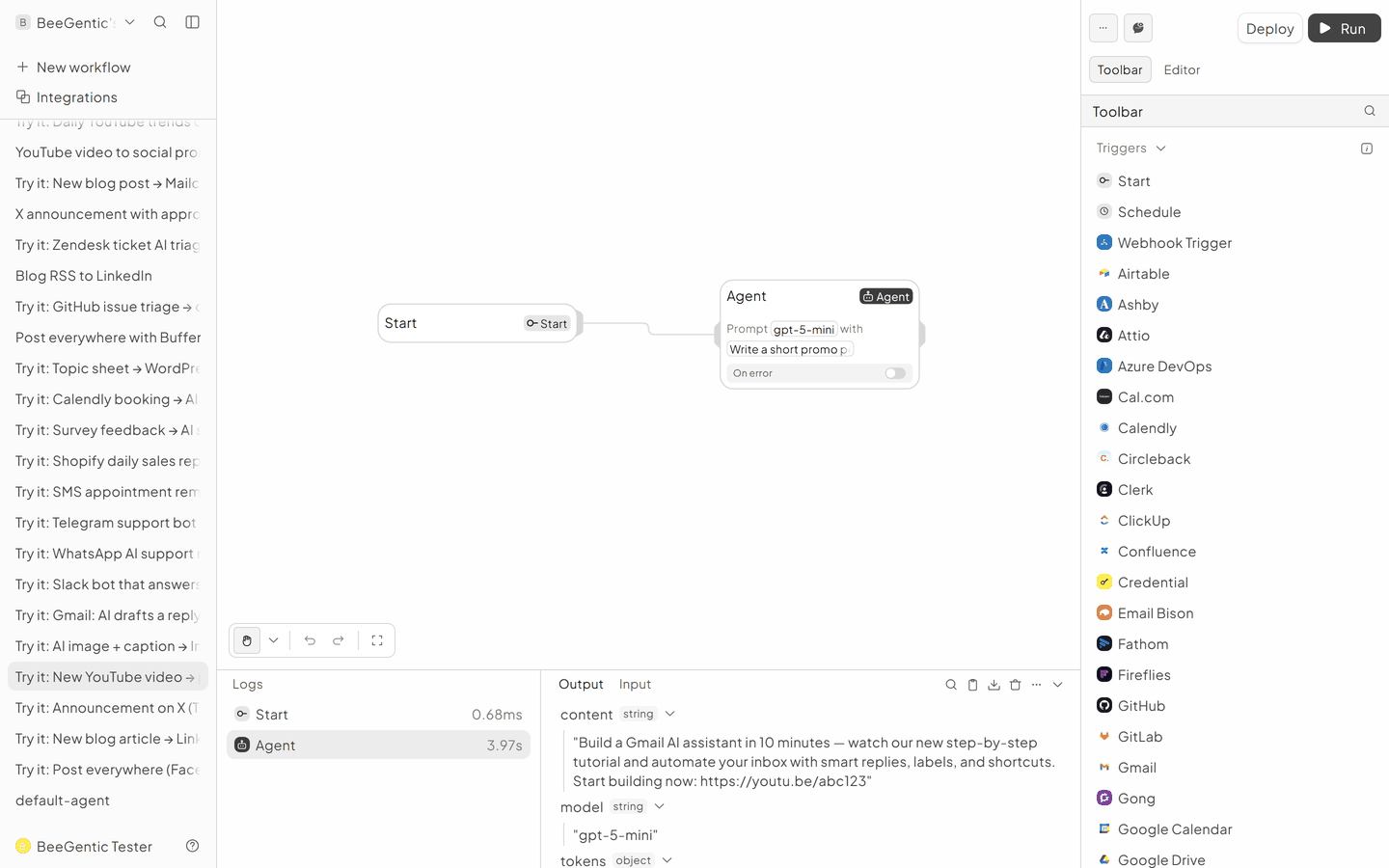
AI output varies from run to run. Change the wording of your prompt to change the style, length or tone.
Test it and switch it on
Click Run to post the current newest video, then Deploy. To avoid posting the same video twice, add a Condition that only continues when <youtube.items[0].publishedAt> is from the last 24 hours.
Make it yours
- Clip ideas: ask the Agent for 3 short-form hooks and save them to Notion.
Something not working? See Troubleshooting or get help.