

Gmail: AI drafts a reply to every new email
New emails get a polite reply drafted in the same thread, ready for you to send.
Level: Beginner · Time: about 10 minutes · Category: Email & messaging
Watch the workflow being built in BeeGentic (no sound).
What it does
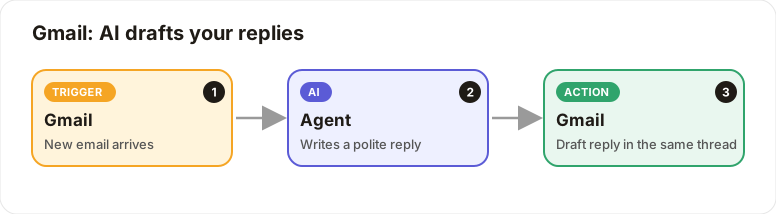
When a new email arrives, the AI writes a polite reply and saves it as a draft in the same thread. You review it in Gmail and press Send.
You'll need
- A Google account with Gmail (your admin must have Google configured)
Build it step by step
Add the Gmail trigger
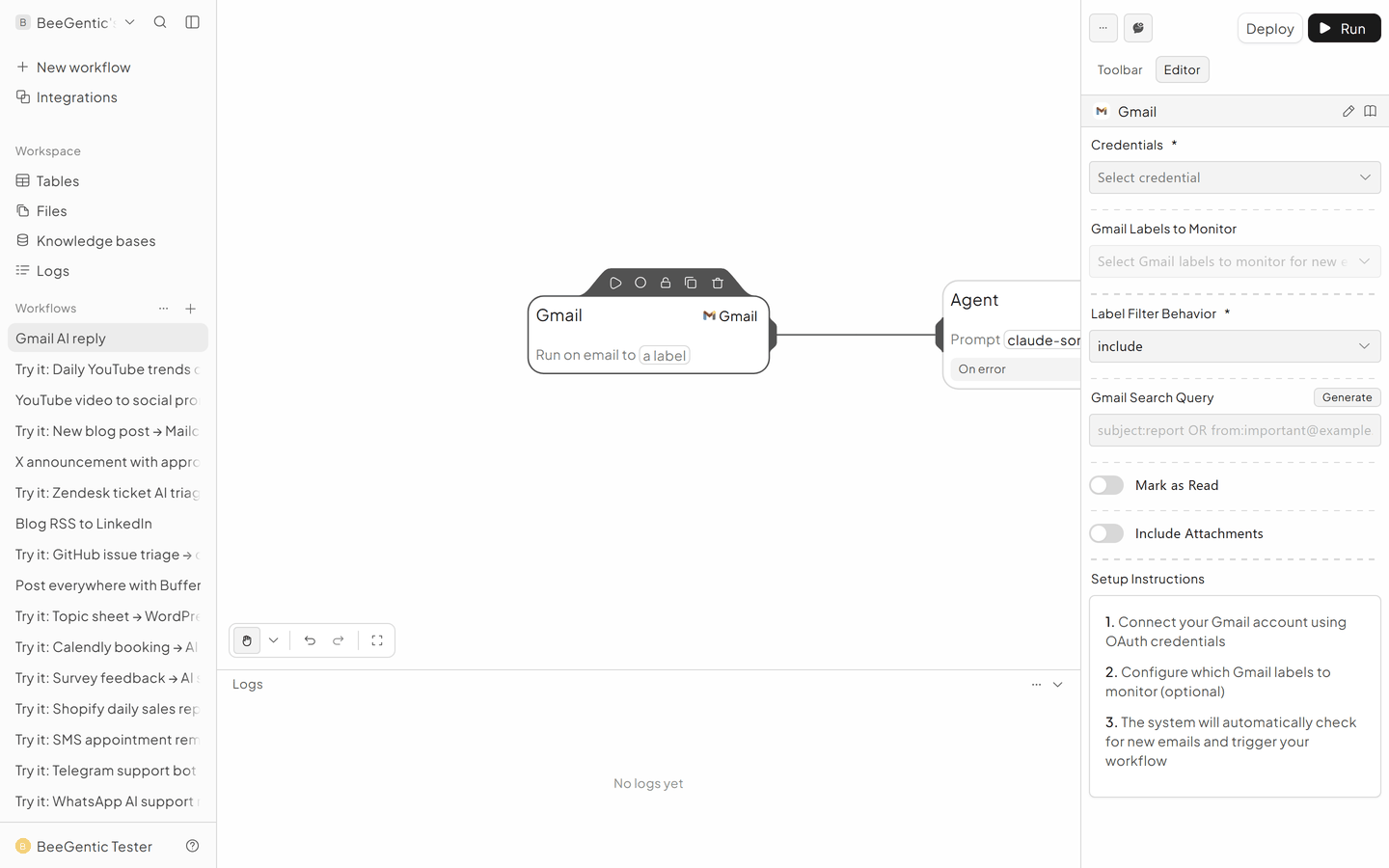
New workflow Gmail AI reply, delete Start. Toolbar → Triggers → Gmail.
- Credentials: Connect your Google account
- Gmail Labels to Monitor:
INBOX, or a label likesupport - Gmail Search Query:
-from:me -category:promotions - Mark as Read: off
Add the Agent
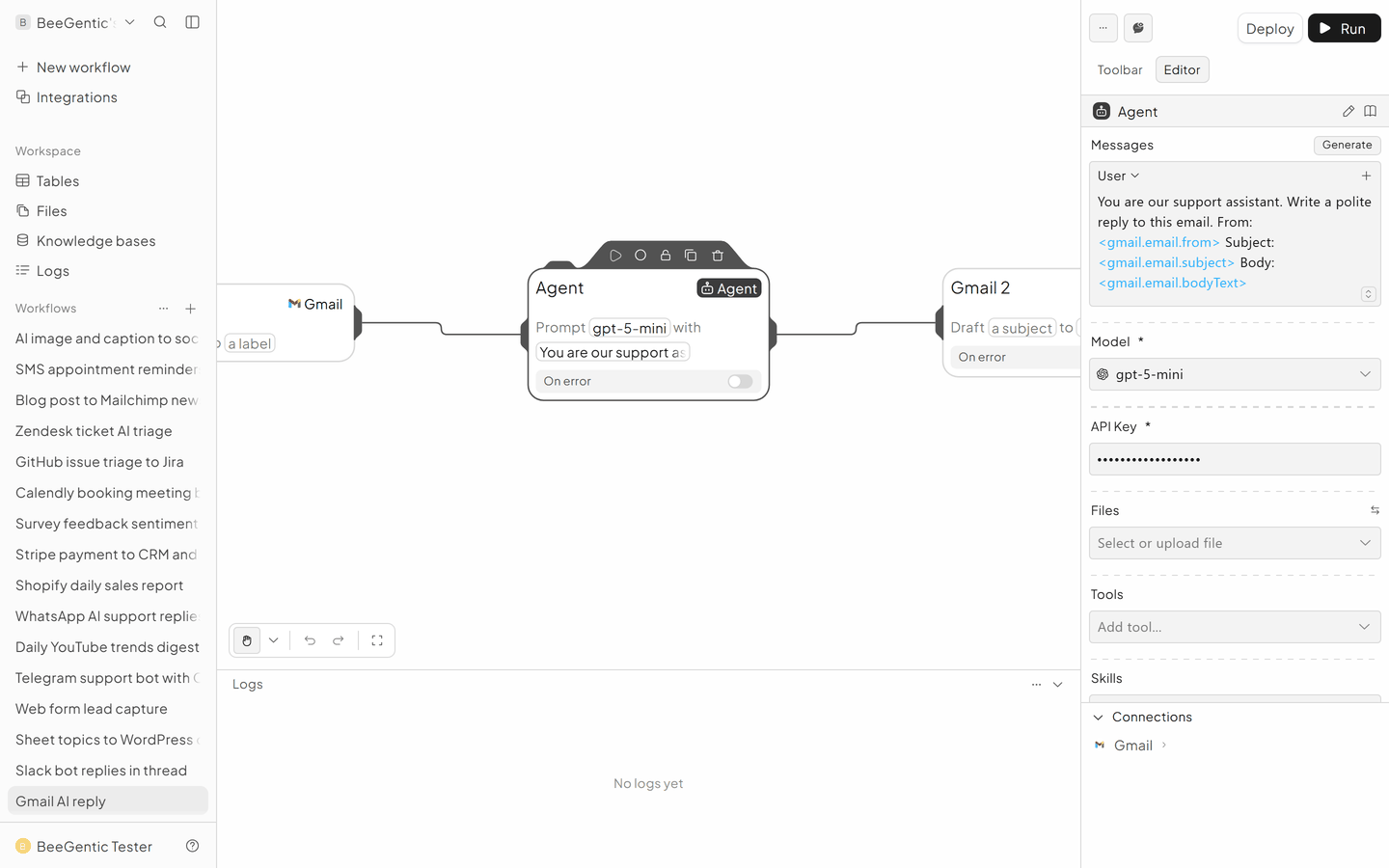
- System:
You are our support assistant. Warm and brief. If you don't know, say a teammate will follow up. Sign as "The BeeGentic team". - User:
Write a reply to this email. From: <gmail.email.from> Subject: <gmail.email.subject> Body: <gmail.email.bodyText>
Add Gmail to save the draft
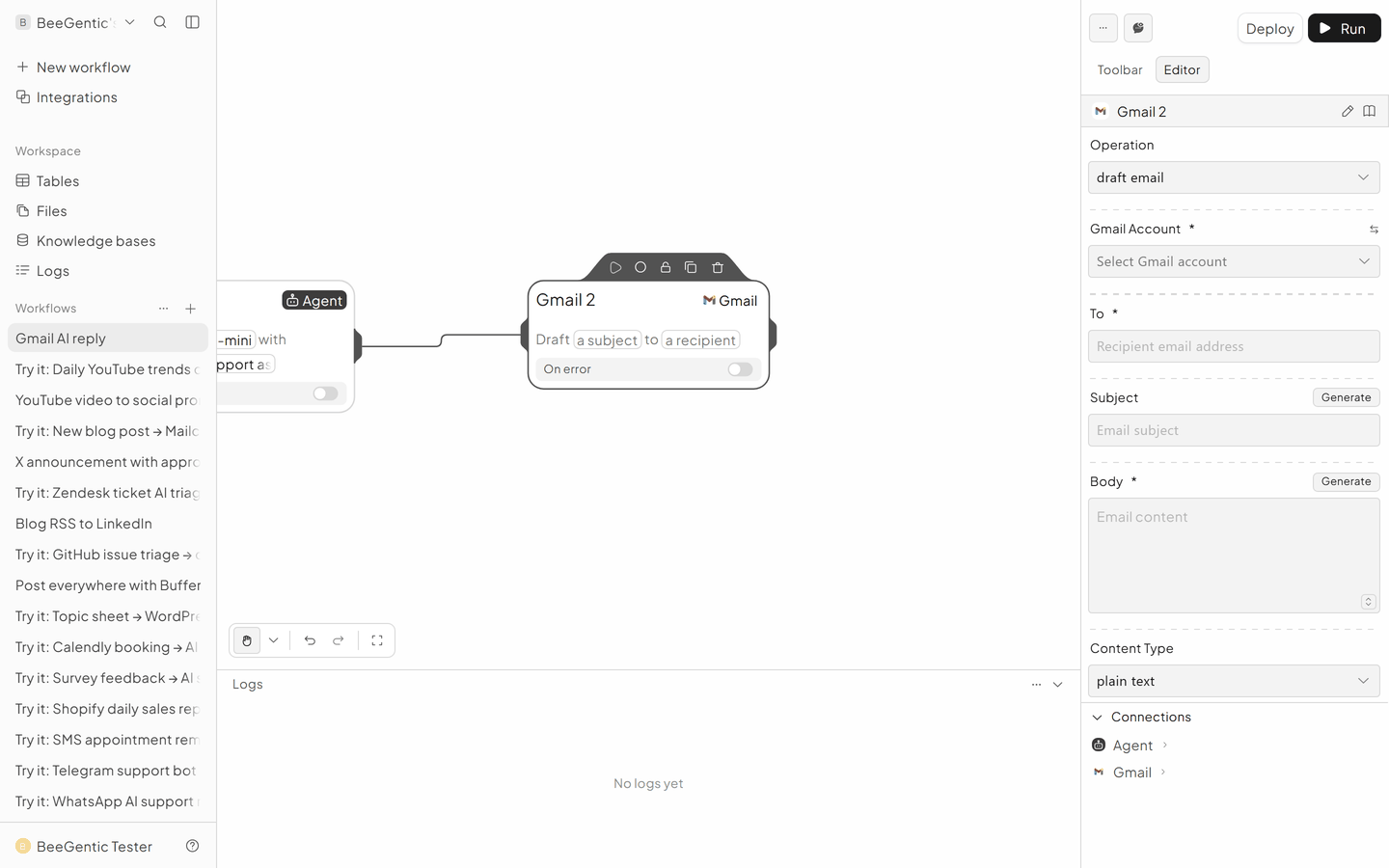
Toolbar → Integrations → Gmail (called Gmail 2 on the canvas).
- Operation: Draft Email
- To:
<gmail.email.from> - Subject:
Re: <gmail.email.subject> - Body:
<agent.content> - Thread ID:
<gmail.email.threadId> - Reply to Message ID:
<gmail.email.id>
The finished workflow
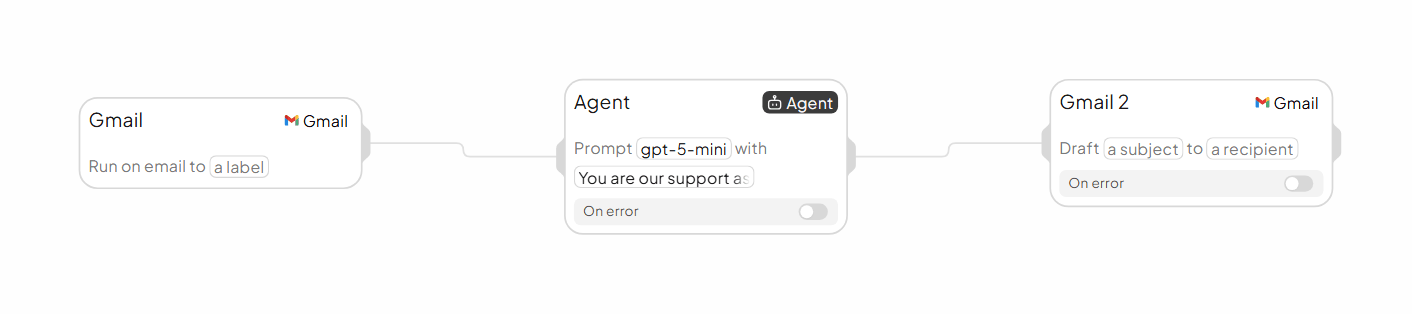
Example result
We ran the AI step of this recipe in BeeGentic (model gpt-5-mini) with a sample input. The text below is the actual output, unedited.
Sample input:
You are our support assistant. Warm and brief. If you don't know, say a teammate will follow up. Sign as "The BeeGentic team".
Write a reply to this email. From: maria@example.com Subject: Can I change my plan mid-month? Body: Hi, we started on Starter but need more credits this month. Can I upgrade now and what happens to my bill?
What BeeGentic produced:
Hi Maria —

Yes — you can upgrade anytime. If you upgrade mid-month you’ll get the higher credits right away; billing is usually adjusted pro rata for the remainder of the current billing period so you only pay for the higher plan for the days left in the cycle. The exact proration and how it appears on your invoice can vary by plan and payment method, so I’ll have a teammate in Billing confirm the exact charge for your account and follow up shortly.

Would you like me to start the upgrade now, or wait for the billing confirmation?

Thanks,
The BeeGentic team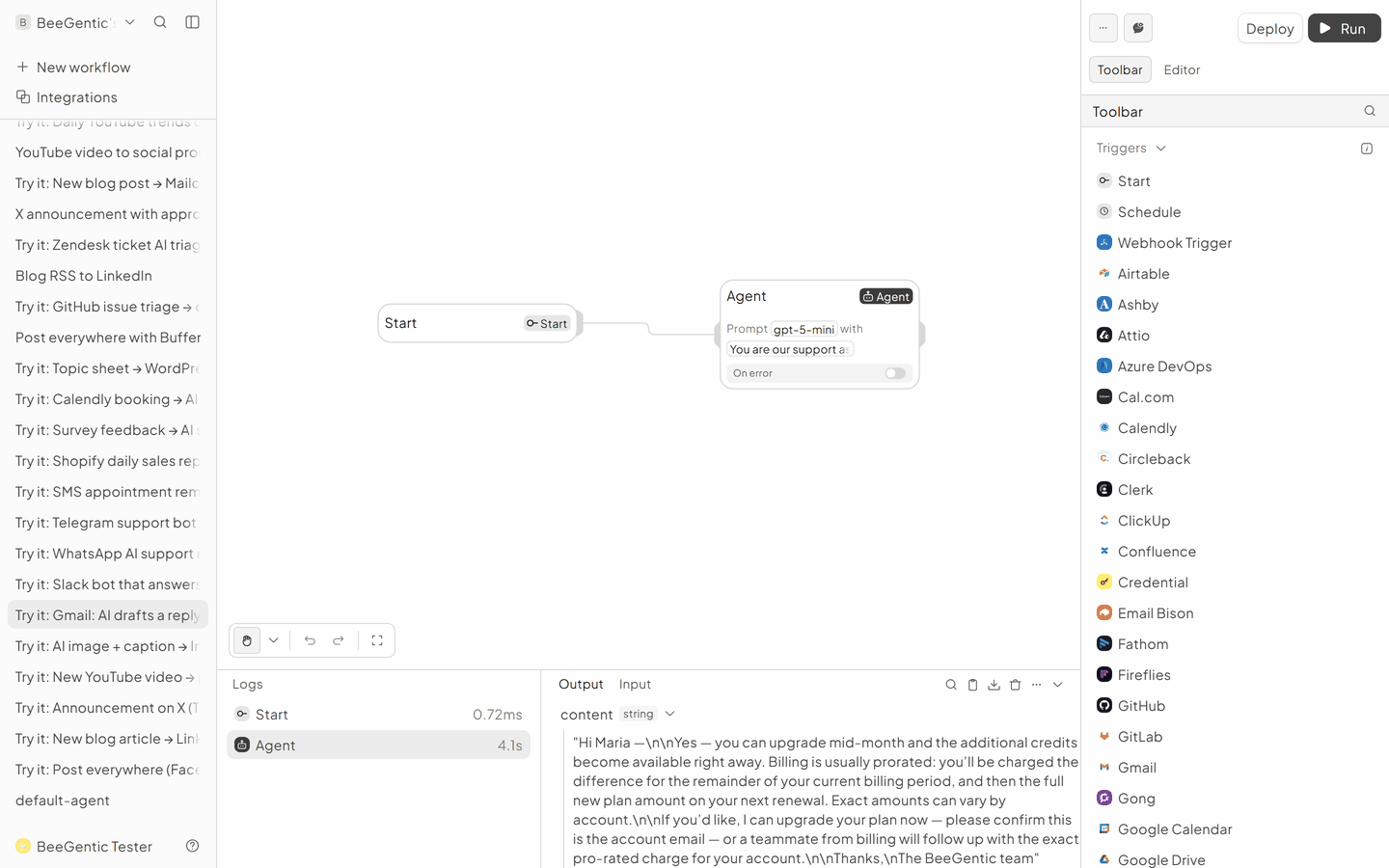
AI output varies from run to run. Change the wording of your prompt to change the style, length or tone.
Test it and switch it on
Deploy, then send yourself an email from another address. A draft reply appears in that thread within a few minutes.
Make it yours
- Only some emails: add a Router with routes Support / Sales / Spam.
- Use your FAQ: give the Agent a Knowledge base tool.
- Outlook: same pattern with Outlook Email Trigger and Outlook → Reply to Email.
Something not working? See Troubleshooting or get help.