

WhatsApp AI support replies
Customers message your WhatsApp Business number and get an instant, helpful answer.
Level: Intermediate · Time: about 20 minutes · Category: Email & messaging
Watch the workflow being built in BeeGentic (no sound).
What it does
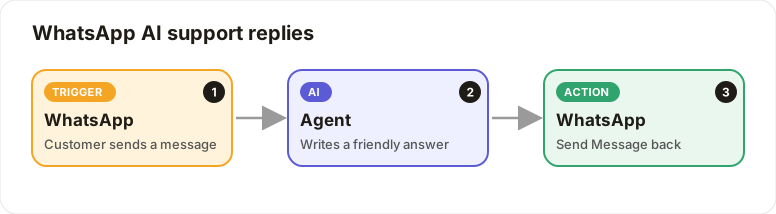
A customer sends a WhatsApp message to your business number. The AI writes a friendly answer and BeeGentic sends it back within seconds, 24/7.
The 24-hour rule: WhatsApp only allows free-form replies within 24 hours of the customer's last message. To start a conversation, use Send Template with a template Meta has approved.
You'll need
- A WhatsApp Business number on the Meta WhatsApp Cloud API. In Meta for Developers, create an app and add WhatsApp.
- From Meta: the Phone Number ID and a permanent Access Token. Save the token as
WHATSAPP_TOKEN. - Your Meta app's App Secret, saved as
WHATSAPP_APP_SECRET
Build it step by step
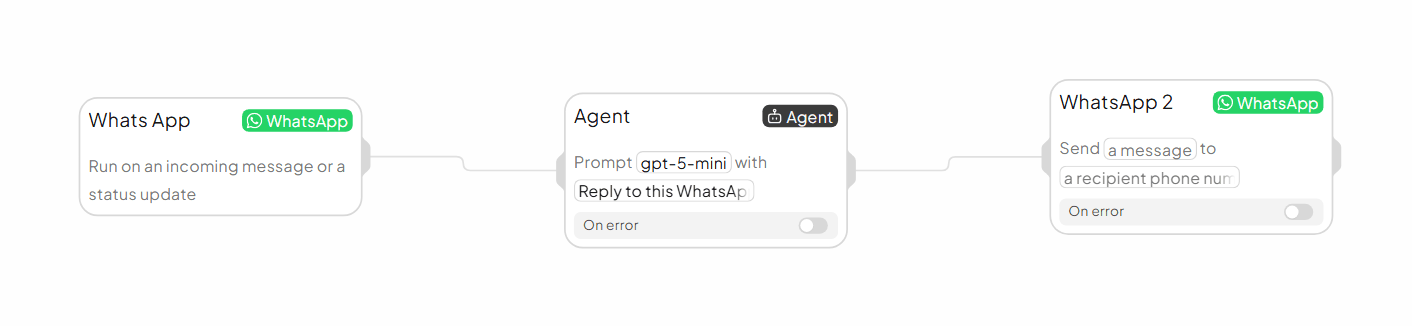
Add the WhatsApp trigger
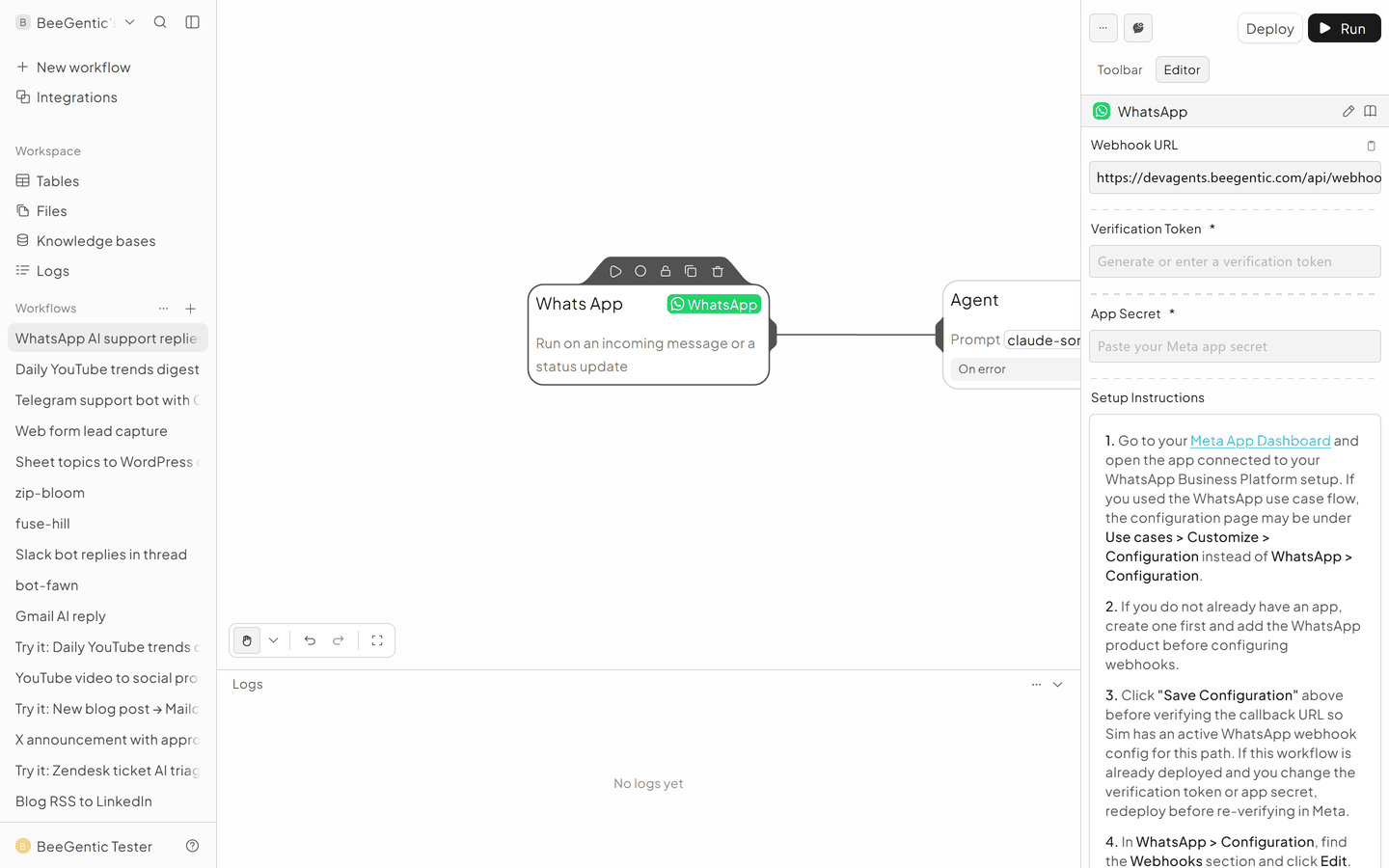
New workflow WhatsApp support, delete Start. Triggers → WhatsApp.
- Copy the Webhook URL
- Verification Token: any word you choose, e.g.
bee-verify-2026 - App Secret:
{{WHATSAPP_APP_SECRET}}
Connect it in Meta
In Meta for Developers → your app → WhatsApp → Configuration:
- paste the Webhook URL and the same Verification Token
- click Verify and save
- subscribe to the messages field
Add the Agent
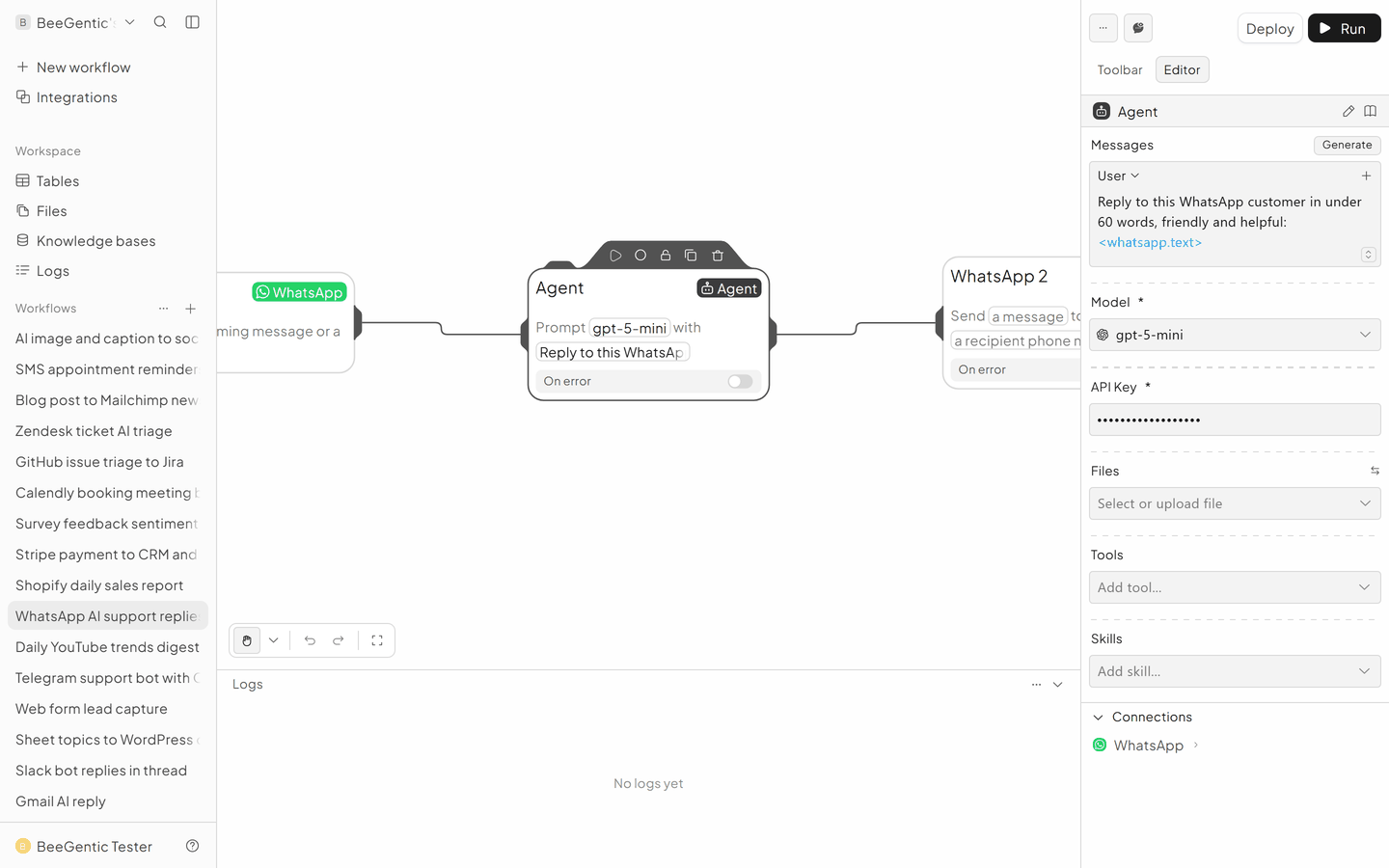
- System:
You are the WhatsApp assistant for <your shop>. Friendly, max 60 words, no markdown. Opening hours 9-6 Mon-Sat. - User:
<whatsapp.text>
Send the reply
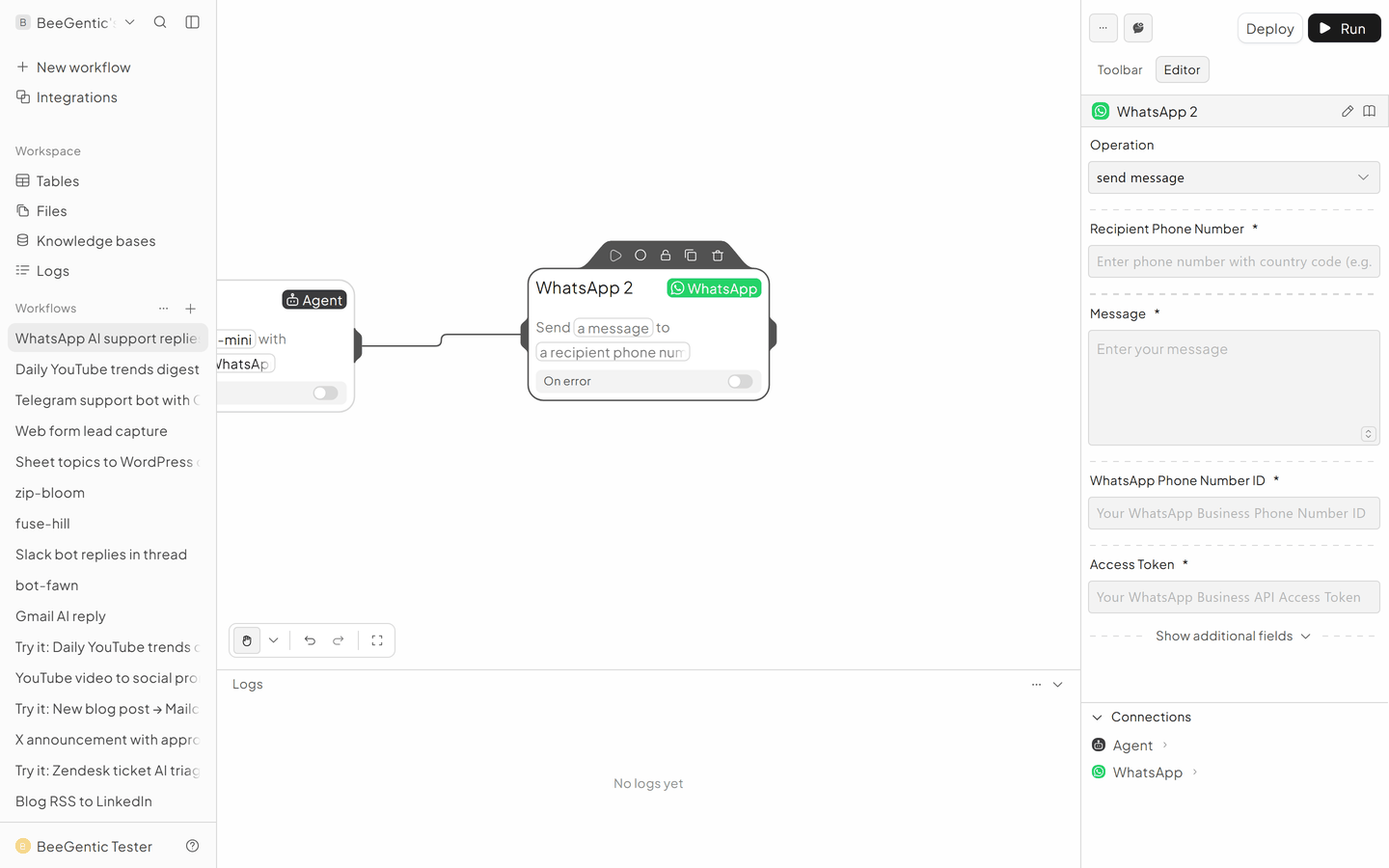
Integrations → WhatsApp (WhatsApp 2).
- Operation: Send Message
- WhatsApp Phone Number ID: yours
- Access Token:
{{WHATSAPP_TOKEN}} - Recipient Phone Number:
<whatsapp.from> - Message:
<agent.content>
The finished workflow
Example result
We ran the AI step of this recipe in BeeGentic (model gpt-5-mini) with a sample input. The text below is the actual output, unedited.
Sample input:
You are the WhatsApp assistant for Honey & Crumb bakery. Friendly, max 60 words, no markdown. Opening hours 9-6 Mon-Sat. We deliver within 5 km for $4.
Hi! Do you deliver to Brooklyn Heights and are you open on Sunday?
What BeeGentic produced:
Hi! We’re open Mon–Sat 9–6 and closed Sundays. We deliver within 5 km for $4. Brooklyn Heights may be within range—can you share your address or ZIP so I can confirm?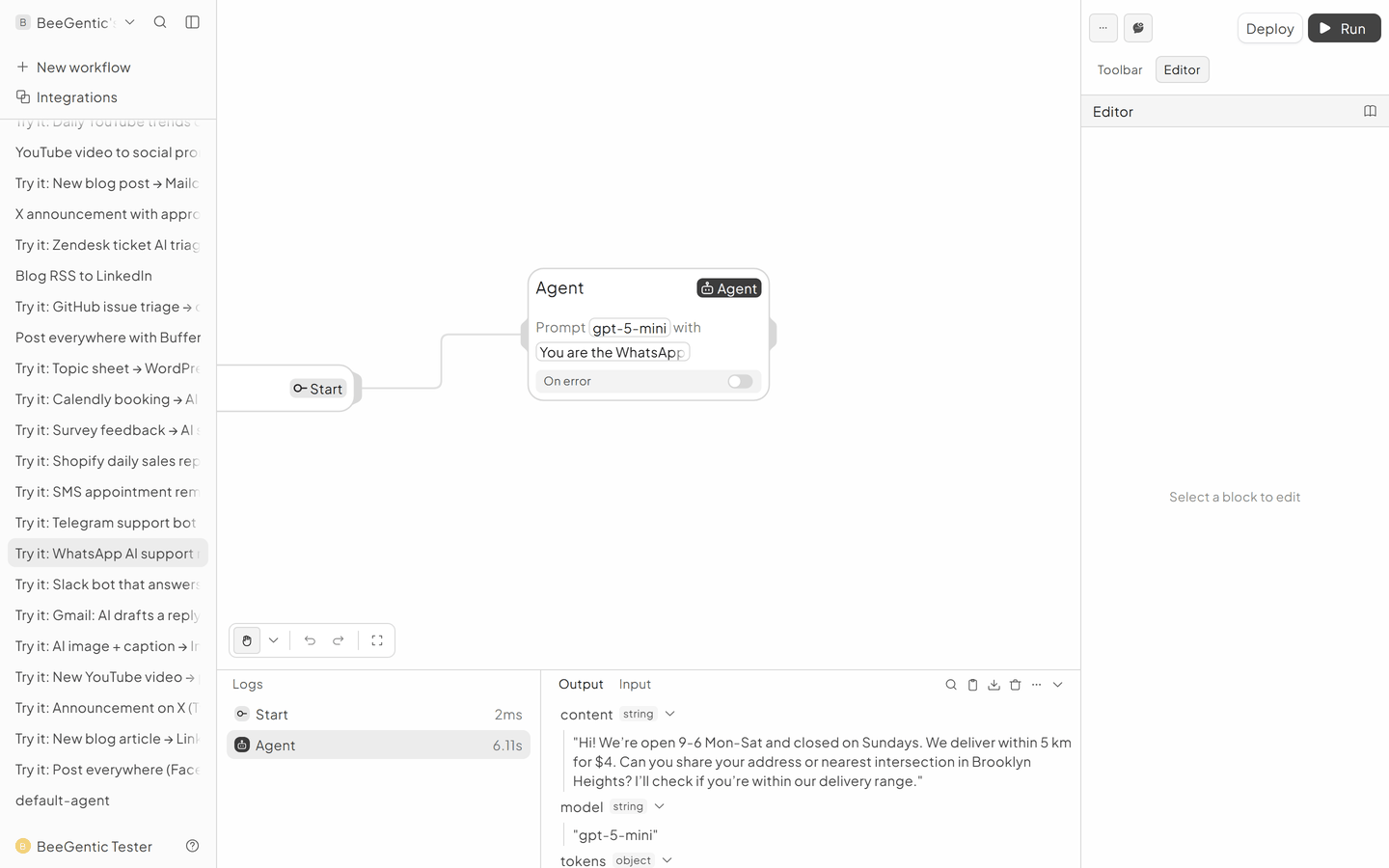
AI output varies from run to run. Change the wording of your prompt to change the style, length or tone.
Test it and switch it on
Deploy, then send a WhatsApp message to your business number from your phone.
Make it yours
- Hand over to a person: a Condition sends messages containing "agent" or "human" to Slack instead.
- Order status: give the Agent a Shopify Get Order tool.
Something not working? See Troubleshooting or get help.