

Announcement on X (Twitter) with approval
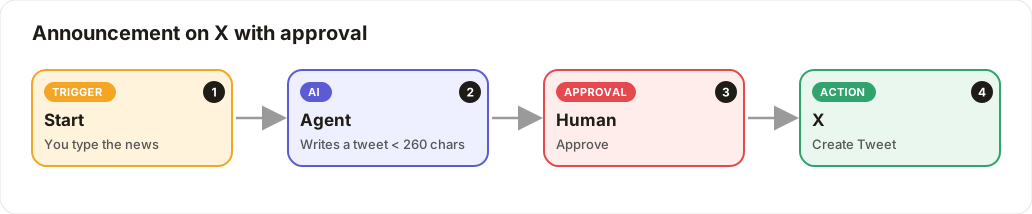
Type your news, the AI writes the tweet, you approve, it posts.
Level: Beginner · Time: about 10 minutes · Category: Social media
Watch the workflow being built in BeeGentic (no sound).
What it does
You type a piece of news and click Run. The AI writes a tweet, you approve it, and it posts on X.
You'll need
- An X account
- X switched on by your admin
Build it step by step
Keep the Start block
New workflow X announcement. The Start block asks you for the news when you click Run.
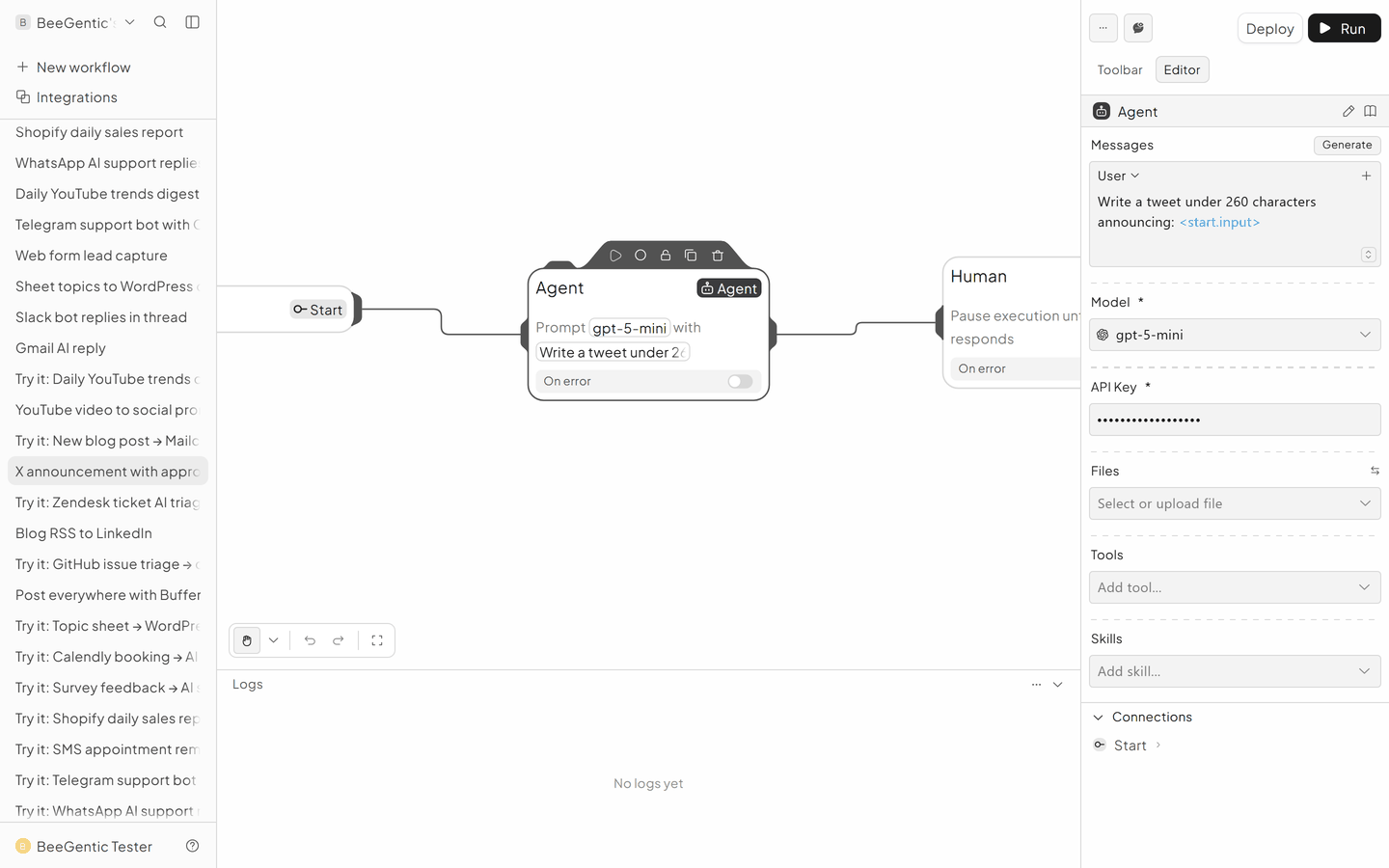
Add the Agent
- Messages → User:
Write a tweet under 260 characters announcing: <start.input>. Plain language, max 1 emoji, 2 hashtags. - Model:
gpt-5-mini - API Key:
{{OPENAI_API_KEY}}
Add Human approval
Blocks → Human. Set Display Data to <agent.content>.
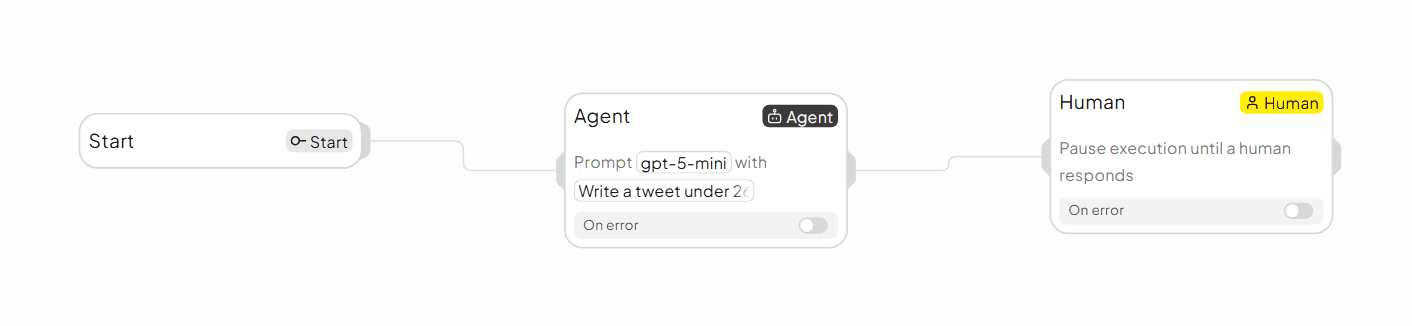
The finished workflow
Example result
We ran the AI step of this recipe in BeeGentic (model gpt-5-mini) with a sample input. The text below is the actual output, unedited.
Sample input:
Write a tweet under 260 characters announcing: BeeGentic Resources is live, with 20 free step-by-step automation recipes at docs.beegentic.ai. Plain language, max 1 emoji, 2 hashtags.What BeeGentic produced:
BeeGentic Resources is live — 20 free step-by-step automation recipes now available at docs.beegentic.ai. Get started fast, save time, and build smarter workflows. 🔧 #automation #BeeGentic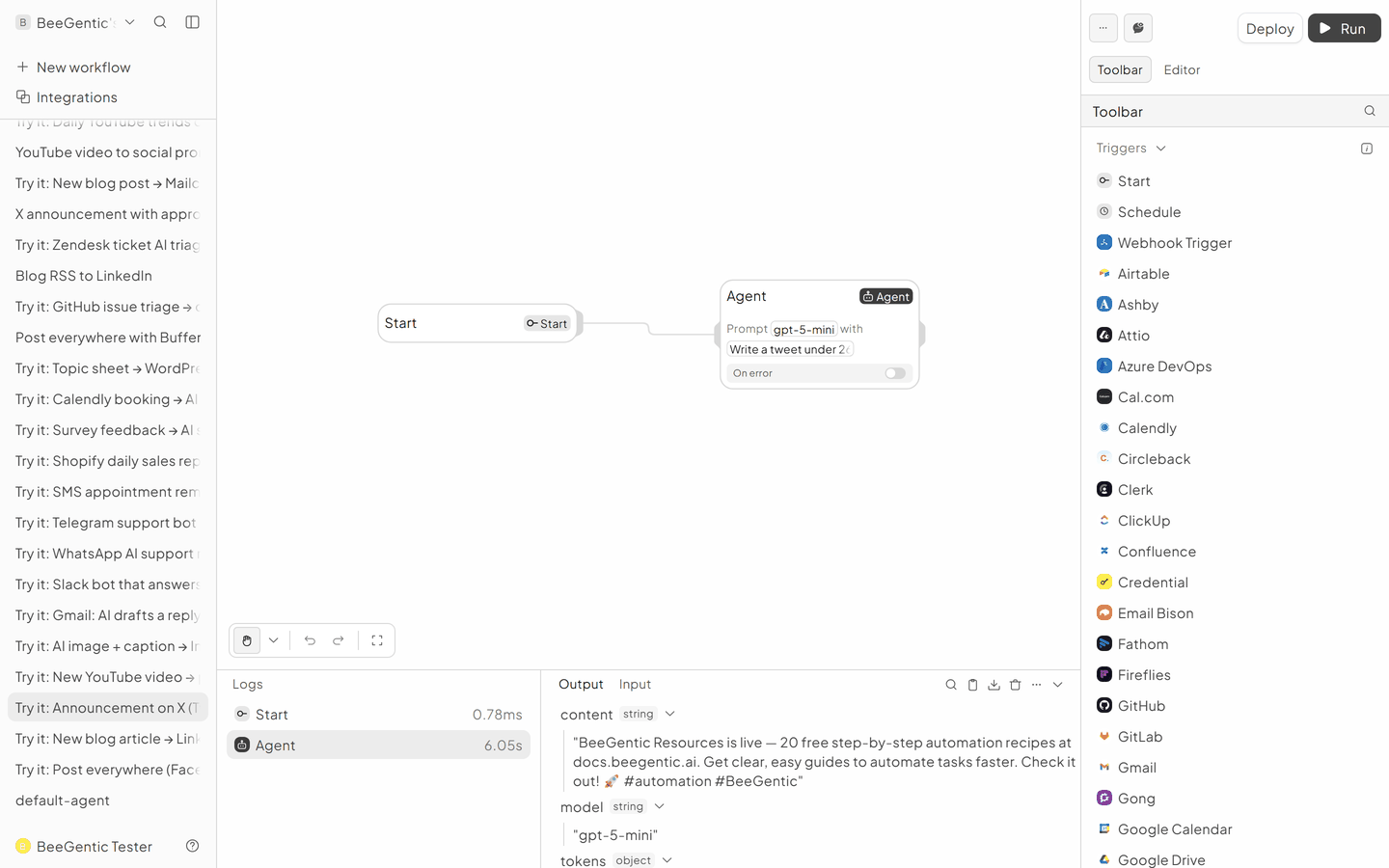
AI output varies from run to run. Change the wording of your prompt to change the style, length or tone.
Test it and switch it on
Click Run, type your news, approve, and check X.
Make it yours
- Thread: add a second X block with Reply To Tweet ID from the first one. Type
<to pick it. - With an image: post through Buffer instead.
Something not working? See Troubleshooting or get help.