

Calendly booking → AI meeting brief
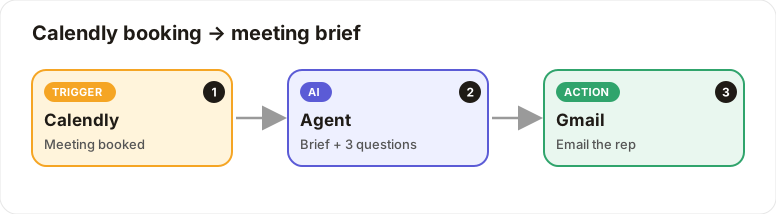
When someone books a call, your rep gets a short brief and smart questions by email.
Level: Beginner · Time: about 10 minutes · Category: Sales, e-commerce & CRM
Watch the workflow being built in BeeGentic (no sound).
What it does
When a prospect books through Calendly, the AI prepares a short meeting brief with 3 smart questions from their answers, and emails it to your rep.
You'll need
- Calendly Personal Access Token (
CALENDLY_TOKEN) and your Organization URI - Gmail
Build it step by step
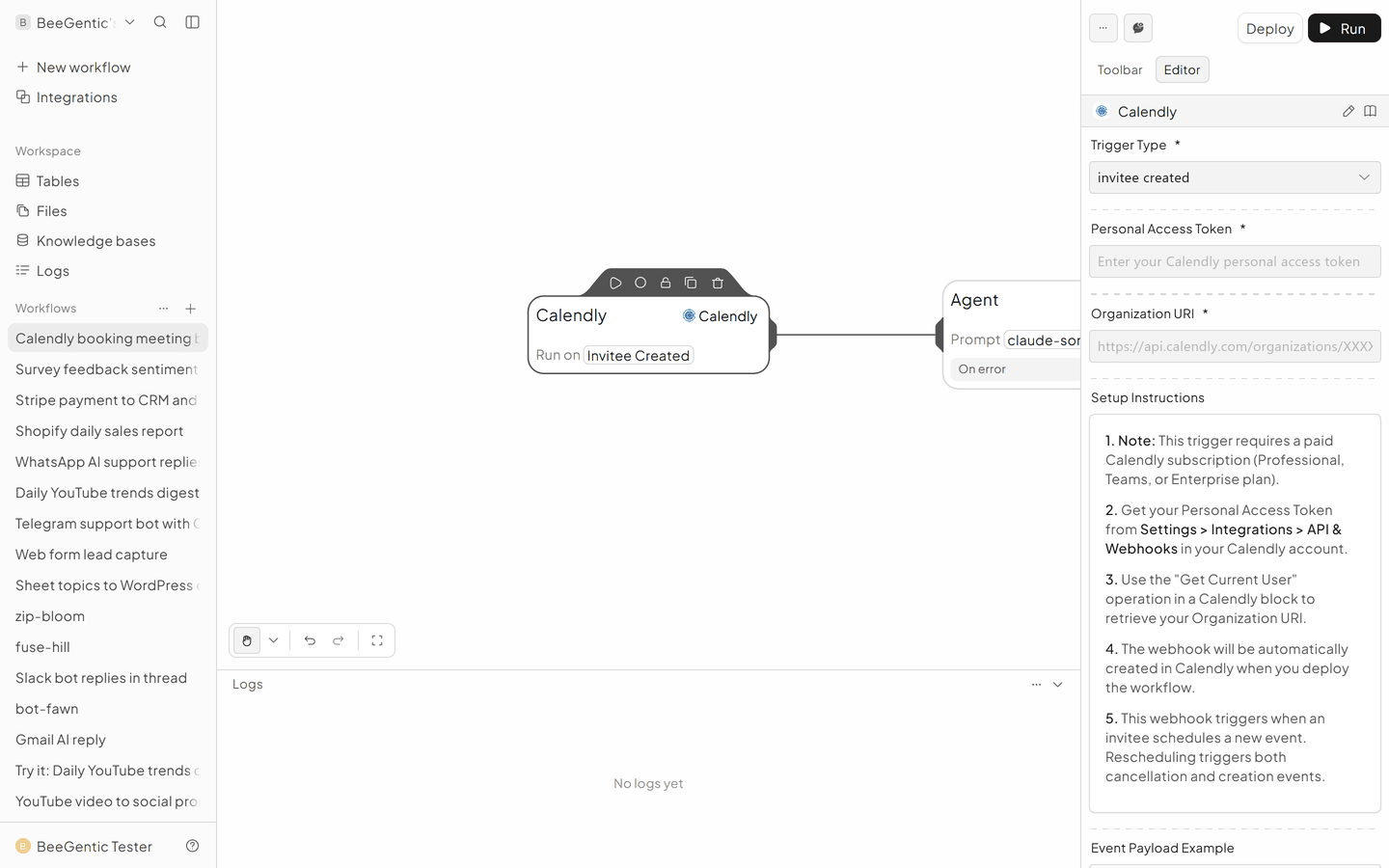
Add the Calendly trigger
Triggers → Calendly.
- Trigger Type: Invitee Created
- Personal Access Token:
{{CALENDLY_TOKEN}} - Organization URI: run a Calendly block with Get Current User to find it
Write the brief
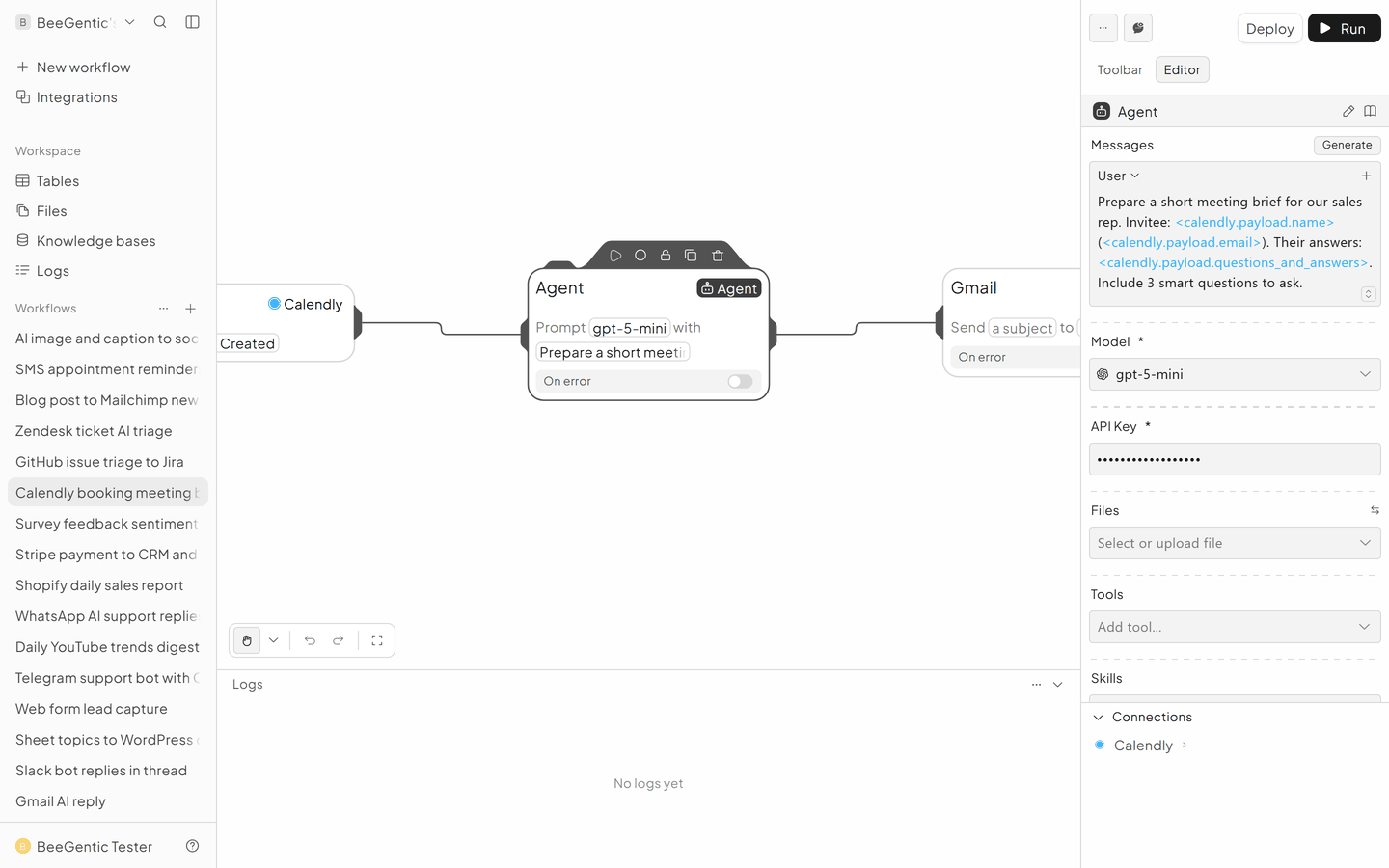
Agent User message:
Prepare a short meeting brief for our sales rep. Invitee: <calendly.payload.name> (<calendly.payload.email>). Their answers: <calendly.payload.questions_and_answers>. Include 3 smart questions to ask.
Email the rep
Gmail → Send Email.
- To: your rep
- Subject:
Brief: call with <calendly.payload.name> - Body:
<agent.content>
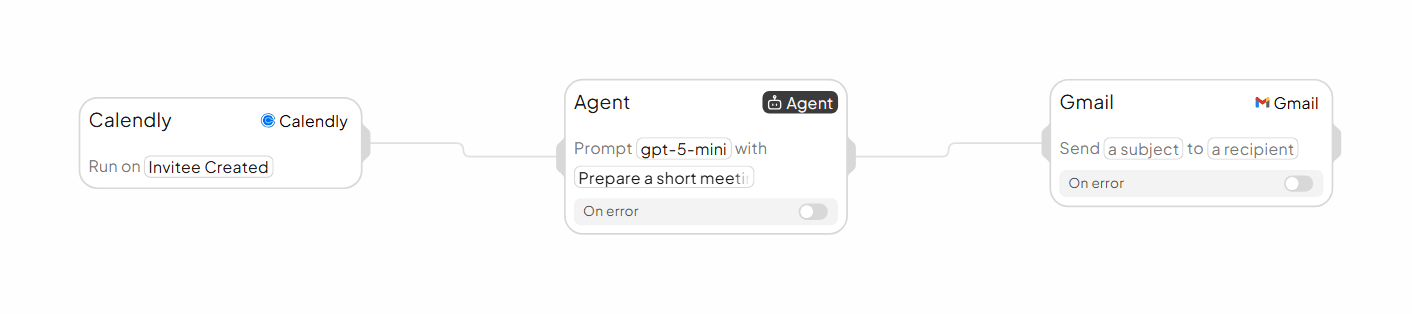
The finished workflow
Example result
We ran the AI step of this recipe in BeeGentic (model gpt-5-mini) with a sample input. The text below is the actual output, unedited.
Sample input:
Prepare a short meeting brief for our sales rep. Invitee: Jordan Lee (jordan@lee-logistics.com). Their answers: Company size: 40 people. What do you want to automate? Customer emails and weekly reports. Current tools: Gmail, Google Sheets, Slack. Include 3 smart questions to ask.What BeeGentic produced:
Meeting brief — Jordan Lee (jordan@lee-logistics.com)

Purpose
- Quick discovery to define an automation plan for customer emails and weekly reports that integrates with Gmail, Google Sheets, and Slack.

Meeting details
- Invitee: Jordan Lee (jordan@lee-logistics.com)
- Company size: 40 people
- Current tools: Gmail, Google Sheets, Slack
- Suggested length: 30 minutes
- Desired outcome: Agree next steps and scope for an initial pilot (email workflow + one automated weekly report)

Context / background (from Jordan)
- Wants to automate customer emails and weekly reports.
- Likely using Google Workspace tools as the source and delivery channels.

Suggested agenda (10–30–5)
- 0–5 min: Quick intros and goals
- 5–20 min: Discovery (current process, pain points, recipients, frequency, approvals)
- 20–25 min: Proposed approach/feasibility and example workflow
- 25–30 min: Confirm next steps and pilot scope

Key talking points for the rep
- Confirm current workflow: who writes and signs emails, how recipients are selected, how reports are currently produced and distributed.
- Emphasize easy wins: use Gmail templates + scheduled sends for emails; Google Sheets -> script or connector to generate reports and push to email/Slack.
- Integration note: Google Sheets can act as the single data source; Gmail API or SMTP for sending; Slack for alerting/report delivery.
- Address compliance/permissions early: access to Sheets, sender identity, opt-outs, deliverability.

Potential objections & quick responses
- “We don’t want automated emails to feel robotic.” — Use templates with personalization tokens and staged review/approval for first N sends.
- “We don’t have a CRM.” — Google Sheets can be the initial customer database; scale to CRM later.
- “Security/permissions concerns.” — Propose scoped Google Workspace OAuth, admin review, and audit trail.

3 smart questions to ask Jordan
1. How many customer emails per week do you expect to send through automation, and what types (transactional, follow-ups, newsletters)?
2. Where does the customer/contact data currently live and how is it segmented in Google Sheets (fields, syncs, refresh cadence)?
3. Who needs to receive the weekly report, what metrics must it include, and do recipients want the report as an attachment, email body, or Slack message?

Proposed next steps after meeting
- Define pilot scope (e.g., automate follow-up emails for X customers/week + one weekly report sent to Y recipients).
- Request access samples: one anonymized Google Sheet and a sample email/report template.
- Schedule 60–90-minute technical kickoff if pilot agreed.

Keep this brief visible during the call.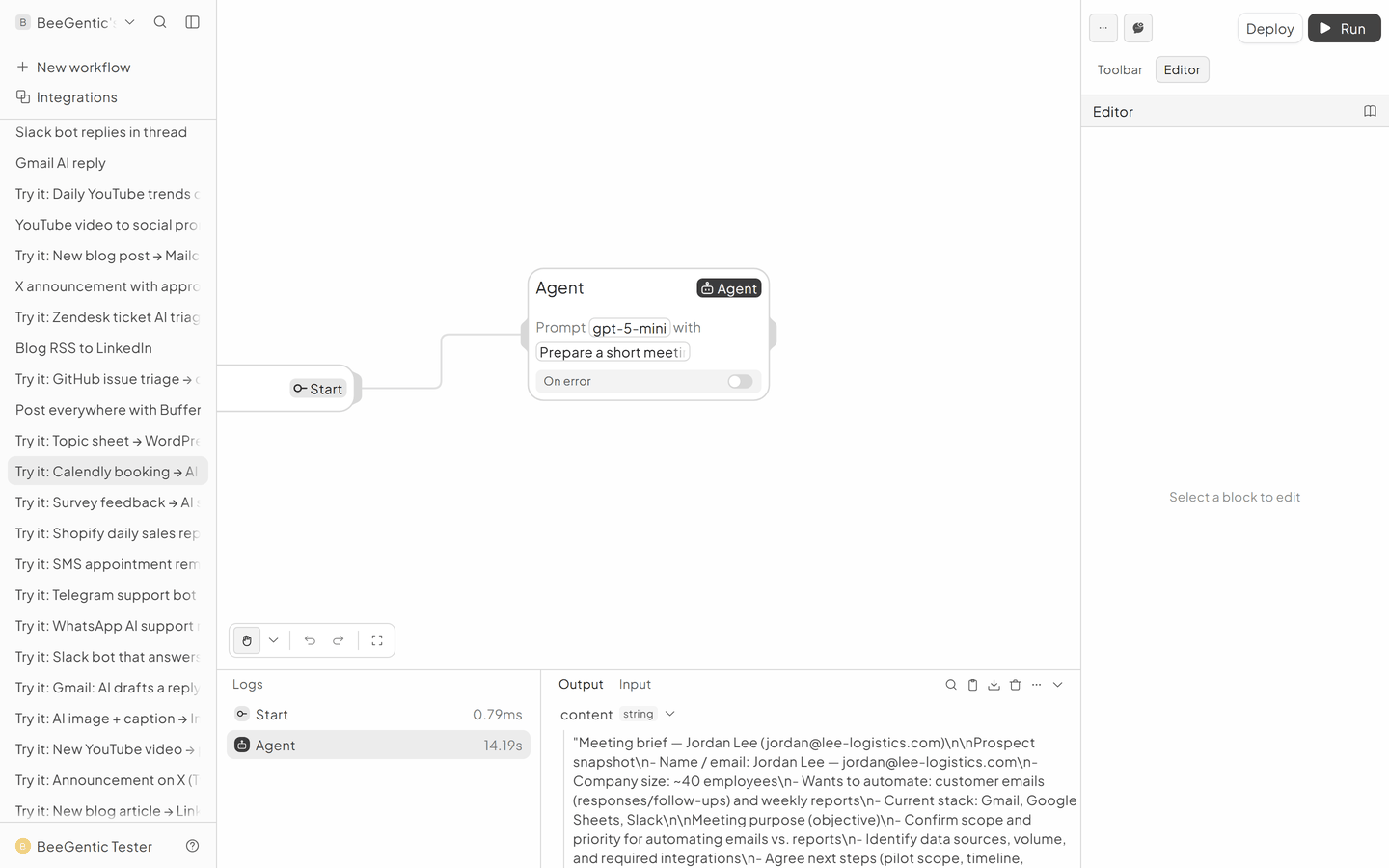
AI output varies from run to run. Change the wording of your prompt to change the style, length or tone.
Test it and switch it on
Book a test meeting on your own Calendly page and check your inbox.
Make it yours
- Research the company: give the Agent a Search tool.
- CRM: add HubSpot Create Deal.
Something not working? See Troubleshooting or get help.