

New blog post → Mailchimp newsletter draft
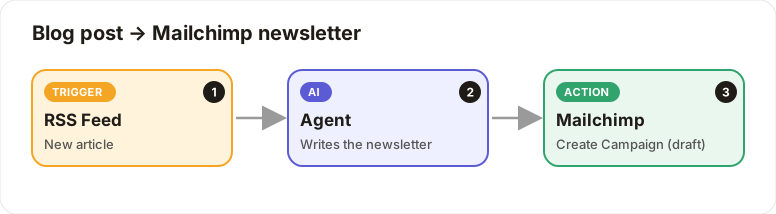
Each new article becomes a ready-to-send Mailchimp campaign draft.
Level: Beginner · Time: about 10 minutes · Category: Support, content & operations
Watch the workflow being built in BeeGentic (no sound).
What it does
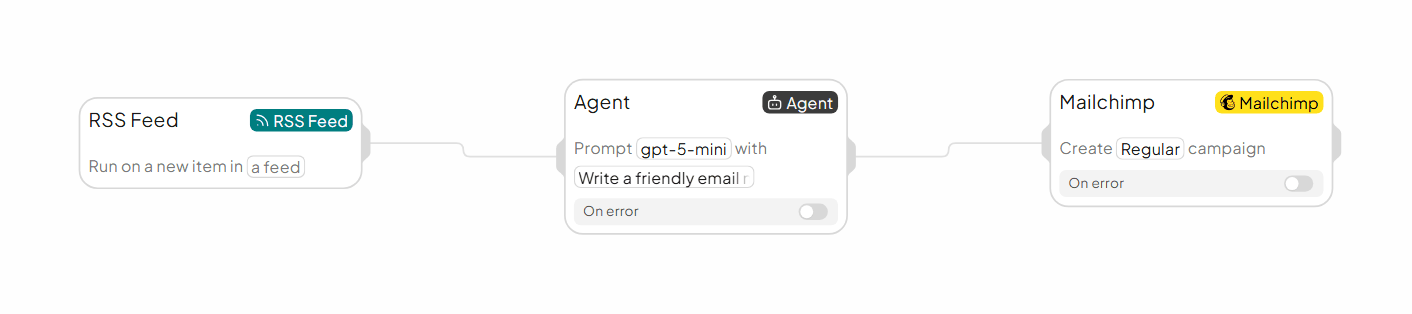
When your blog publishes an article, the AI writes a short newsletter, and BeeGentic creates a Mailchimp campaign draft for you to review and send.
You'll need
- Your blog's RSS feed URL
- A Mailchimp API key (
MAILCHIMP_API_KEY) and your audience ID
Build it step by step
Add the RSS Feed trigger
Triggers → RSS Feed, paste your feed URL.
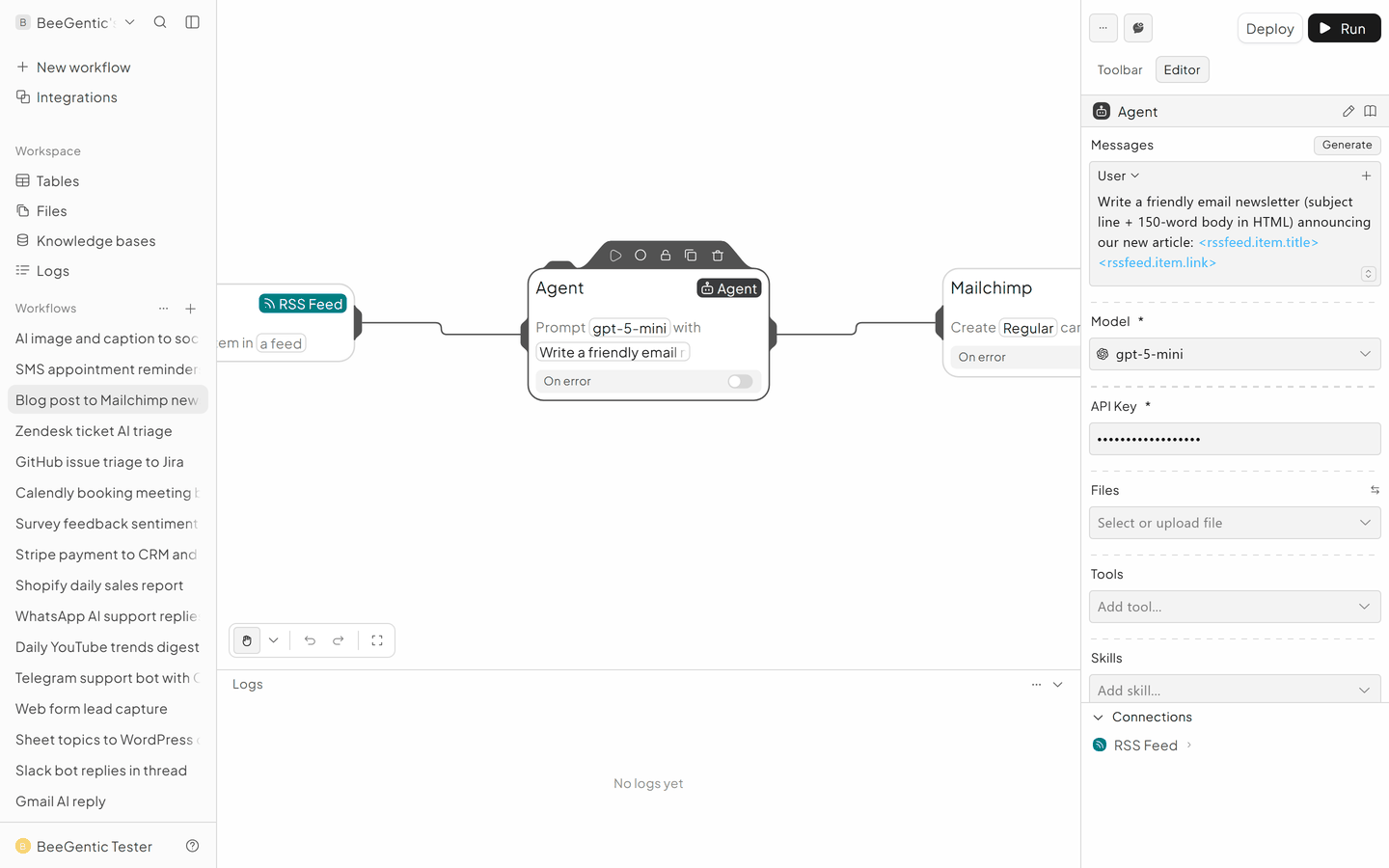
Write the newsletter
Agent: Write a friendly email newsletter (subject line + 150-word body in HTML) announcing our new article: <rssfeed.item.title> <rssfeed.item.link>
Create the Mailchimp campaign
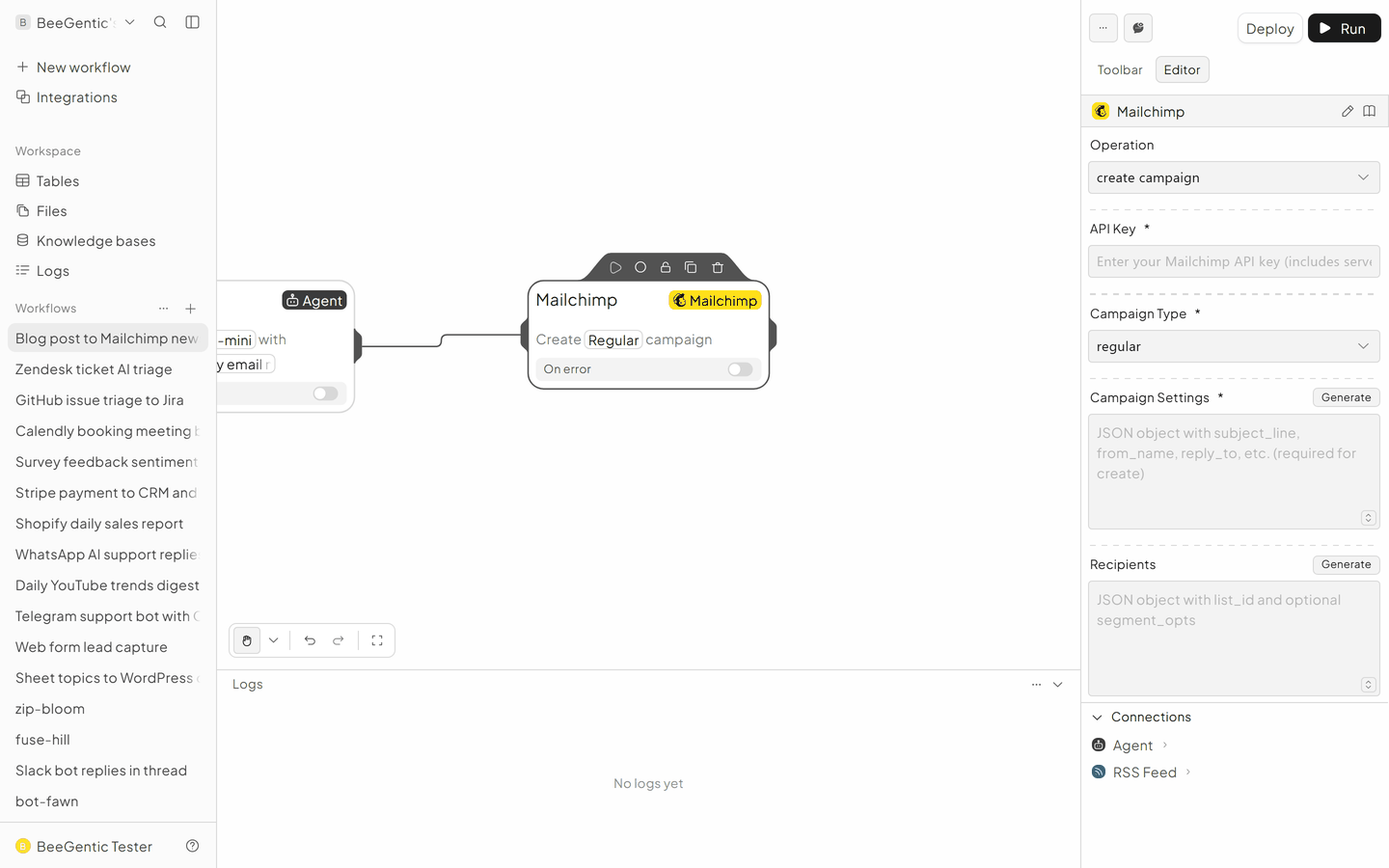
Integrations → Mailchimp.
- Operation: Create Campaign
- API Key:
{{MAILCHIMP_API_KEY}} - Campaign Type: regular
- Recipients: your audience ID
- Then add a second Mailchimp block, Set Campaign Content, with the Agent's HTML
The finished workflow
Example result
We ran the AI step of this recipe in BeeGentic (model gpt-5-mini) with a sample input. The text below is the actual output, unedited.
Sample input:
Write a friendly email newsletter (subject line + 150-word body in HTML) announcing our new article: "5 automations every small business should run in 2026" https://beegentic.ai/blog/5-automationsWhat BeeGentic produced:
Subject: New guide — 5 automations every small business should run in 2026

<html>
 <body>
 <p>Hi there, We’re excited to share our new article: “5 automations every small business should run in 2026.” Whether you’re solo or running a growing team, the right automations save time, reduce errors, and boost customer experience. In this short guide we cover practical automations for lead capture and nurturing, invoicing and payments, customer support triage, inventory and reorder alerts, and appointment scheduling — with real-world examples and setup tips.</p>
 <p>Read it now to find step-by-step ideas you can implement this week, plus tools that fit small budgets. If you’d like, reply and tell us which automation you want help launching; our team is happy to suggest a tailored plan. Read the full article: <a href="https://beegentic.ai/blog/5-automations">https://beegentic.ai/blog/5-automations</a></p>
 <p>We’ll follow up with a short checklist and starter templates to help you automate without the overwhelm. Prefer a quick demo? Book a 15-minute call.</p>
 <p>Thanks for being part of our community, The Beegentic team</p>
 </body>
</html>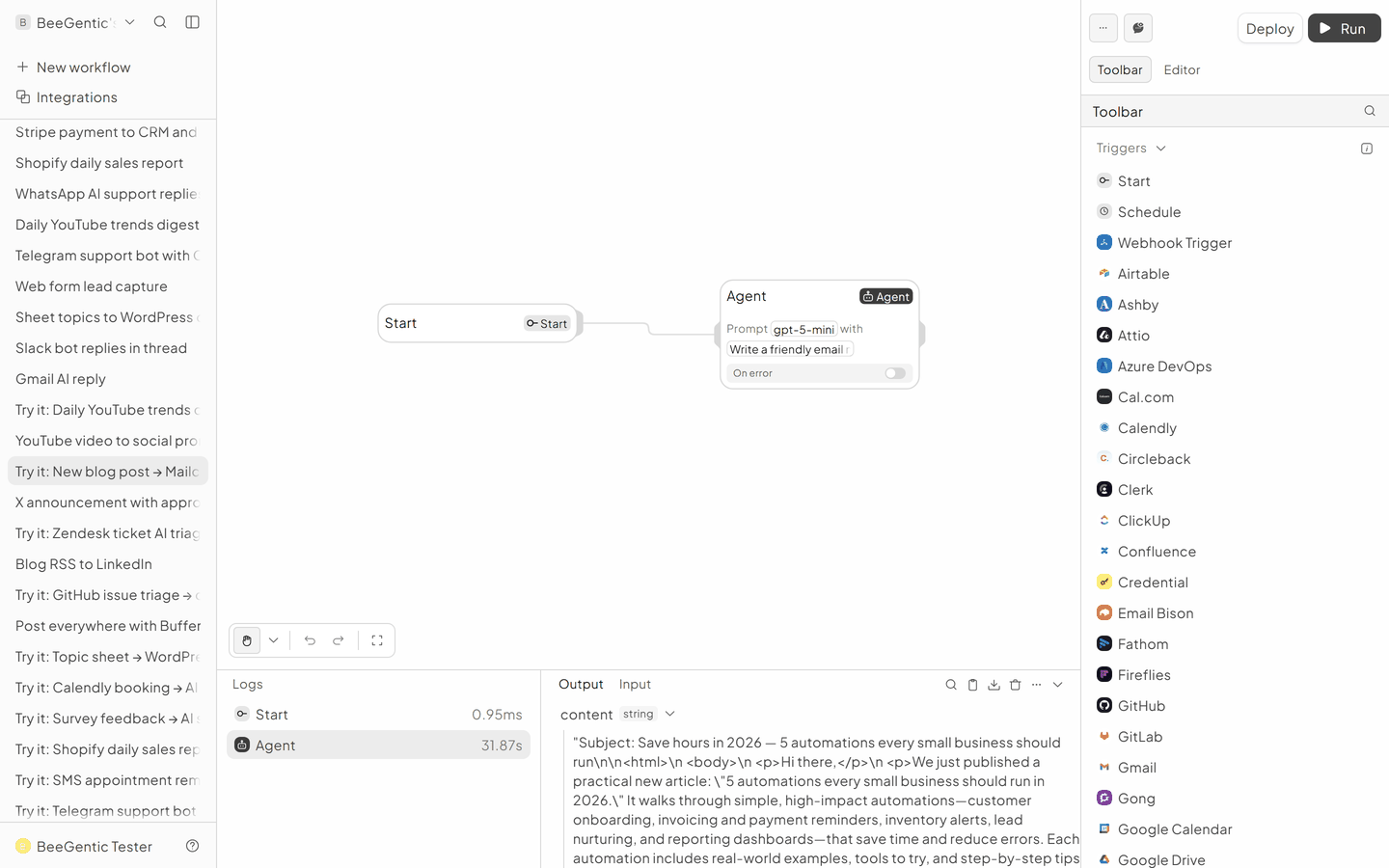
AI output varies from run to run. Change the wording of your prompt to change the style, length or tone.
Test it and switch it on
Put a real article title into the Agent message, click Run, and check Mailchimp → Campaigns → Drafts.
Make it yours
- Send automatically: add Mailchimp Send Campaign after approval with a Human block.
Something not working? See Troubleshooting or get help.