

SMS appointment reminders (Google Calendar + Twilio)
Every evening, clients with an appointment tomorrow get a friendly SMS reminder.
Level: Intermediate · Time: about 15 minutes · Category: Email & messaging
Watch the workflow being built in BeeGentic (no sound).
What it does
Every evening at 18:00 BeeGentic reads tomorrow's appointments from Google Calendar, the AI writes a friendly reminder, and Twilio texts each client.
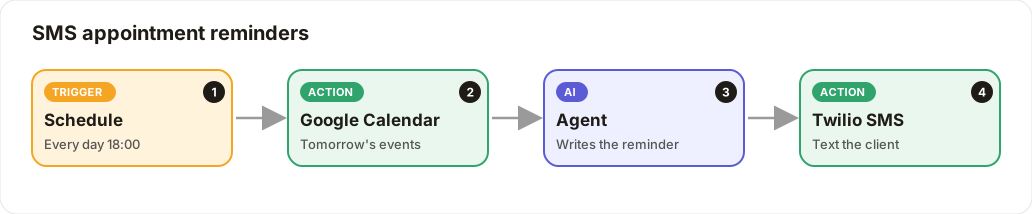
Many appointments? Put a Loop block around the Agent and Twilio steps to send one SMS per event.
You'll need
- Google Calendar with the client's phone number in each event's description
- A Twilio account: Account SID, Auth Token (save it as
TWILIO_AUTH_TOKEN) and a Twilio phone number
Build it step by step
Schedule it
New workflow, delete Start, add Schedule: Daily at 18:00.
Read tomorrow's events
Integrations → Google Calendar.
- Operation: List Events
- Calendar: your booking calendar
- Time range: tomorrow 00:00 to 23:59
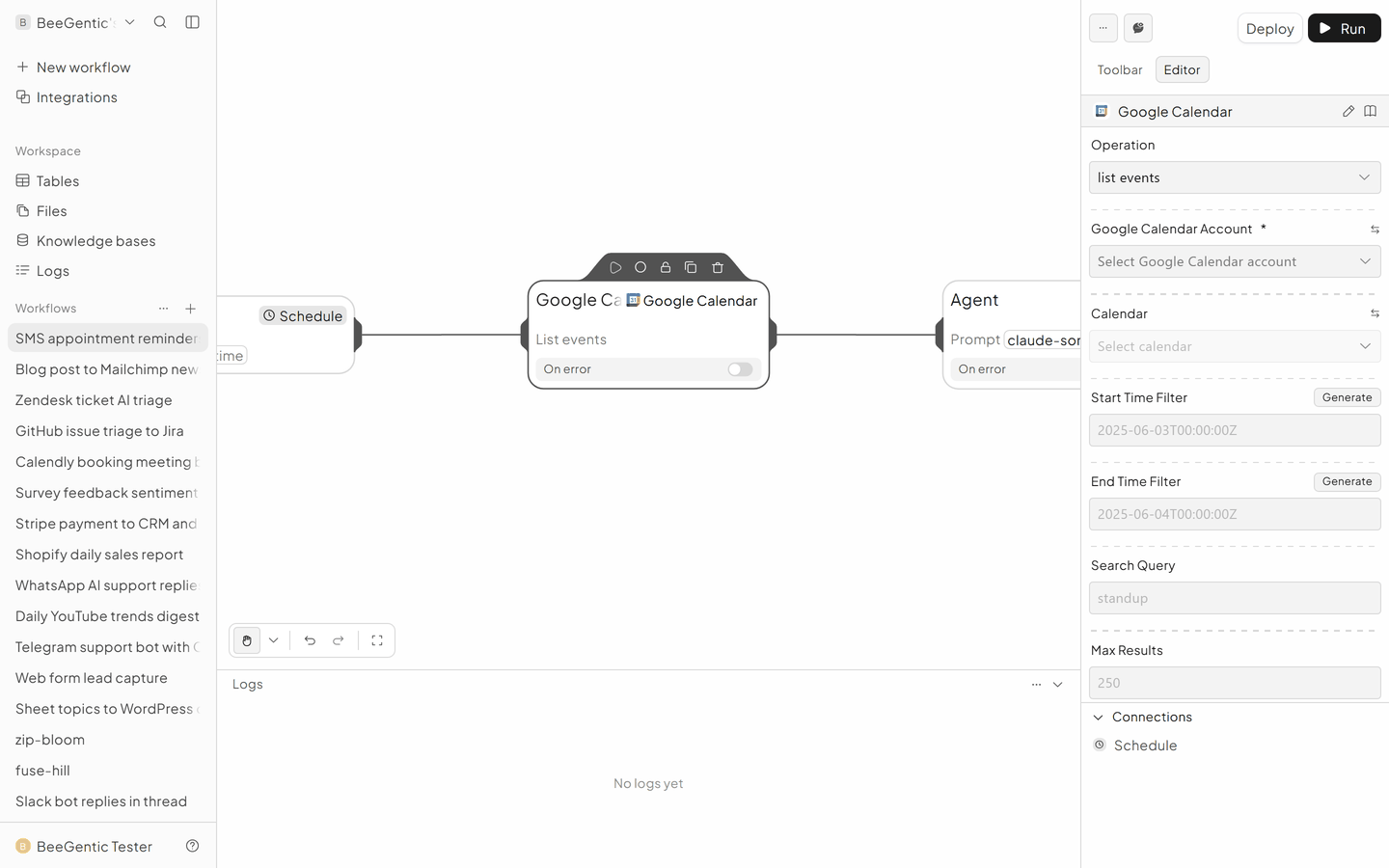
Write the reminder
Agent, User message:
Write a friendly SMS reminder under 160 characters for this appointment tomorrow: <googlecalendar.events>
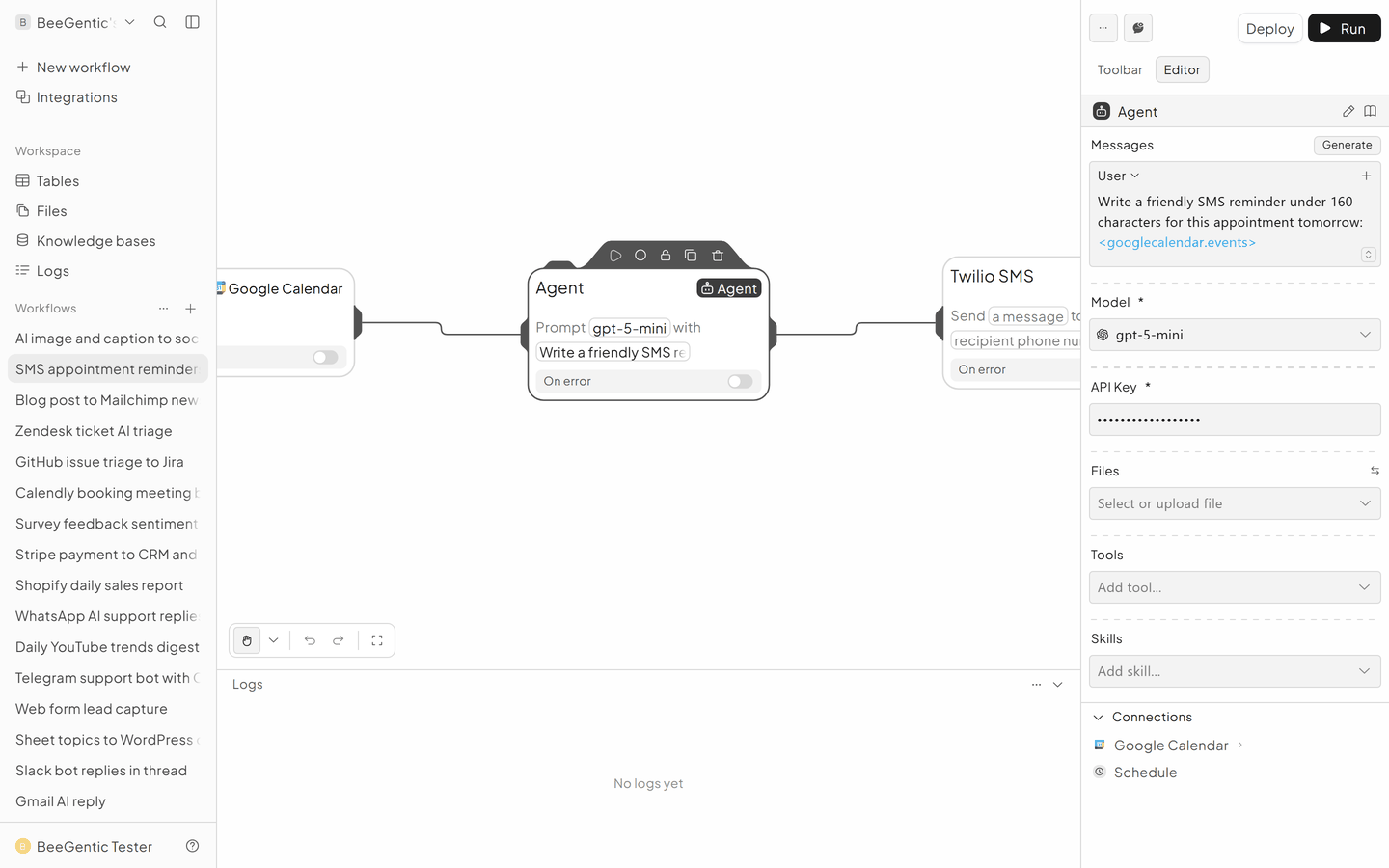
Send the SMS
Integrations → Twilio SMS.
- Recipient Phone Numbers: the client's number
- Message:
<agent.content> - Account SID and Auth Token:
{{TWILIO_AUTH_TOKEN}} - From Twilio Phone Number: yours
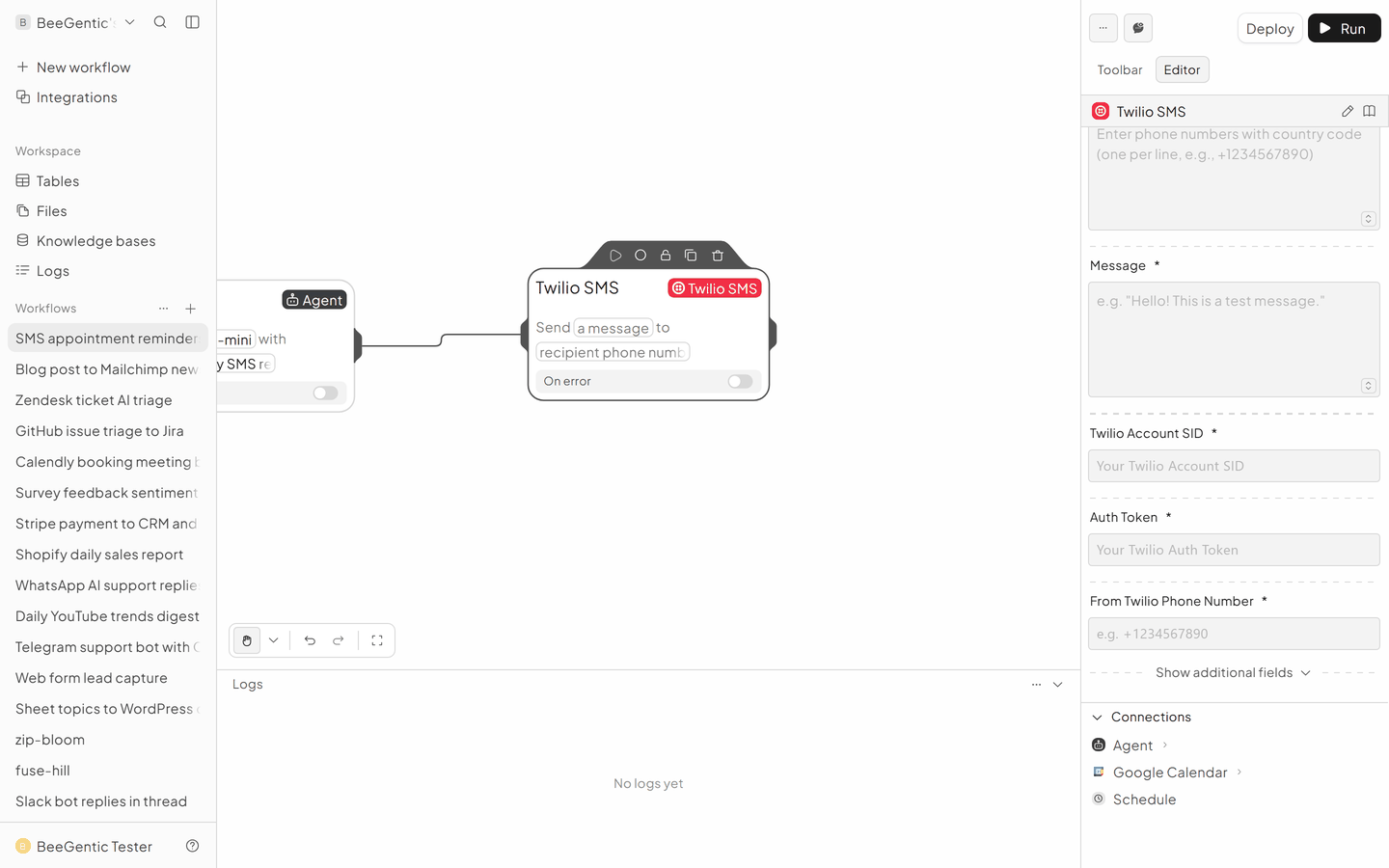
The finished workflow

Example result
We ran the AI step of this recipe in BeeGentic (model gpt-5-mini) with a sample input. The text below is the actual output, unedited.
Sample input:
Write a friendly SMS reminder under 160 characters for this appointment tomorrow: Haircut with Sam, 10:30, Honey Street Salon.What BeeGentic produced:
Reminder: Your haircut with Sam is tomorrow at 10:30 AM at Honey Street Salon. Reply YES to confirm or call to reschedule.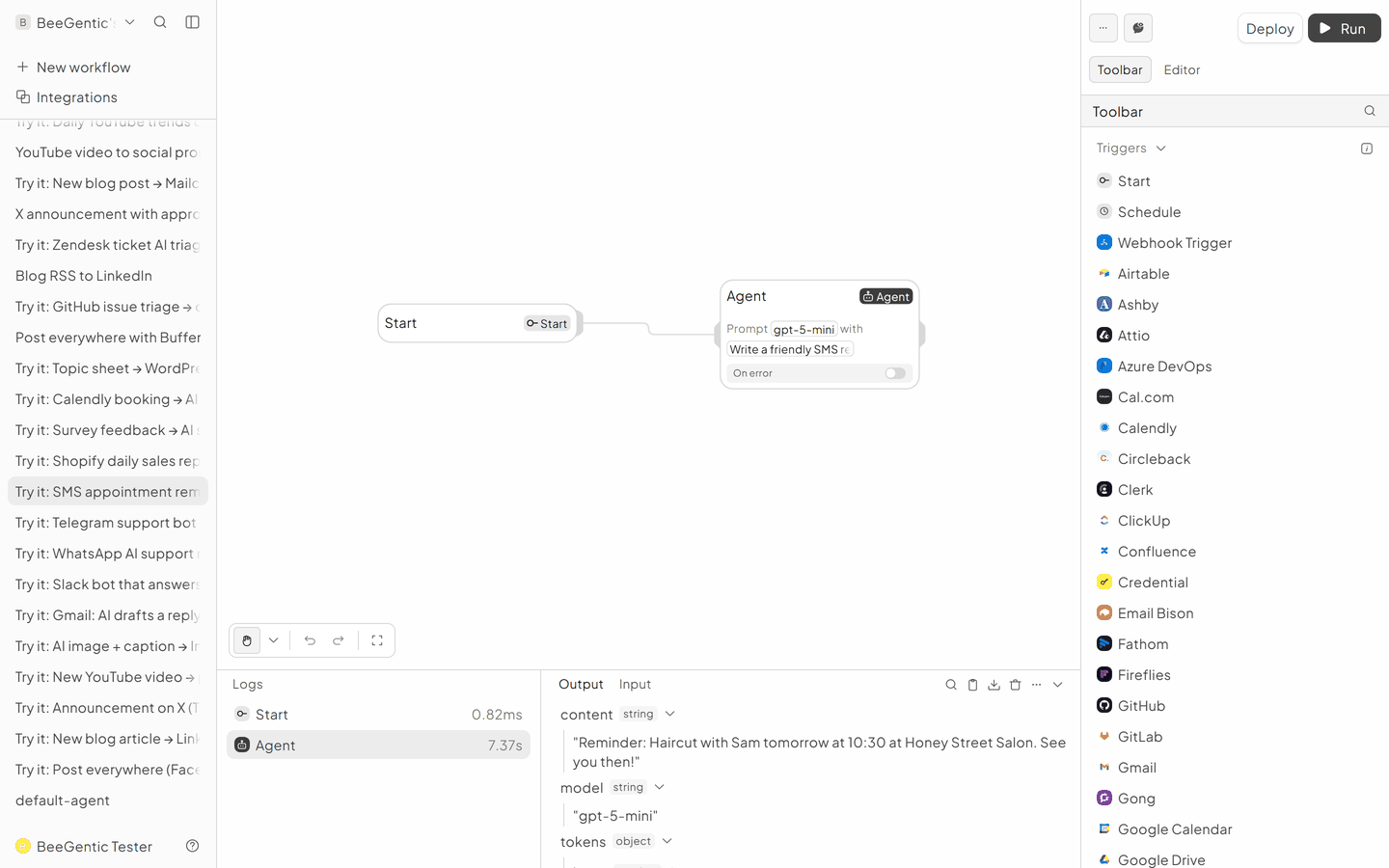
AI output varies from run to run. Change the wording of your prompt to change the style, length or tone.
Test it and switch it on
Create a test event for tomorrow with your own number, click Run, and check your phone. Then Deploy.
Make it yours
- Confirm by reply: add the Twilio SMS Received trigger in a second workflow to record "YES" replies in a Sheet.
Something not working? See Troubleshooting or get help.