

Telegram support bot powered by ChatterMate
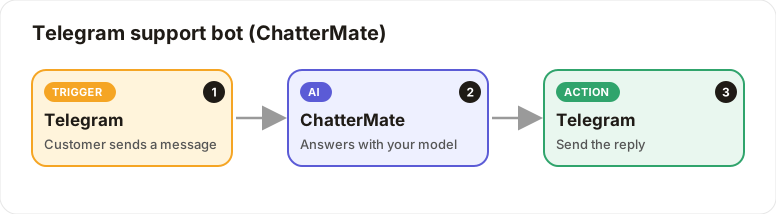
Customers chat with your Telegram bot; ChatterMate answers.
Level: Beginner · Time: about 10 minutes · Category: Email & messaging
Watch the workflow being built in BeeGentic (no sound).
What it does
Customers message your Telegram bot. ChatterMate answers with the model you choose, on your CleverCreator credits.
You'll need
- A Telegram bot token: message @BotFather →
/newbot. Save it asTELEGRAM_BOT_TOKEN. - A ChatterMate API key (
cm_live_…): ChatterMate → Developer → API keys. Save it asCHATTERMATE_API_KEY.
Build it step by step
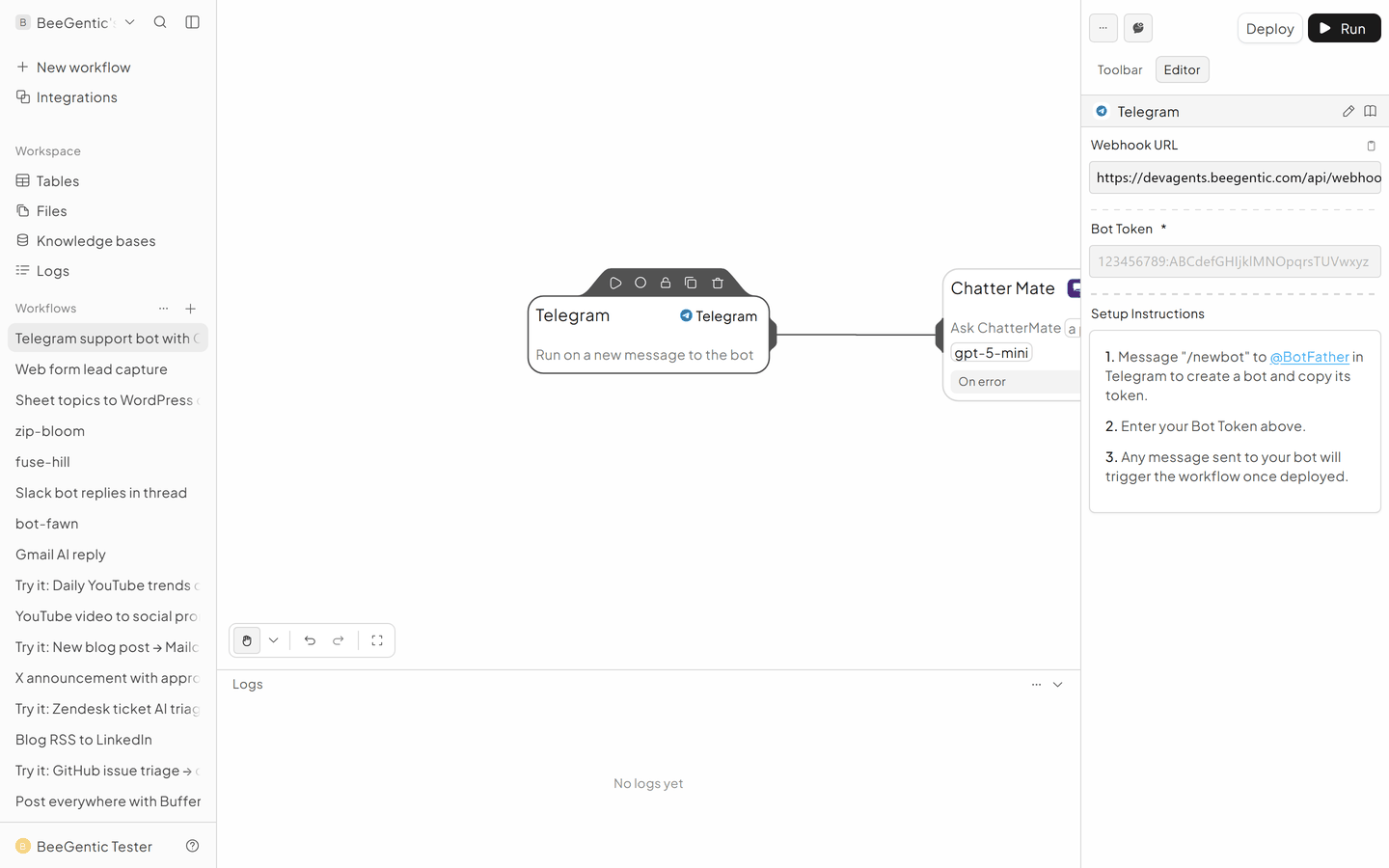
Add the Telegram trigger
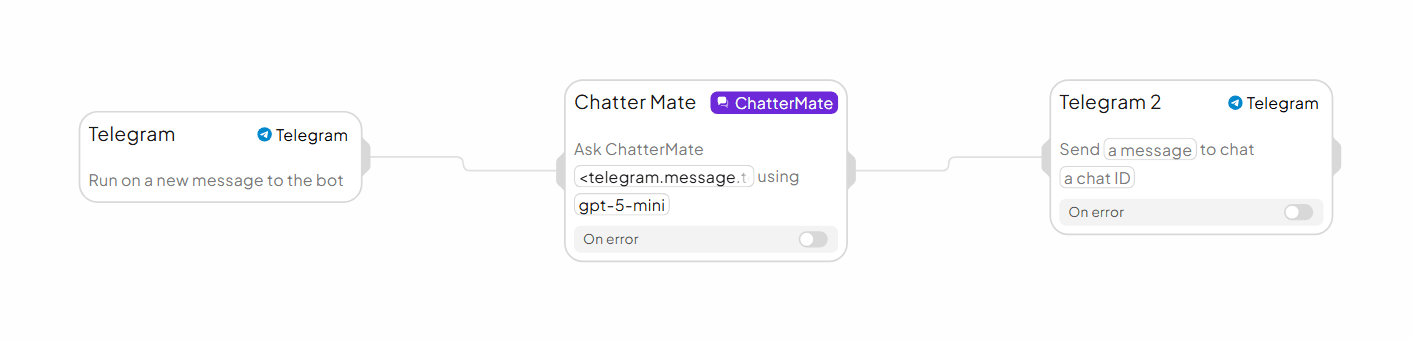
New workflow, delete Start. Triggers → Telegram. Bot Token: {{TELEGRAM_BOT_TOKEN}}. When you deploy, BeeGentic registers the webhook with Telegram for you.
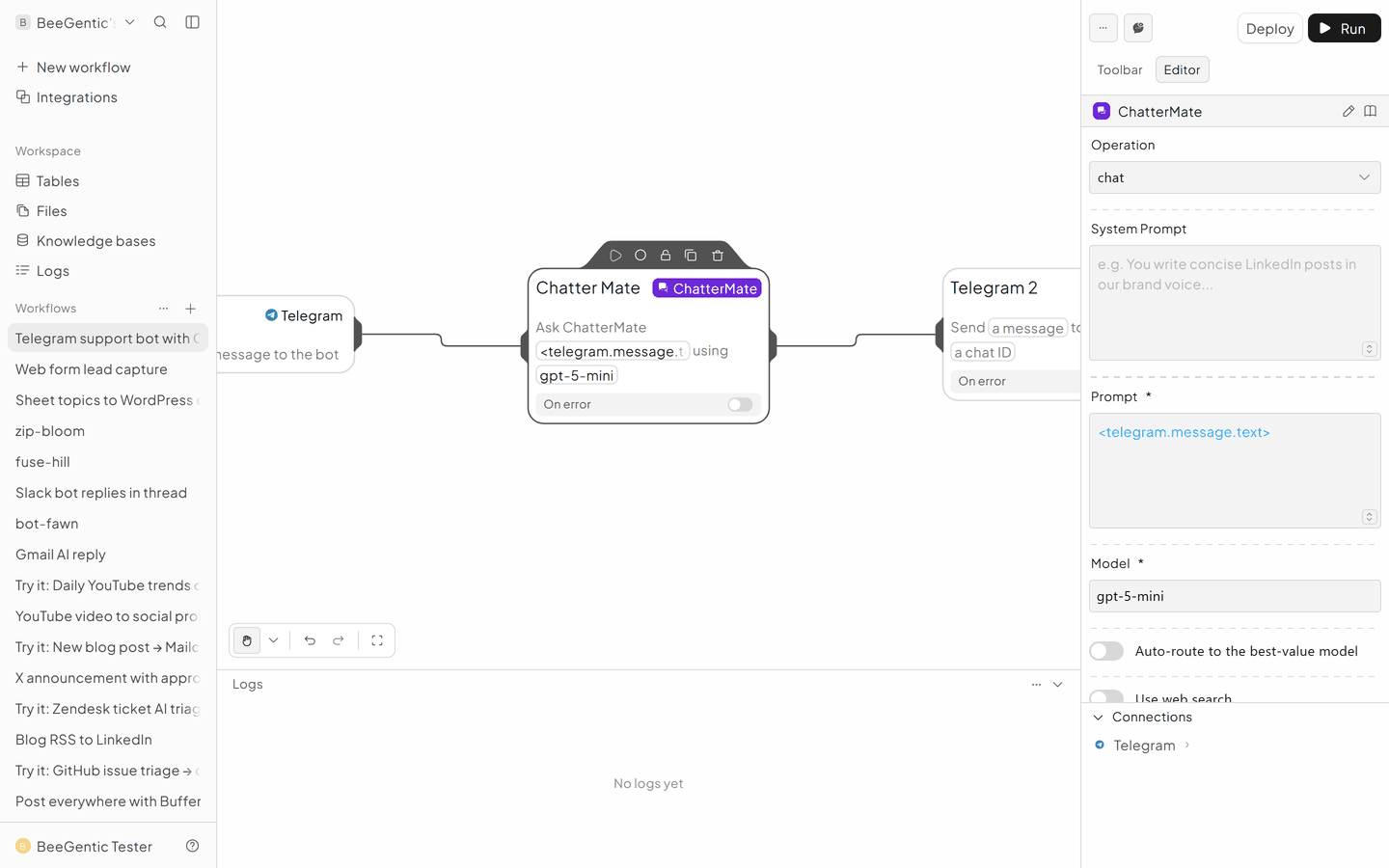
Add ChatterMate
- Operation: Chat
- System Prompt:
You are the support assistant for <company>. Friendly and brief. - Prompt:
<telegram.message.text> - Model:
gpt-5-mini, or turn on Auto-route to the best-value model - ChatterMate API Key:
{{CHATTERMATE_API_KEY}}
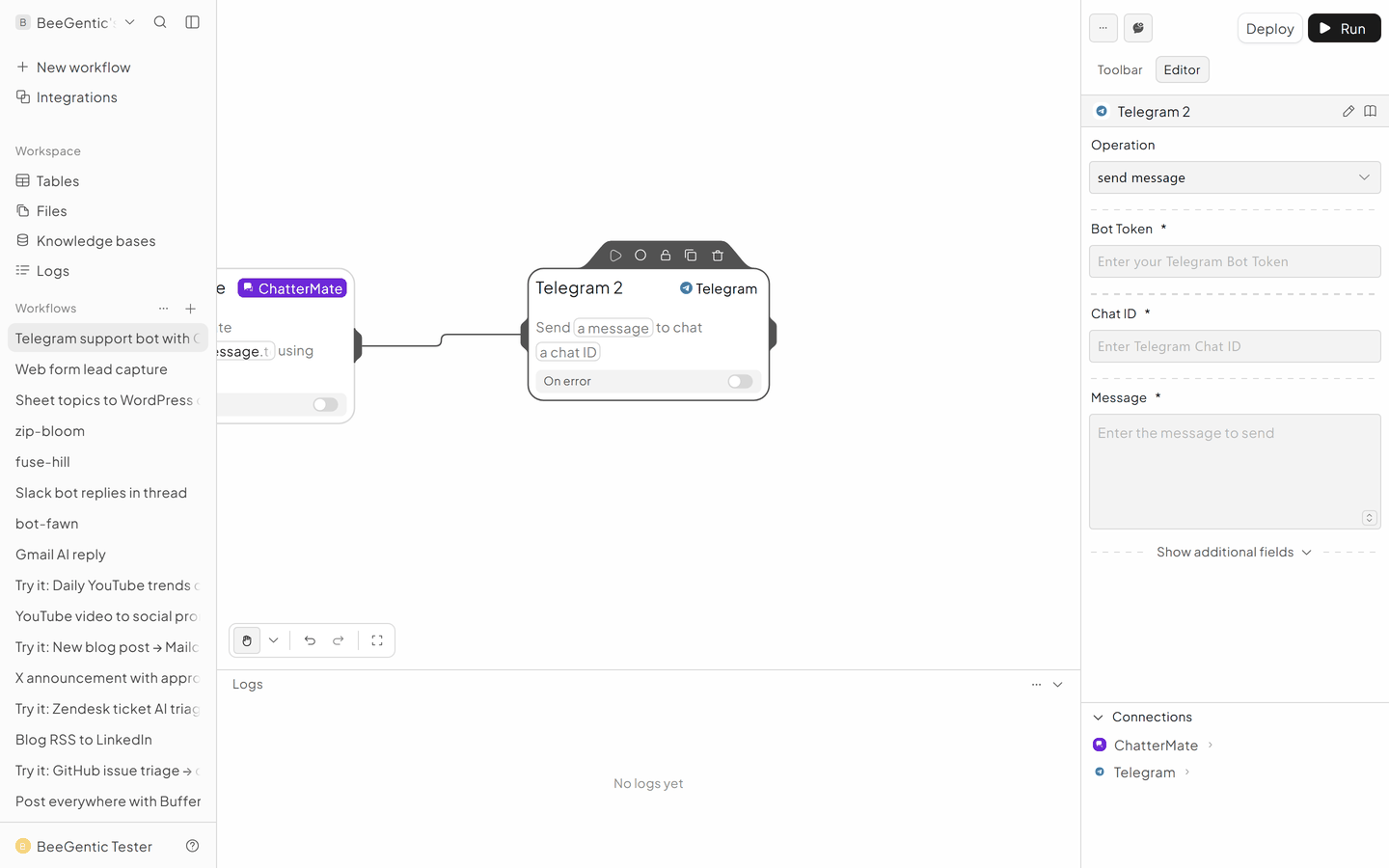
Reply on Telegram
Integrations → Telegram (Telegram 2).
- Operation: Send Message
- Bot Token:
{{TELEGRAM_BOT_TOKEN}} - Chat ID:
<telegram.message.raw.chat.id> - Message:
<chattermate.content>
The finished workflow
Example result
We ran the AI step of this recipe in BeeGentic (model gpt-5-mini) with a sample input. The text below is the actual output, unedited.
Sample input:
You are the support assistant for BeeGentic. Friendly and brief.
Hi, can BeeGentic post to Instagram for me?
What BeeGentic produced:
Yes — BeeGentic can post to Instagram, but with two important requirements:
- The Instagram account must be a Business or Creator account and be linked to a Facebook Page (Instagram personal profiles cannot be auto-published to).
- You must connect and authorize the account in BeeGentic (Settings → Social accounts → Connect Facebook/Instagram).

Once connected you can create posts in the Composer/Campaigns area and choose Publish now or Schedule. Note: some post types (Stories/Reels/advanced features) may be limited by Instagram API.

Want me to walk you through connecting your account now or check whether your account is ready?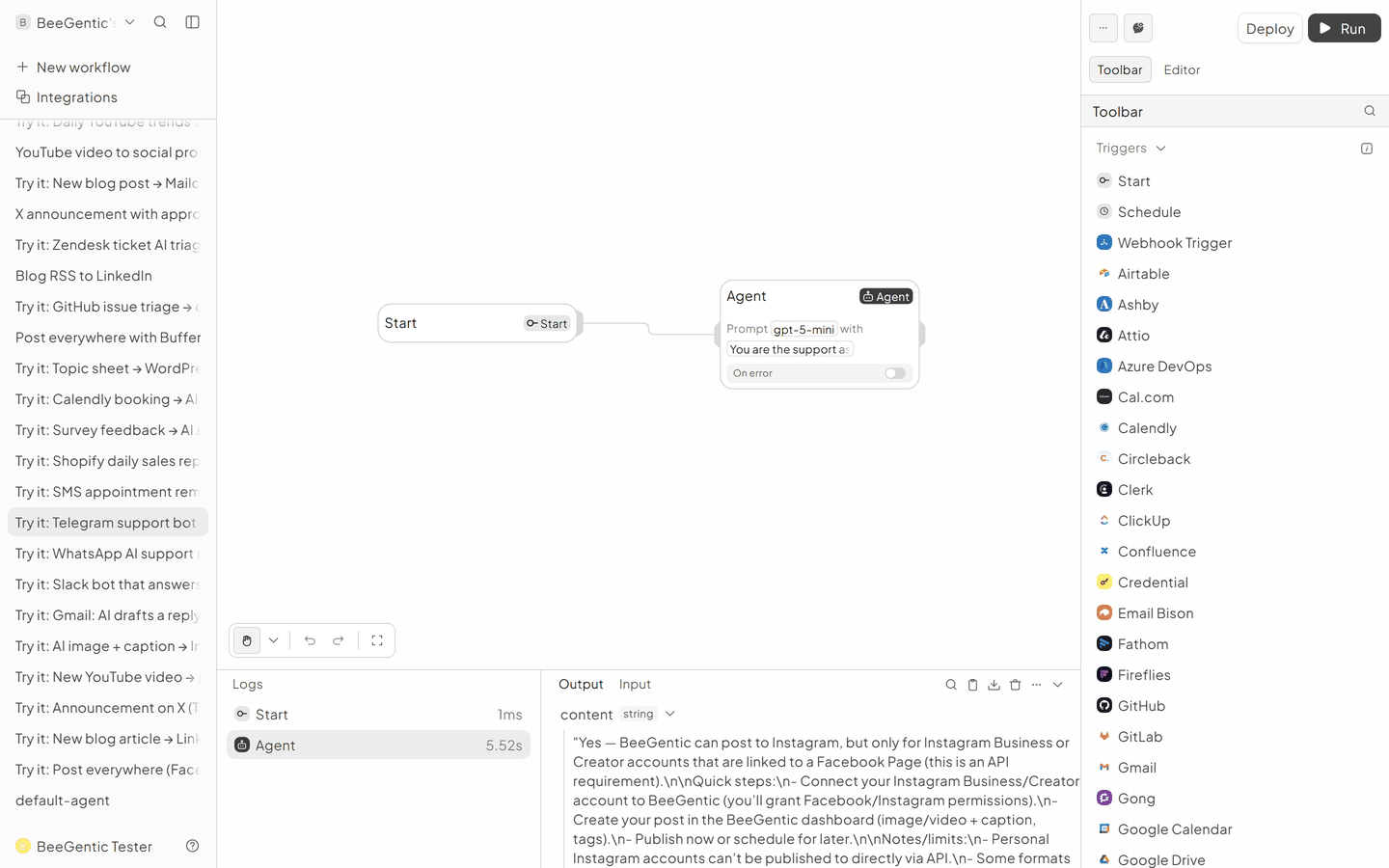
AI output varies from run to run. Change the wording of your prompt to change the style, length or tone.
Test it and switch it on
Deploy, open your bot in Telegram and say hi.
Make it yours
- SMS or WhatsApp: same pattern with Twilio SMS or WhatsApp.
Something not working? See Troubleshooting or get help.