

Post everywhere (Facebook, Instagram, LinkedIn, X, TikTok)
AI writes a weekly post, you approve it, Buffer publishes it to every network.
Level: Beginner · Time: about 15 minutes · Category: Social media
Watch the workflow being built in BeeGentic (no sound).
What it does
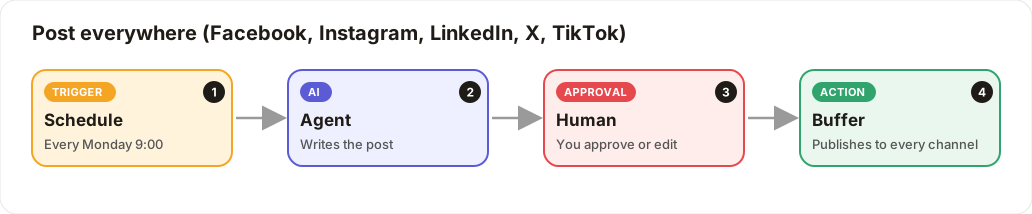
Every Monday at 9:00 the AI writes a social post. You get a link to approve it, and Buffer then publishes it to Facebook, Instagram, LinkedIn, X and TikTok together.
You'll need
- A Buffer account with your channels connected in Buffer (Facebook Page, Instagram Business, LinkedIn, X, TikTok)
- Your Buffer API key, saved in Settings → Secrets as
BUFFER_API_KEY - An AI key saved as
OPENAI_API_KEY, or use the ChatterMate block
Build it step by step
Create the workflow
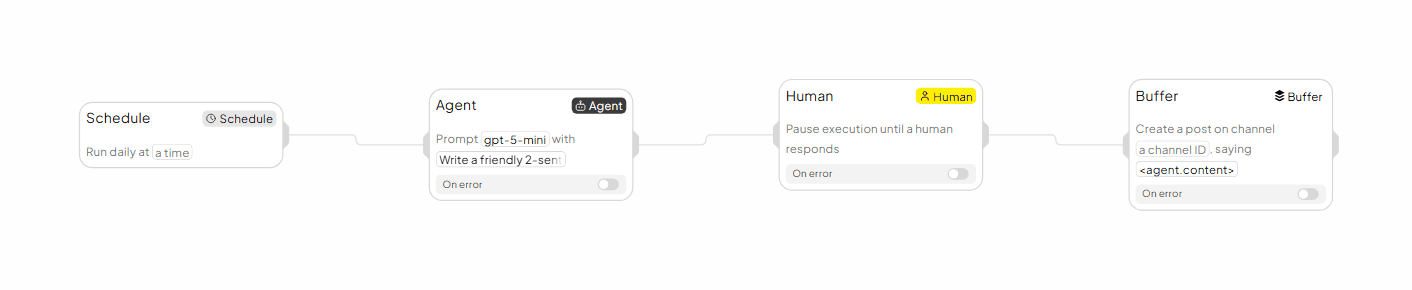
Click New workflow and name it Post everywhere. Delete the Start block; the schedule starts this one.
Add a Schedule trigger
Toolbar → Triggers → Schedule. Set Run frequency to Weekly, Day of week to Monday, Time to 09:00, and your Timezone.
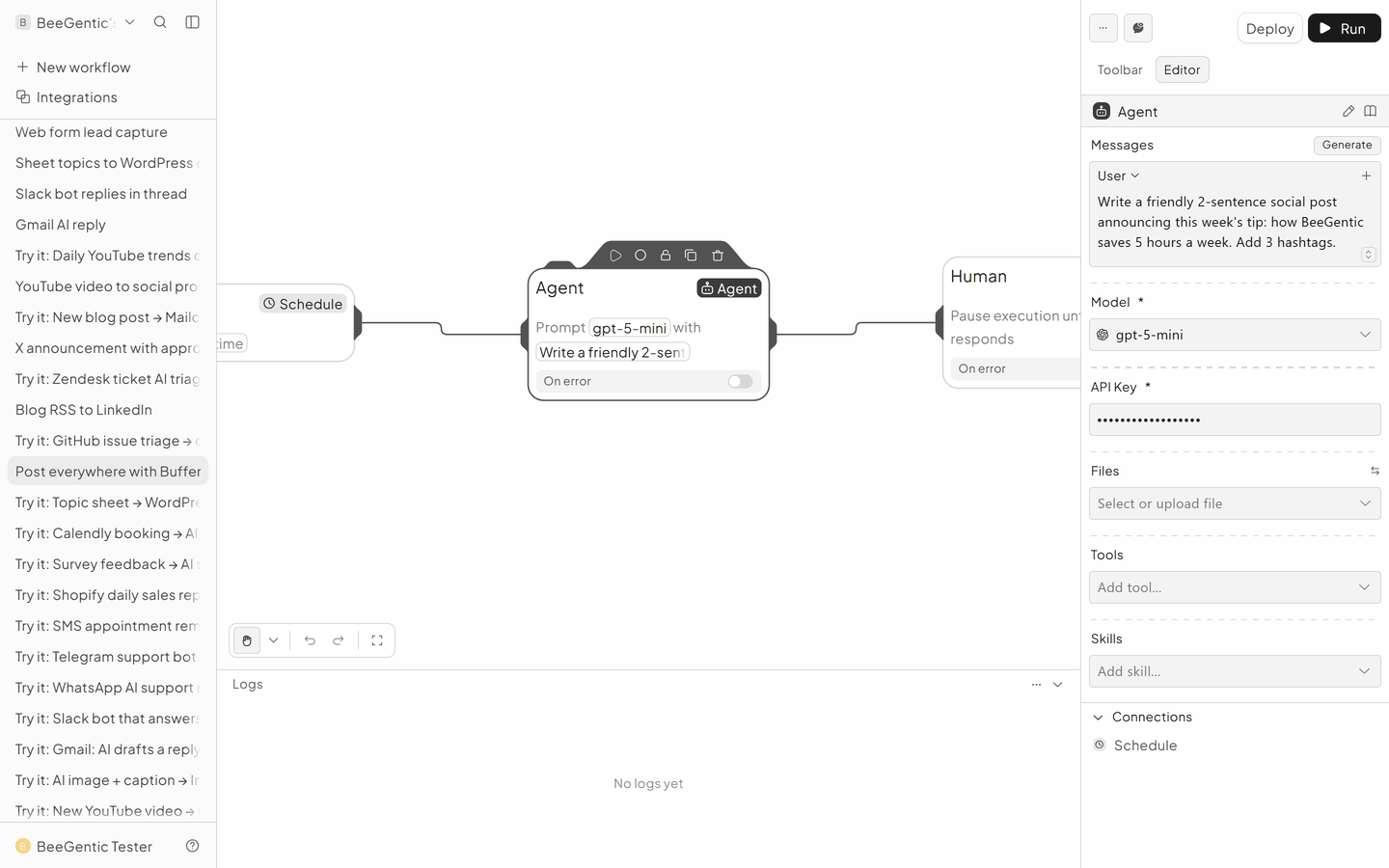
Add the Agent that writes the post
- Messages → System:
You are our social media writer. Friendly, clear, no jargon. Max 60 words. - Messages → User:
Write this week's post about: how BeeGentic saves teams 5 hours a week. End with 3 hashtags. - Model:
gpt-5-mini - API Key:
{{OPENAI_API_KEY}}
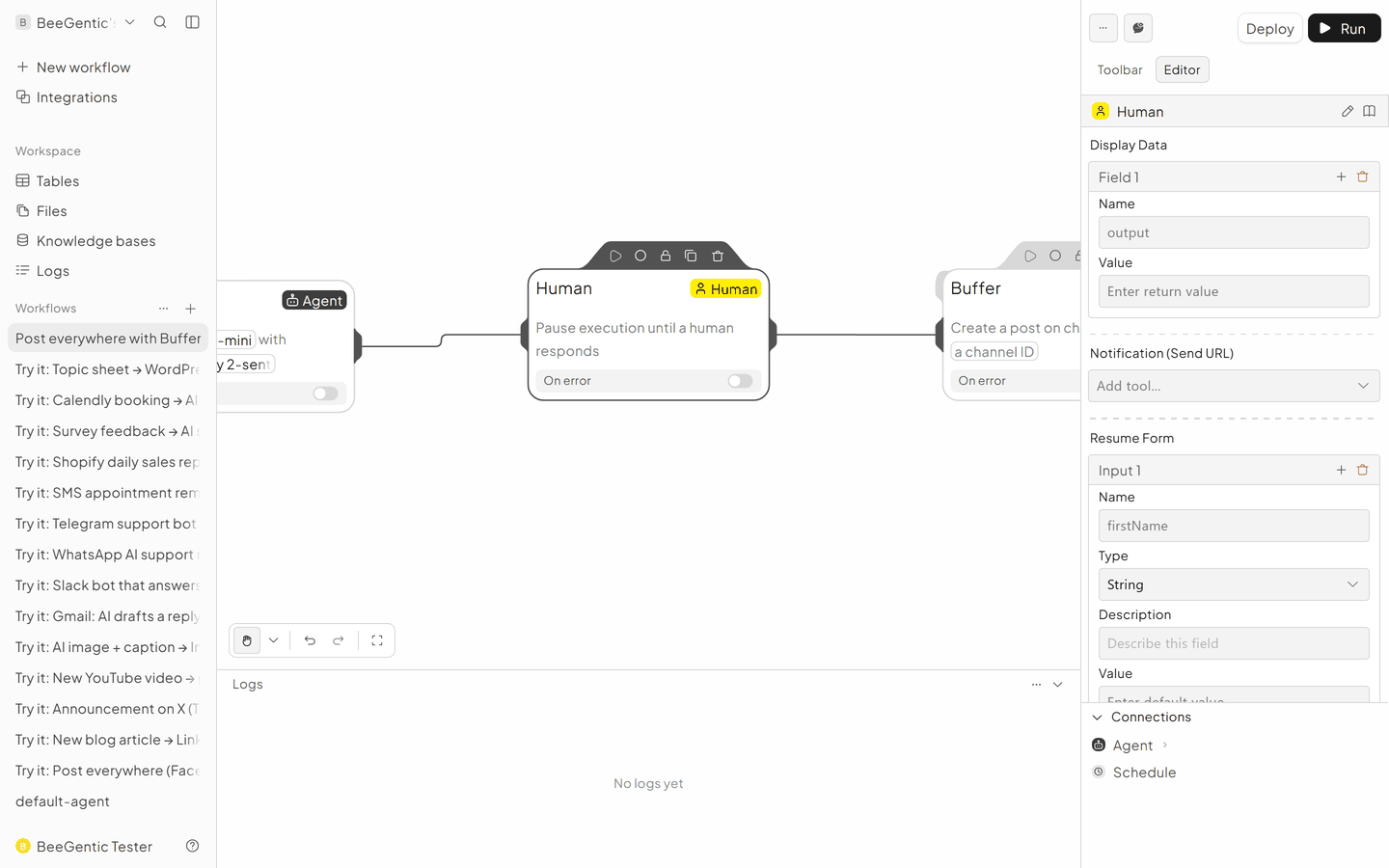
Add a Human approval step
Toolbar → Blocks → Human. The run pauses here until someone approves.
- Display Data:
<agent.content> - Notification: choose how you get the approval link, e.g. Slack or email. The link is also in the run log.
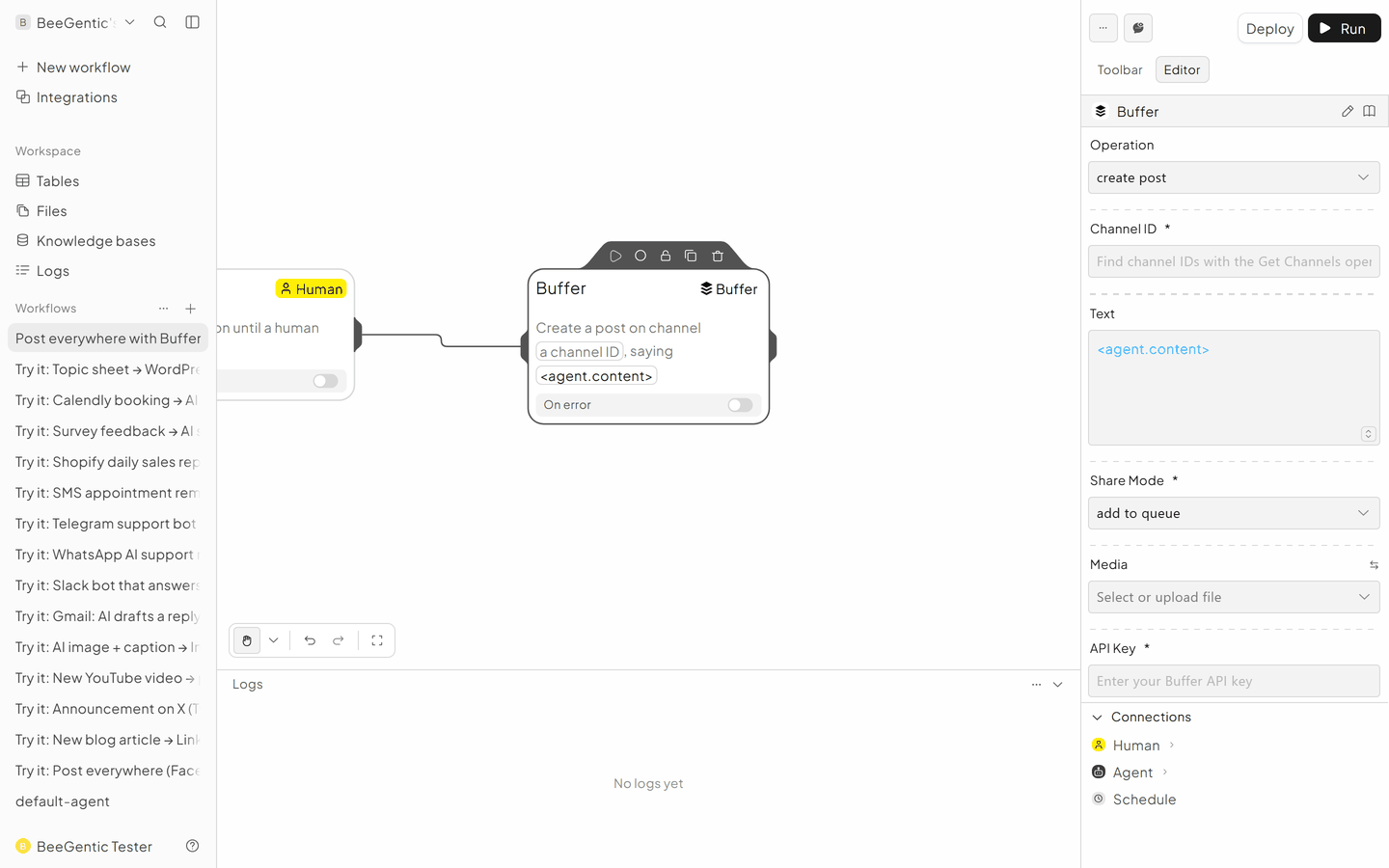
Add Buffer to publish
- Operation: Create Post
- API Key:
{{BUFFER_API_KEY}} - Channel ID: your Buffer channel. Run a Buffer block once with Get Channels to see the IDs. Add one Buffer block per channel.
- Text:
<agent.content> - Share Mode: Share now, or Add to queue
- Media URL: a public image or video link. Instagram and TikTok need one.
The finished workflow
Example result
We ran the AI step of this recipe in BeeGentic (model gpt-5-mini) with a sample input. The text below is the actual output, unedited.
Sample input:
You are our social media writer. Friendly, clear, no jargon. Max 60 words.
Write this week's post about: how BeeGentic saves teams 5 hours a week. End with 3 hashtags.
What BeeGentic produced:
BeeGentic saves teams about 5 hours a week by automating repetitive tasks, centralizing data, and speeding approvals. Use that time for strategy, creativity, or a well-deserved break. Try BeeGentic and feel the difference. #Productivity #WorkSmarter #BeeGentic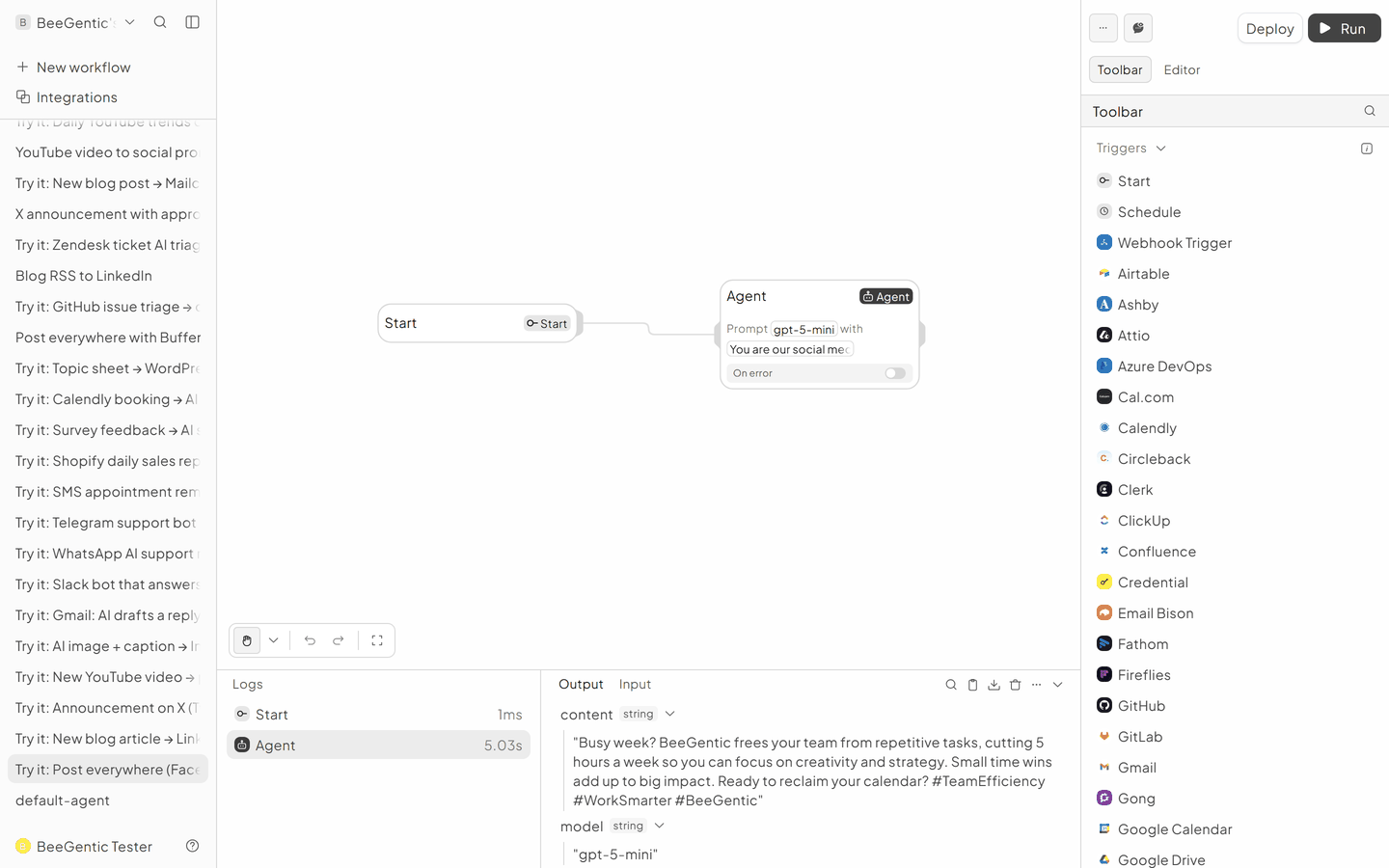
AI output varies from run to run. Change the wording of your prompt to change the style, length or tone.
Test it and switch it on
Click Run. The Agent writes the post and the Human block waits. Open the approval link, approve, and check Buffer. Then Deploy so it runs every Monday.
Make it yours
- Add an image: put an Image Generator before Buffer and set Media URL to
<imagegenerator.imageUrl>(see AI image + caption). - One tone per network: use one Agent per network (LinkedIn professional, X short, Instagram with emojis), each followed by its own Buffer block.
Something not working? See Troubleshooting or get help.