


Summarize Google Forms responses
Read Google Forms responses in a workflow and let an AI summarize them, or start a workflow on every submission. Step by step with a narrated video and a real result.
What you'll build: BeeGentic fetches every response to your Google Form and an AI writes a short summary for your team: the average rating, what people like, and what to improve. Three blocks: Start → Google Forms → Agent. About 5 minutes.
Connect with: 🔐 Sign in with your account · You need: A Google account that owns the form, and an AI key for the Agent
Not supported: Submitting responses to a form · Editing or deleting responses · Forms you can't edit (owned by someone else and not shared with you) · Uploaded files from File upload questions (you get the file IDs only)
✅ action you can add to a workflow · ⚡ event that can start a workflow
Narrated walkthrough (about 2 min), with captions (CC button). Each step below also has a short silent clip. The orange numbers in each screenshot match the # column under it. Click a screenshot to enlarge it.
Before you start
| You need | Why |
|---|---|
| A Google Form you own, with at least one response | BeeGentic reads its responses. We made BeeGentic demo – Feedback and submitted 2 test responses. |
| A Google account (Gmail or Google Workspace) | BeeGentic reads the form as you |
An AI key saved as a secret, e.g. OPENAI_API_KEY | The Agent writes the summary. See References and secrets. |
Part 1: Connect Google Forms (once)
Your form
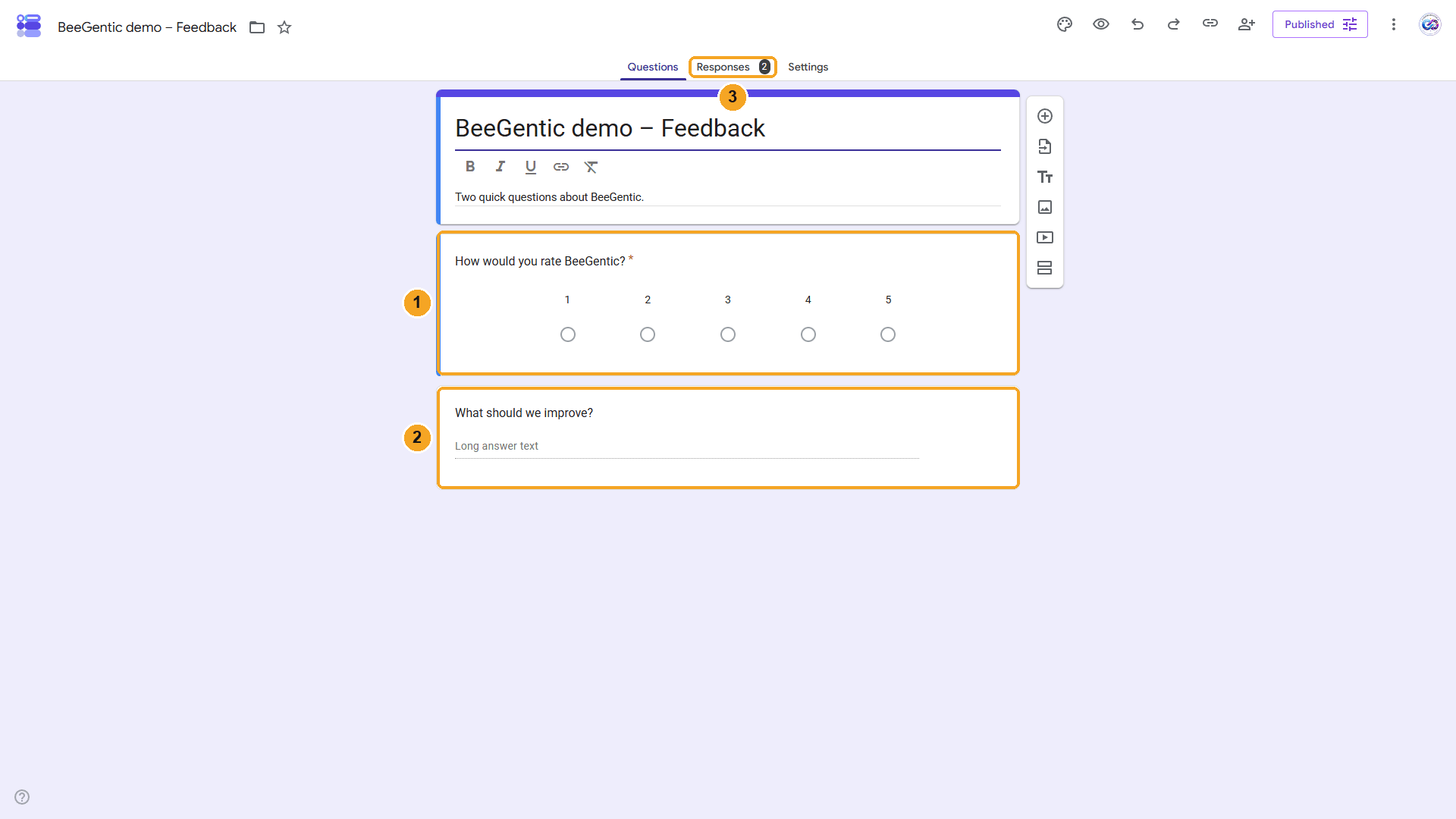
Our form has two questions.
| # | What you see |
|---|---|
| 1 | How would you rate BeeGentic?: a linear scale from 1 to 5. |
| 2 | What should we improve?: a paragraph answer. |
| 3 | Responses: the form already has 2. |
Watch this step
Find Google Forms in Integrations
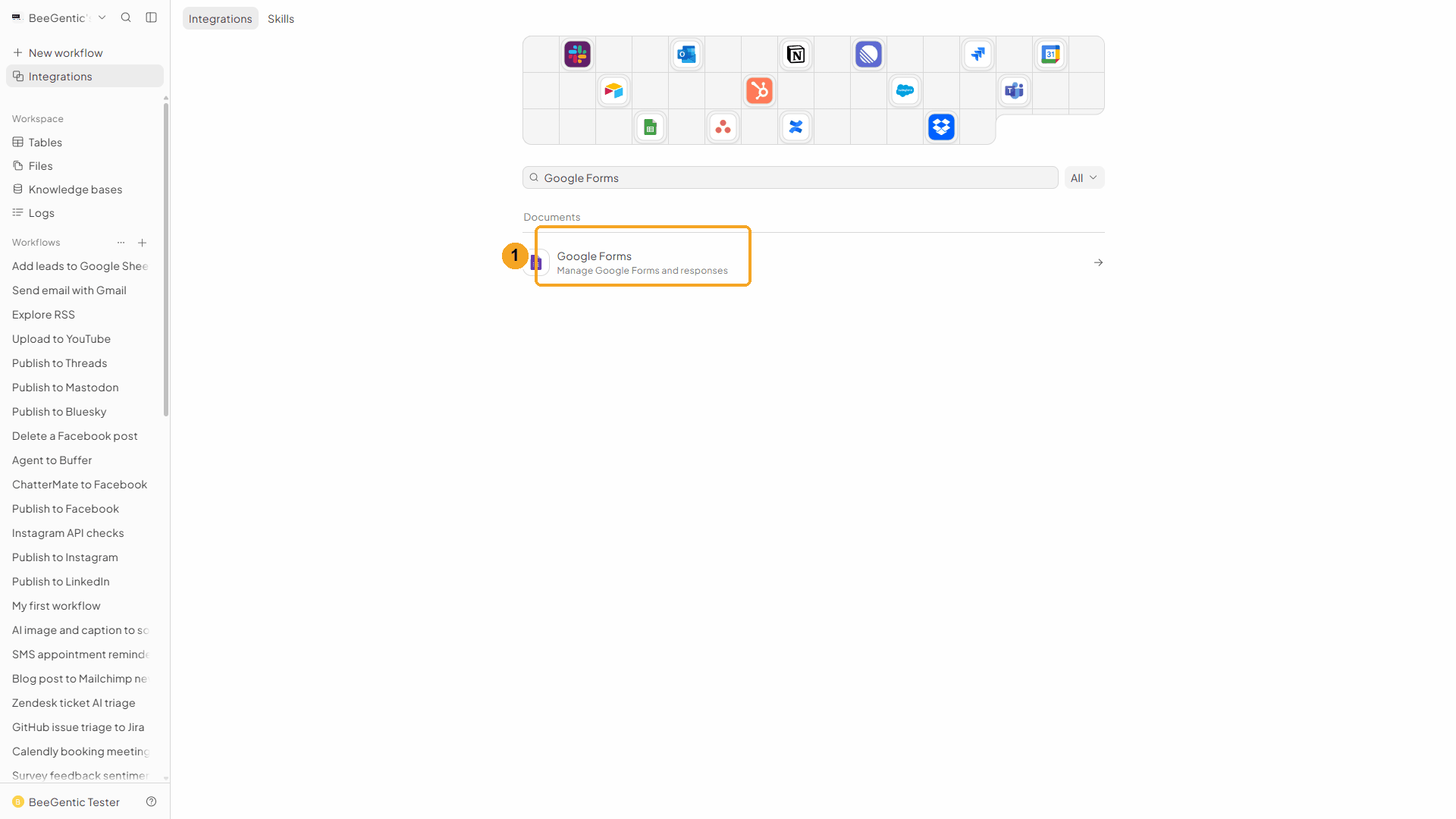
In BeeGentic: Integrations → search Google Forms.
| # | What to do |
|---|---|
| 1 | Click Google Forms, then Add to BeeGentic. |
Confirm and connect
| # | What it means |
|---|---|
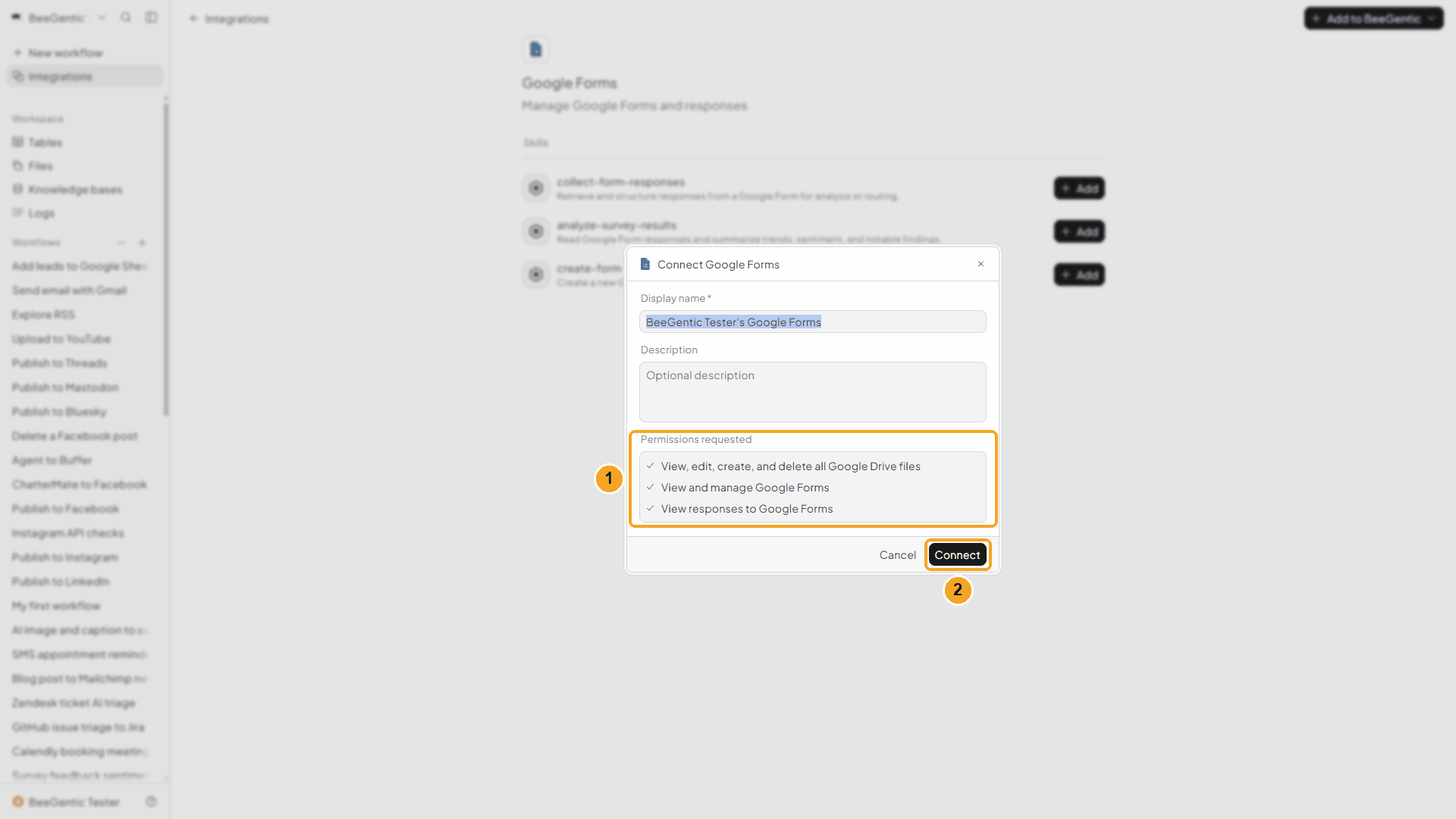
| 1 | What BeeGentic may do: view, edit, create and delete your Google Drive files (to list your forms), view and manage Google Forms, and view responses to Google Forms. |
| 2 | Click Connect. Google opens. |
Watch this step
Pick your account and allow access
| # | What to do |
|---|---|
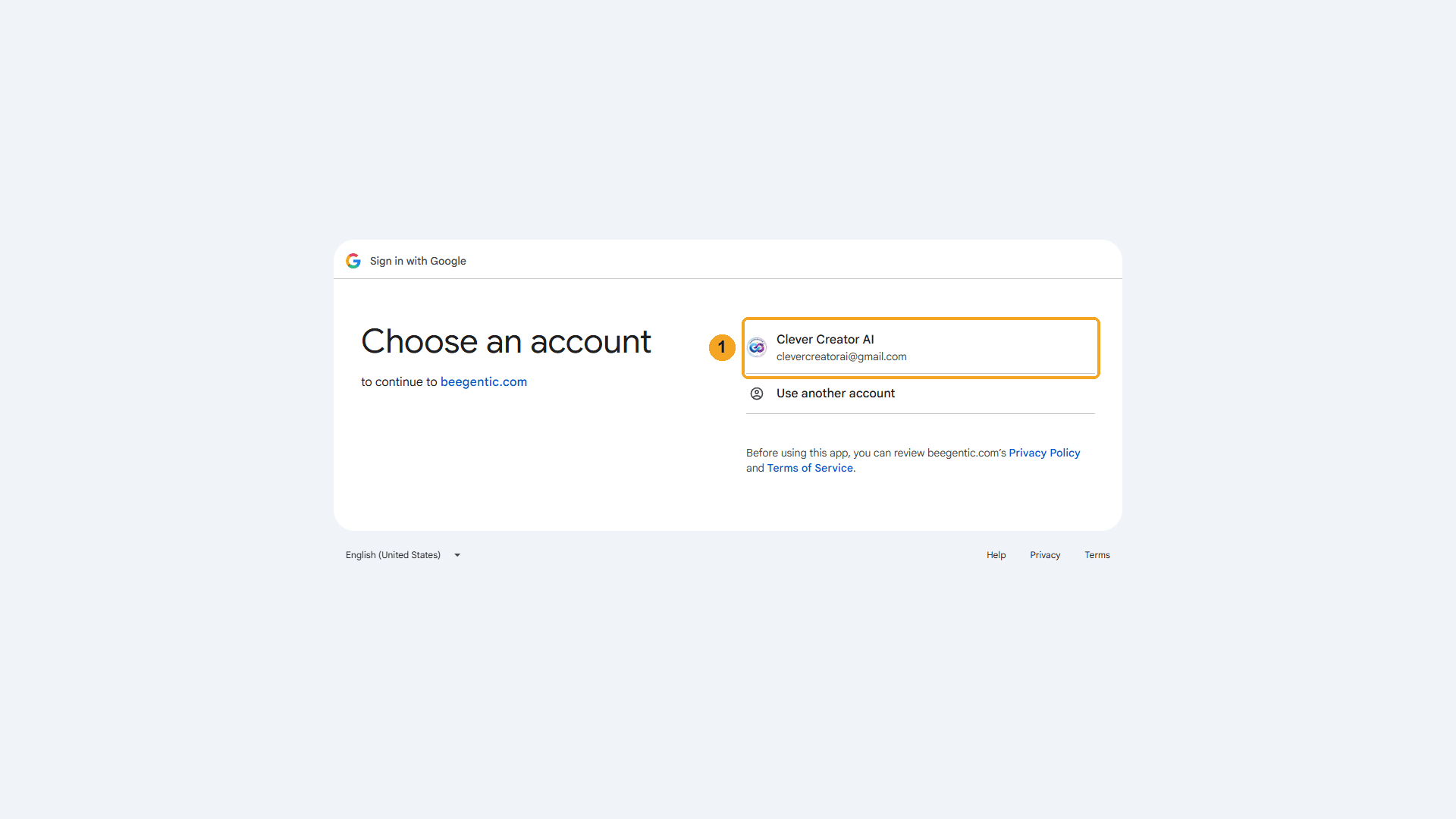
| 1 | Click the account that owns the form. |
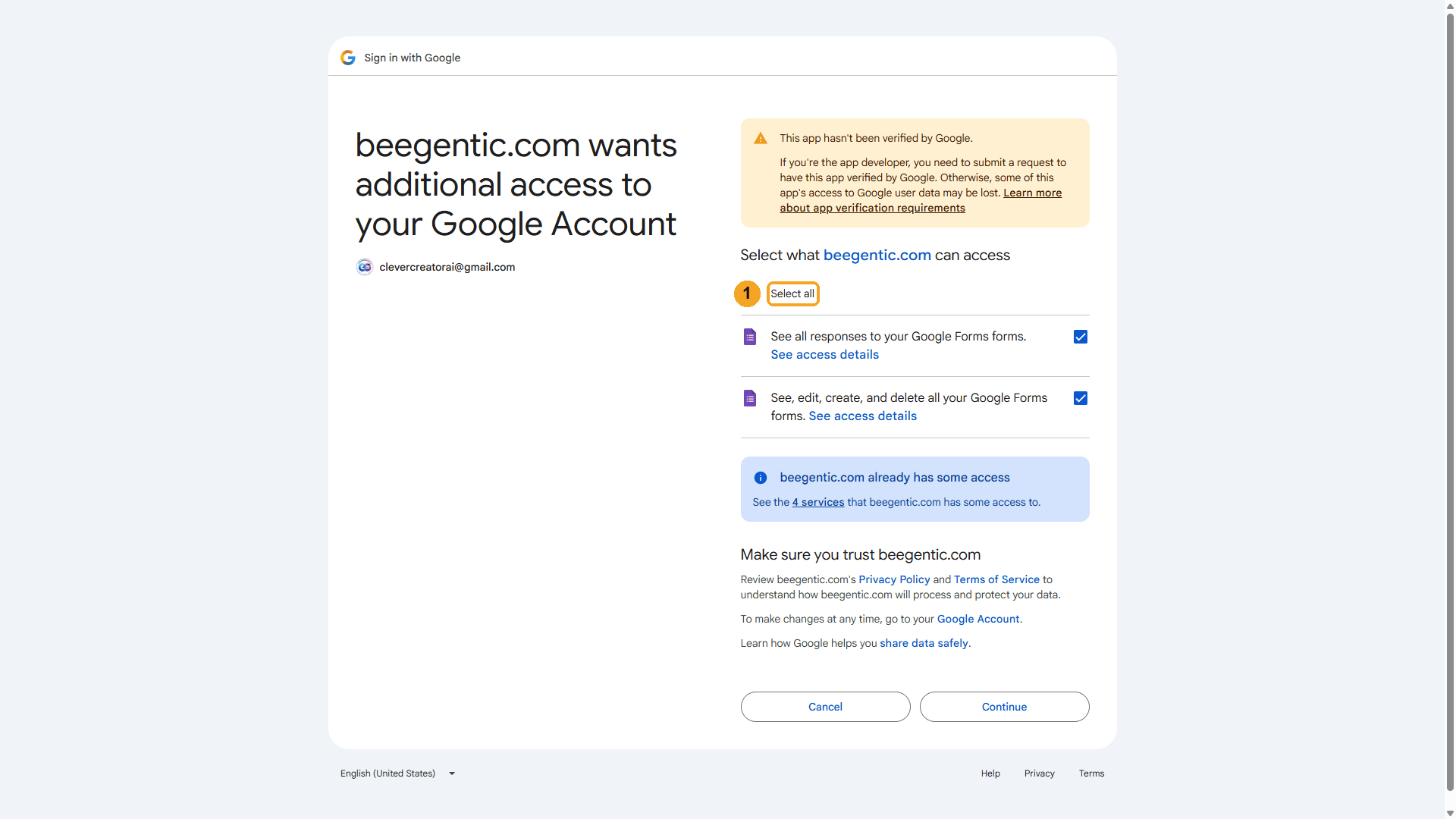
Google then lists what BeeGentic asks for:
| # | What to do |
|---|---|
| 1 | Click Select all (see your responses, and see/edit your forms), then Continue. You're sent back to BeeGentic, connected. |
Watch this step
Part 2: Build the workflow
Create the workflow and add Google Forms
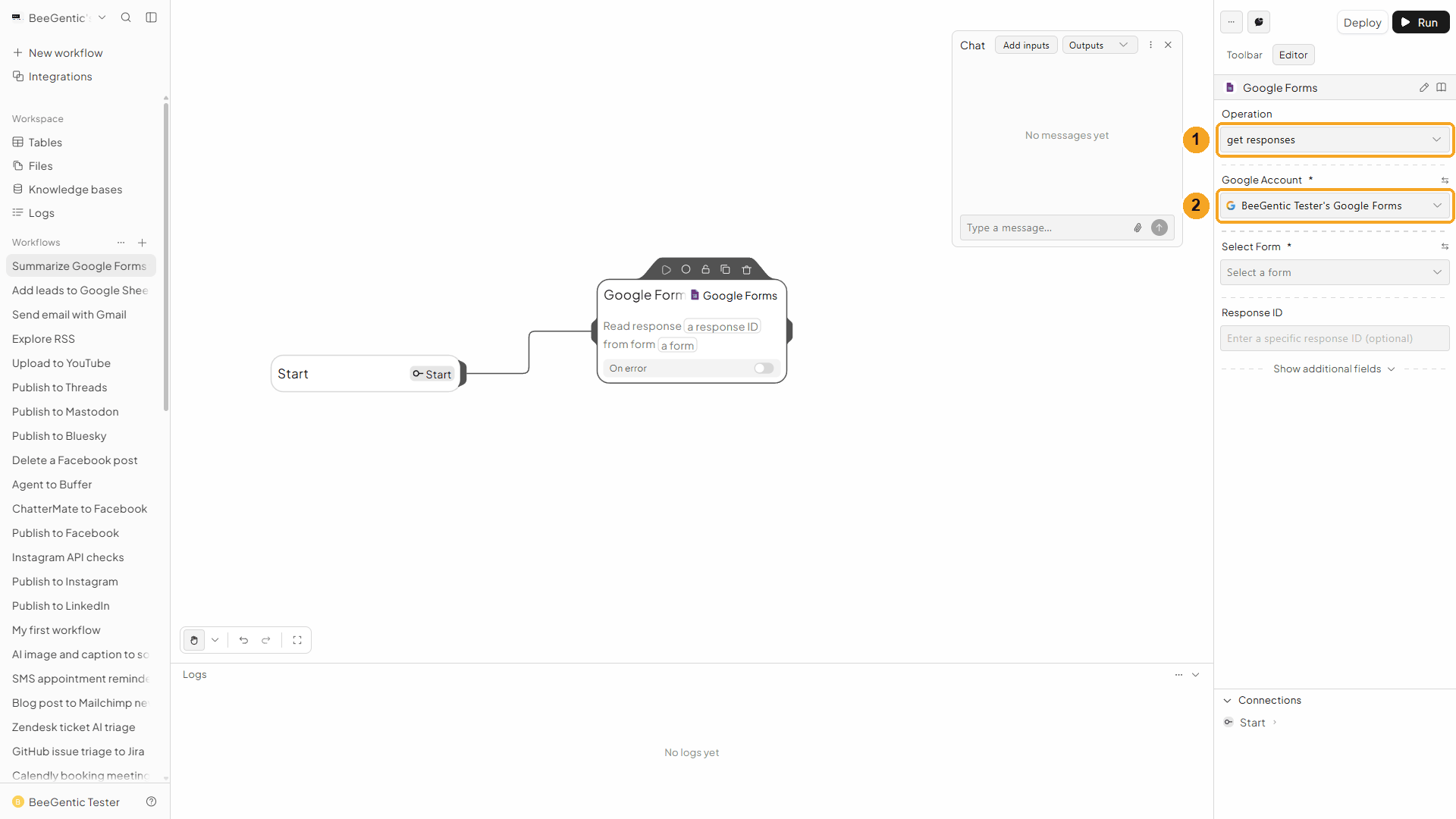
+ New workflow → name it Summarize Google Forms feedback. Then Toolbar → Google Forms (in the tools list, not the one under Triggers).
| # | Field | Value |
|---|---|---|
| 1 | Operation | Get Responses (the default) |
| 2 | Google Account | The connection from Part 1 |
Watch this step
Select the form
| # | Field | Value |
|---|---|---|
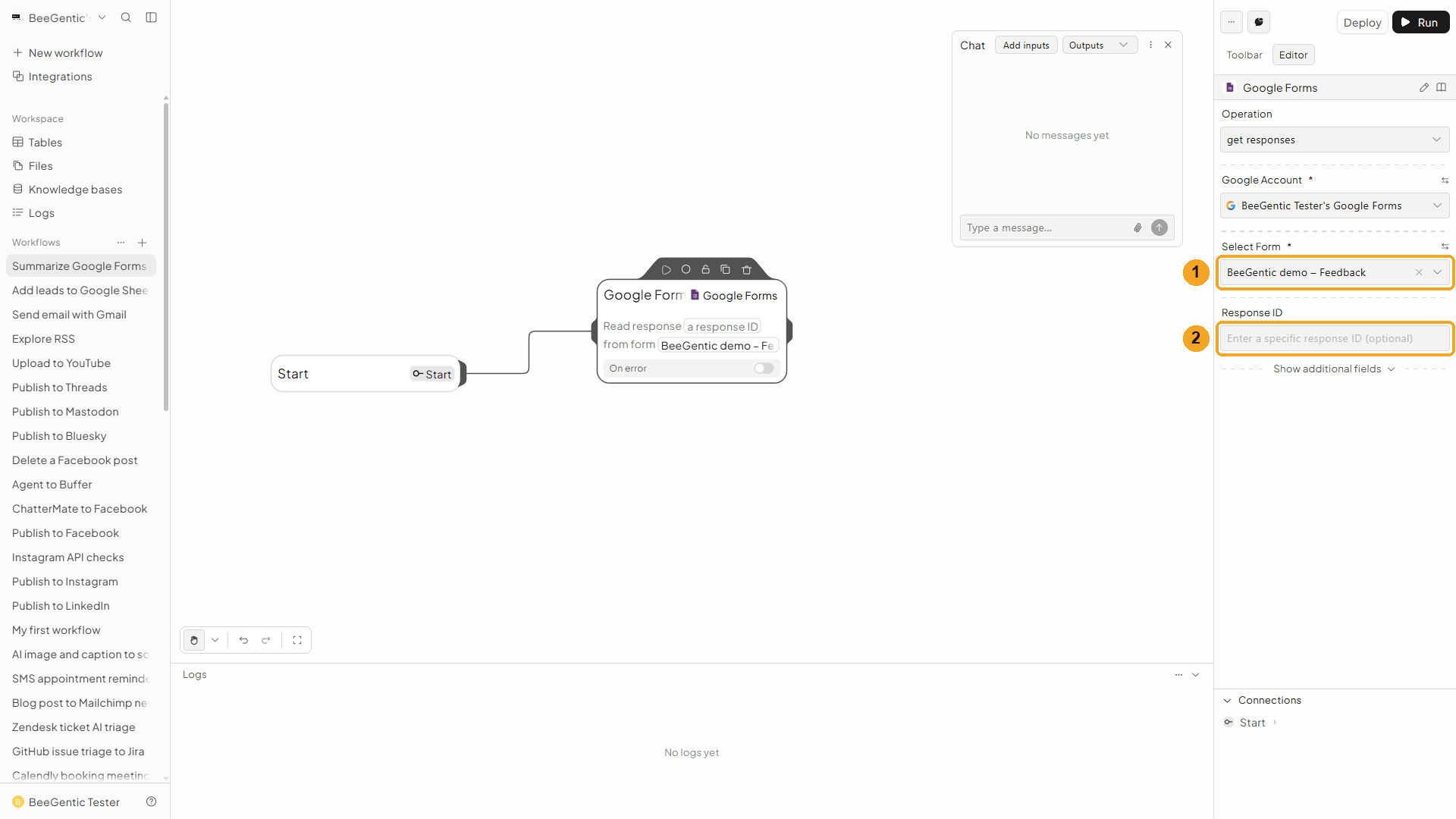
| 1 | Select Form | Click it, type part of the name (e.g. BeeGentic demo) and pick it. (The list of your other forms is blurred in the video.) |
| 2 | Response ID | Leave empty to get all responses. Paste one ID to get just that response. |
Under Show additional fields: Page Size (default 5,000 per call), Page Token (the next page), and Filter, e.g. timestamp > 2026-10-01T00:00:00Z for responses after a date.
Watch this step
Add the Agent
Toolbar → Agent. It connects after Google Forms. In Messages:
These are responses to our feedback form. Each has a rating from 1 to 5 and a comment on what to improve: <googleforms.responses>. Write a short summary for the team: the number of responses and the average rating, then 3 bullet points on what people like and what to improve.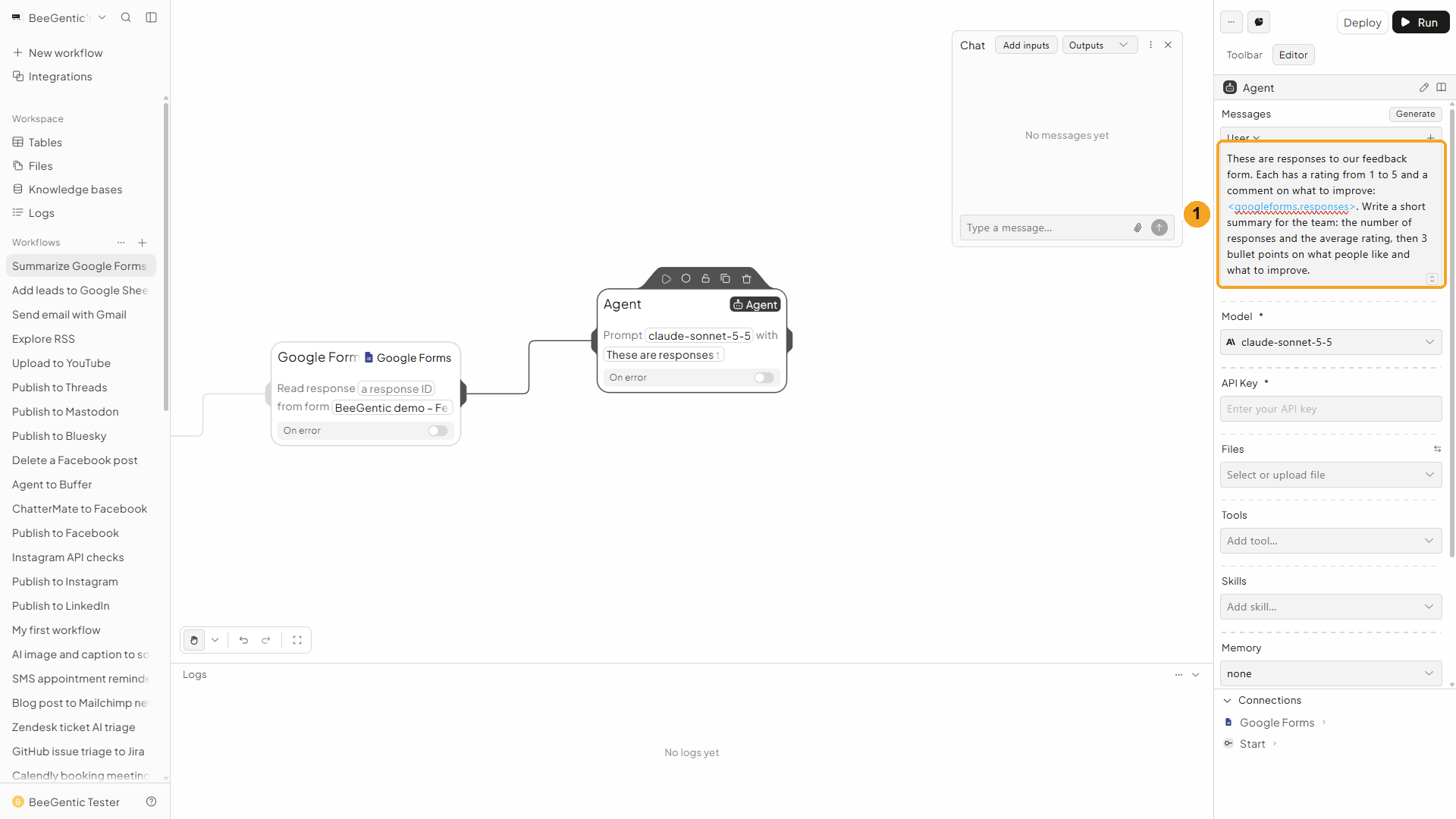
| # | What you see |
|---|---|
| 1 | The message, with <googleforms.responses>: the list of responses from the block before. |
Watch this step
Choose the model and key
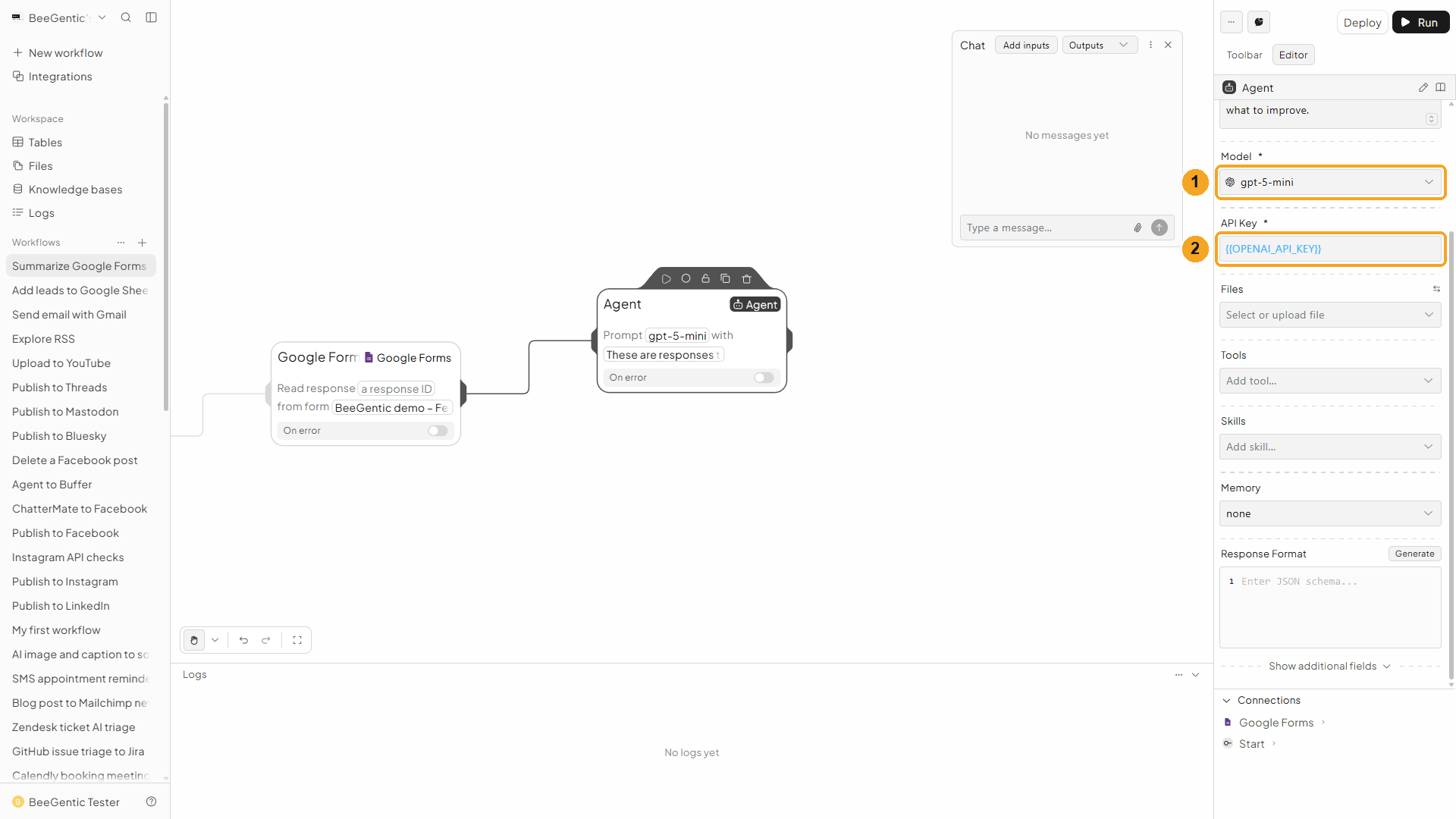
| # | Field | Value |
|---|---|---|
| 1 | Model | gpt-5-mini |
| 2 | API Key | {{OPENAI_API_KEY}} |
Press Shift + L to tidy. Your finished workflow:
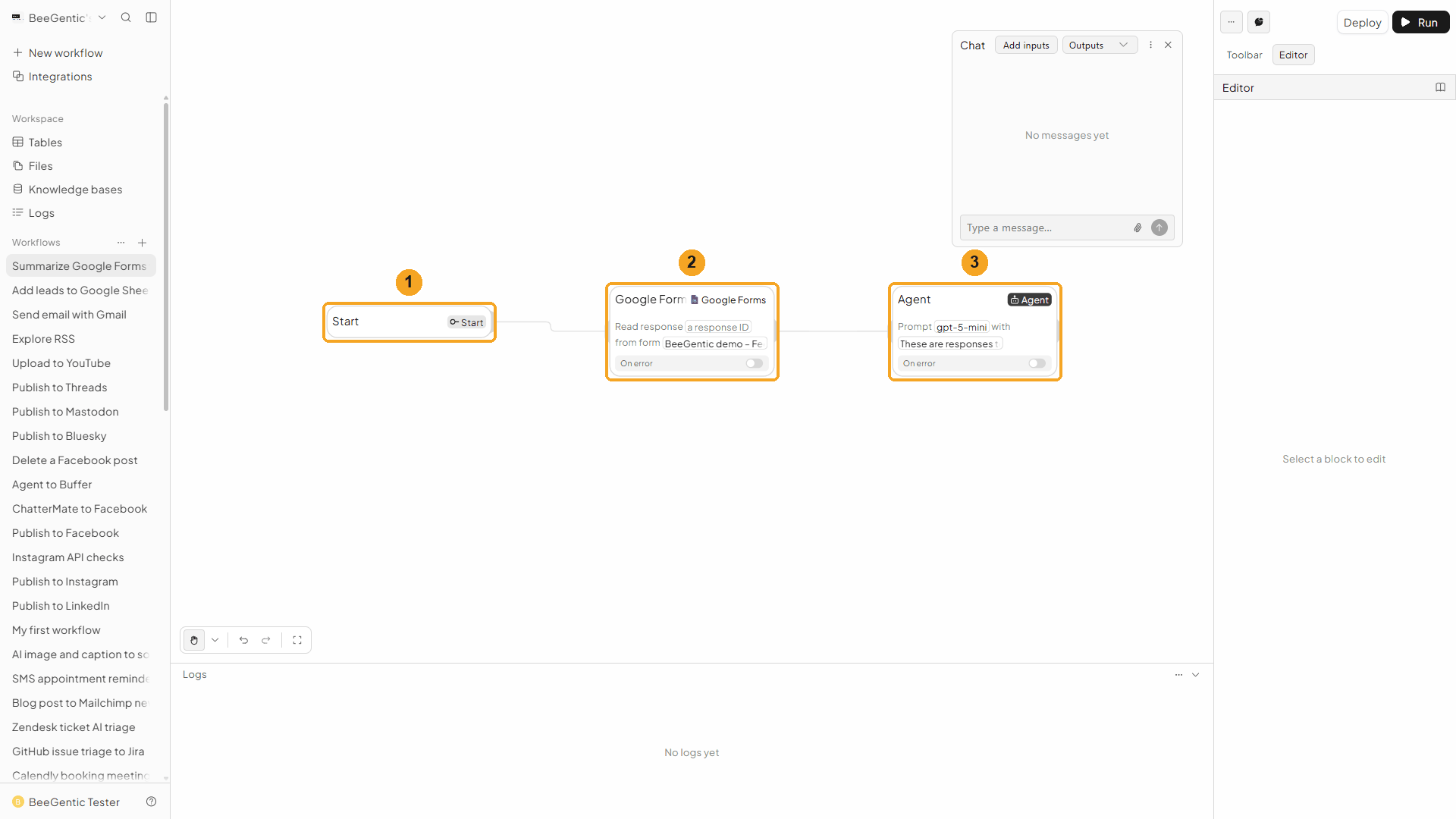
| # | Block | What it does |
|---|---|---|
| 1 | Start | Runs when you send a message in Chat |
| 2 | Google Forms | Gets every response, newest first |
| 3 | Agent | Writes the summary |
Watch this step
Part 3: Run it and check the result
Ask for a summary in Chat
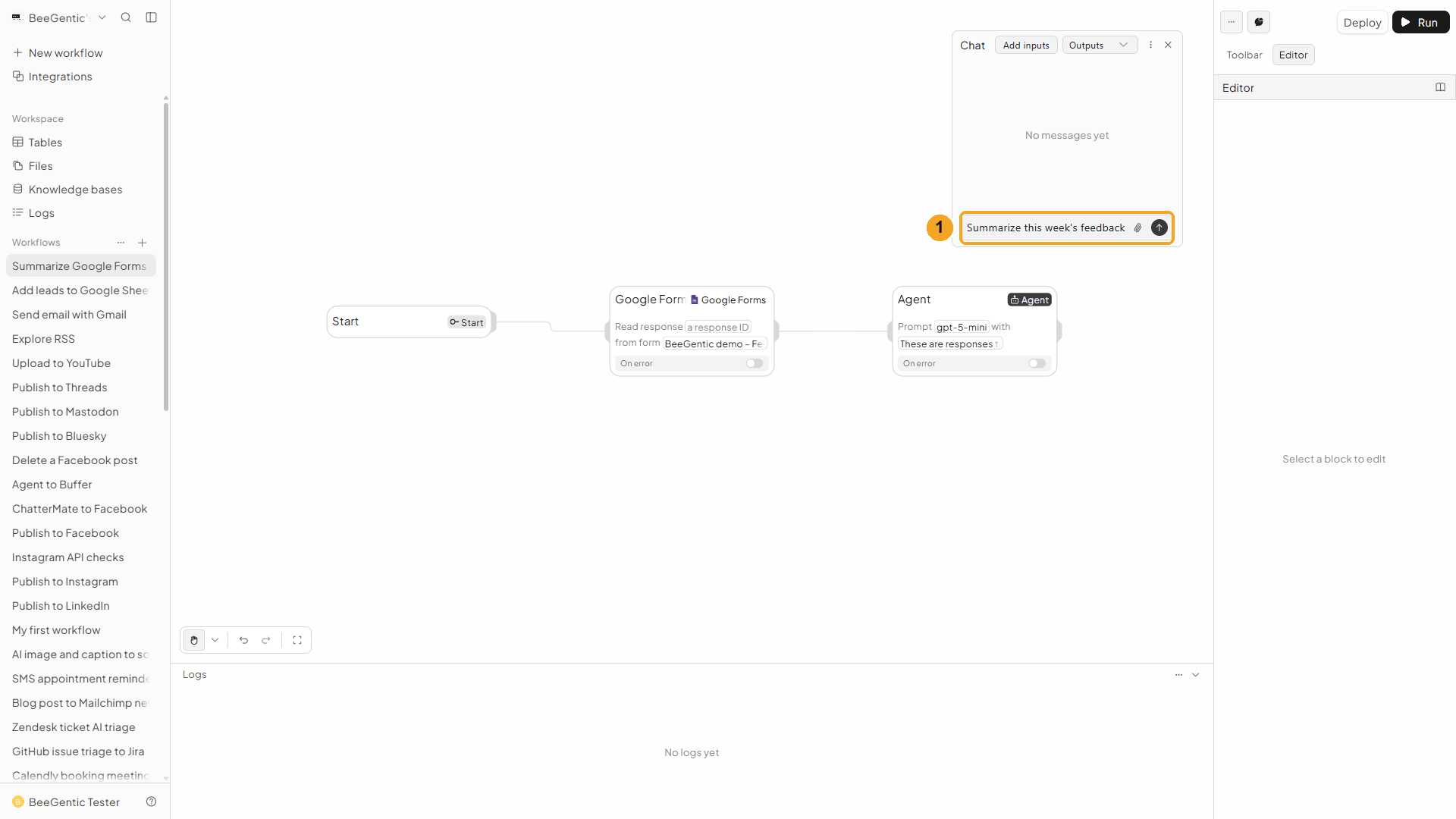
| # | What to do |
|---|---|
| 1 | Open Chat, type a message and press Enter. The text itself isn't used here; sending it runs the workflow. |
Example message we sent:
Summarize this week's feedbackRead the summary
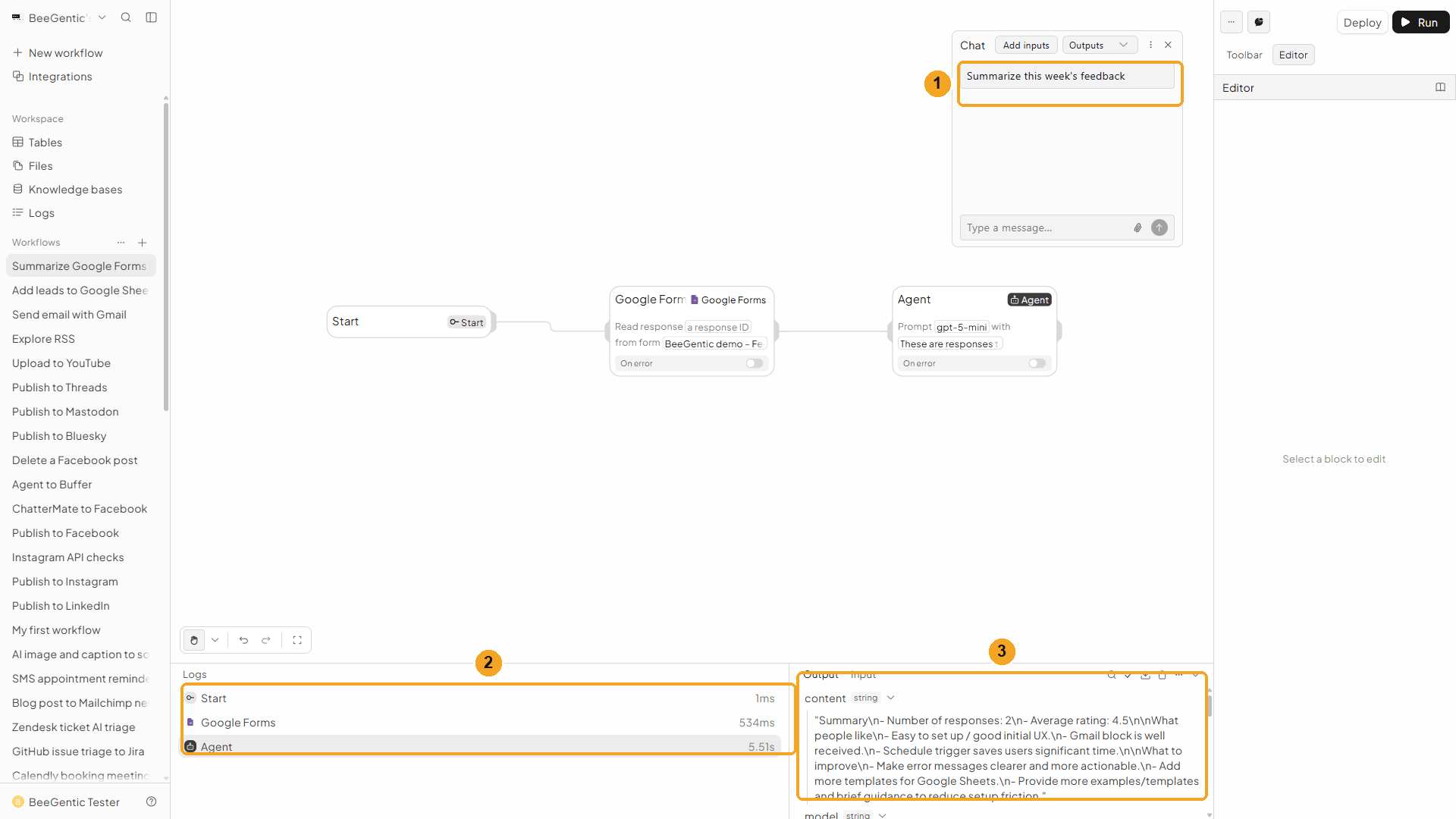
| # | What you see |
|---|---|
| 1 | Your message. |
| 2 | Each block's run time: Google Forms about 0.5 s, the Agent about 5.5 s. |
| 3 | The Agent's output: content holds the summary. Click Google Forms in the log to see the raw responses. |
The real summary the Agent wrote (from our 2 test responses, rated 5 and 4):
- Number of responses: 2
- Average rating: 4.5
What people like
- Easy to set up / good initial UX.
- Gmail block is well received.
- Schedule trigger saves users significant time.
What to improve
- Make error messages clearer and more actionable.
- Add more templates for Google Sheets.
- Provide more examples/templates and brief guidance to reduce setup friction.
Get Responses only reads; nothing in the form changes. We kept the demo form and its 2 test responses.
Watch the run
⚡ Make it automatic
| You want | Do this |
|---|---|
| A weekly feedback summary by email | Schedule (every Monday) → Google Forms → Agent → Gmail Send Email with <agent.content>. |
| Only new responses each time | Set Filter to timestamp > … with the time of the last run. |
| Every answer in a spreadsheet | Google Forms Webhook trigger → Google Sheets Append Data. |
| React to each submission | Use the Google Forms Webhook trigger below. |
| Share good feedback | Agent picks a quote → Publish to social. |
Google Forms Webhook trigger
Starts the workflow the moment someone submits the form. It works with a small Apps Script that you paste into the form once; BeeGentic writes the script for you. In the Toolbar it's Google Forms under Triggers.
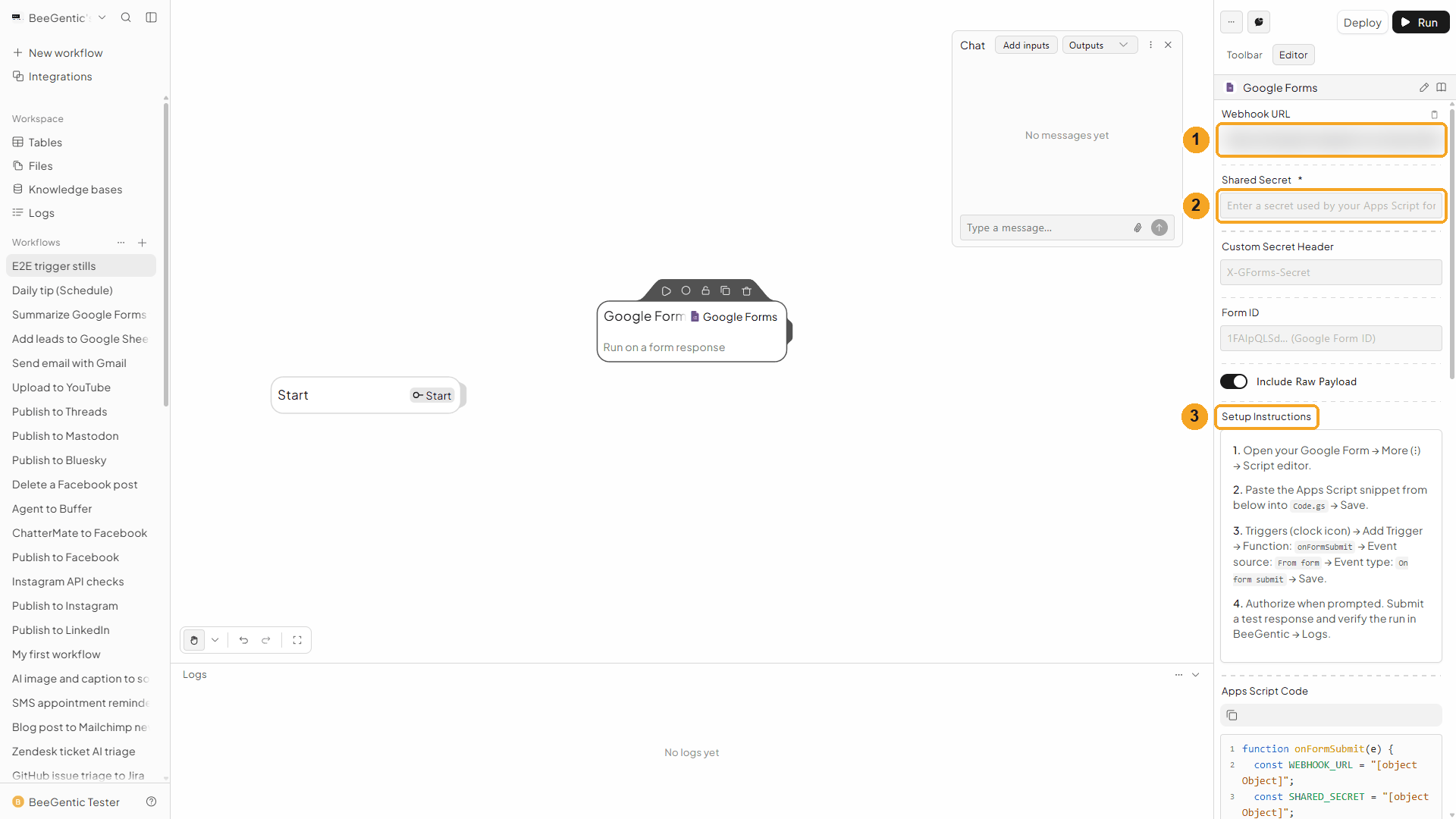
| # | Field | What it does |
|---|---|---|
| 1 | Webhook URL | Your workflow's address (blurred here). Treat it like a password. |
| 2 | Shared Secret | A password you make up. The script sends it as Authorization: Bearer <secret>, and BeeGentic rejects calls without it. Optional: Custom Secret Header (e.g. X-GForms-Secret) to send it in another header. |
| 3 | Setup Instructions | The 4 steps below, and under them the ready-made Apps Script Code with your URL and secret filled in (Copy button). |
Set it up:
- In your Google Form: More (⋮) → Apps Script.
- Paste the Apps Script Code into
Code.gsand Save. - Triggers (clock icon) → Add Trigger → Function
onFormSubmit→ Event source From form → Event type On form submit → Save. - Authorize when Google asks, submit a test response, and check the run in BeeGentic Logs.
Each run gets formId, responseId, createTime, lastSubmittedTime and answers keyed by question title, e.g. <googleforms.answers>, plus the original payload in raw when Include Raw Payload is on. Deploy the workflow so the URL accepts calls.
Other operations
| Operation | What it does |
|---|---|
| Get Form | The form's title, description, responderUri (the link to share) and every question (items) with its question ID |
| Create Form | A new form with a Form Title (optionally Document Title for Drive, or Create Unpublished). Returns formId and responderUri. |
| Batch Update | Adds or changes questions and settings, with Update Requests in the Google Forms API format. Generate writes them from a description. |
| Set Publish Settings | Publishes or unpublishes the form, and turns Accepting Responses on or off |
| Create Watch / List Watches / Renew Watch / Delete Watch | Google's own push notifications to a Pub/Sub topic (projects/{project}/topics/{topic}) when responses or questions change. Watches expire after 7 days unless renewed. |
Troubleshooting
| Problem | Fix |
|---|---|
Failed to fetch responses, or an error message passed on from Google | Pick the form again in Select Form, and check the connected Google account owns it or can edit it. |
responses is empty | The form has no responses yet, or your Filter excludes them. Clear Filter and Response ID. |
| The form isn't in the list | Type part of its name to search. Only forms in the connected account's Drive appear. |
| The summary mixes up questions | Pass <googleforms.responses> and tell the Agent to use each response's answersByQuestion (question text → answer). |
| The webhook trigger never runs | Deploy the workflow, check the Apps Script trigger is On form submit, and that the Shared Secret in the script matches. In Apps Script, Executions shows Webhook failed: … if BeeGentic rejected the call. |
| "Google hasn't verified this app" | Click Advanced → Go to beegentic.com (unsafe) (see Part 1). |
Save files to Google Drive
Create, upload, share, move and search Google Drive files from a workflow, or start a workflow when a file changes. Step by step with a narrated video and a real result.
Post messages to Slack
Send Slack messages to a channel or a person from a workflow, and read, update, react to and delete messages, manage channels and canvases. Step by step with a narrated video and a real result.