


Publish to Threads
Post text, links, images, videos and carousels to Threads from a workflow. Connect your Threads profile once. Real result included.
What you'll build: you type a topic, an AI writes the post, and BeeGentic publishes it to your Threads profile. Three blocks: Start → Agent → Threads. About 5 minutes.
Posts to: Your Threads profile · Connect with: Sign in with Threads · Block: Threads
| Text | Link | Image | Video | Multi | Schedule | Edit | Delete | Read | Comments | Insights |
|---|---|---|---|---|---|---|---|---|---|---|
| ✅ | ✅ | ✅ | ✅ | ✅ | — | — | ✅ | ✅ | ⚠️ | ⚠️ |
Not supported: Editing posts · Replying to or reading replies · Post analytics
⏳ Meta App Review pending: only Threads testers can connect
✅ supported · ⚠️ partly (hover for details) · — not supported
Narrated walkthrough (2 min), with captions (CC button). Each step below also has a short silent clip. The orange numbers in each screenshot match the # column under it.
Access during Meta's review: while BeeGentic's Threads app is in Meta App Review, only Threads profiles added as testers can connect. When it's approved, everyone can.
Before you start
| You need | Why |
|---|---|
| A Threads profile (public) | BeeGentic posts as you |
An AI key saved as a secret, e.g. OPENAI_API_KEY | The Agent writes the post |
Part 1: Connect Threads (once)
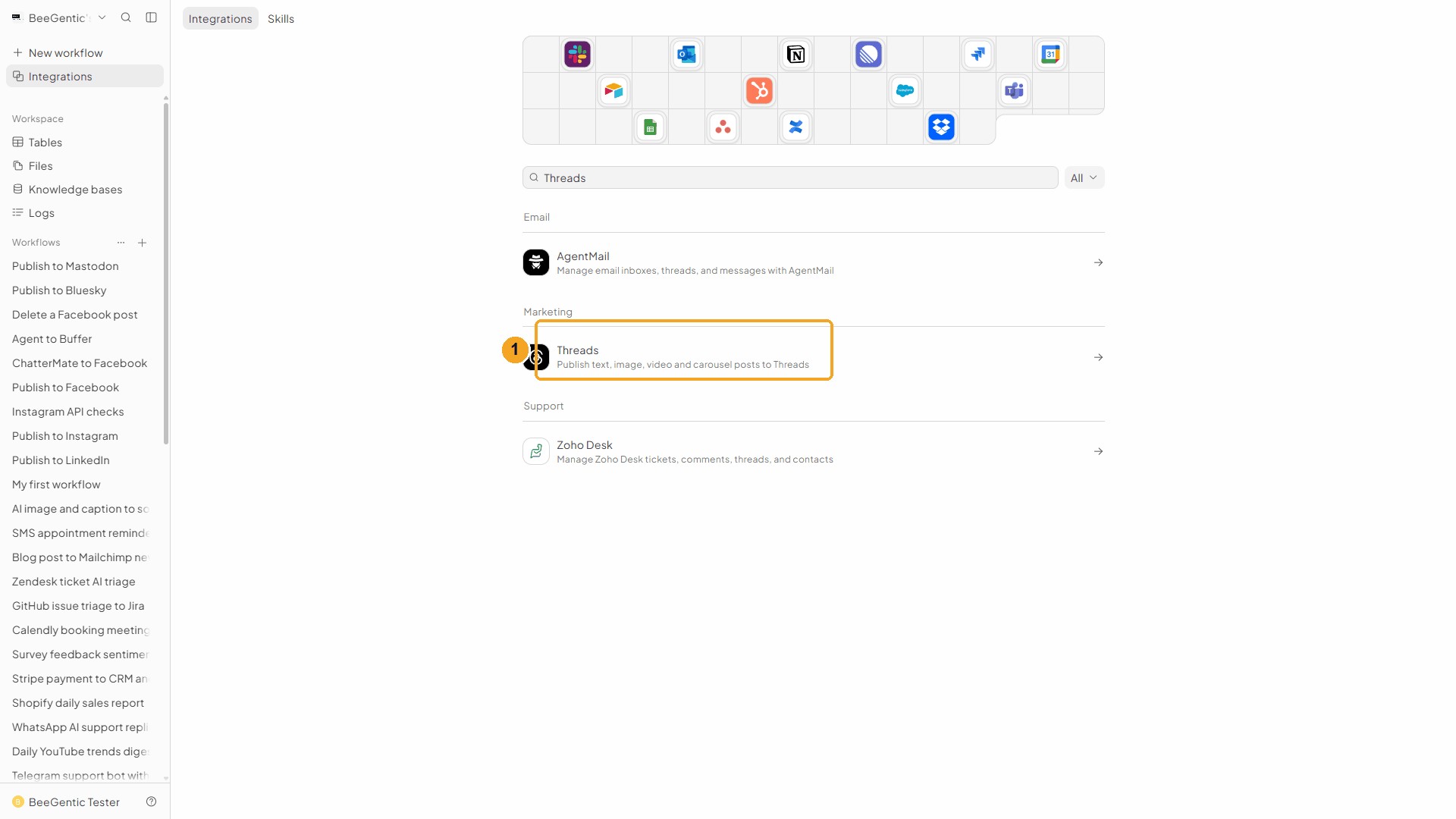
Add it to BeeGentic
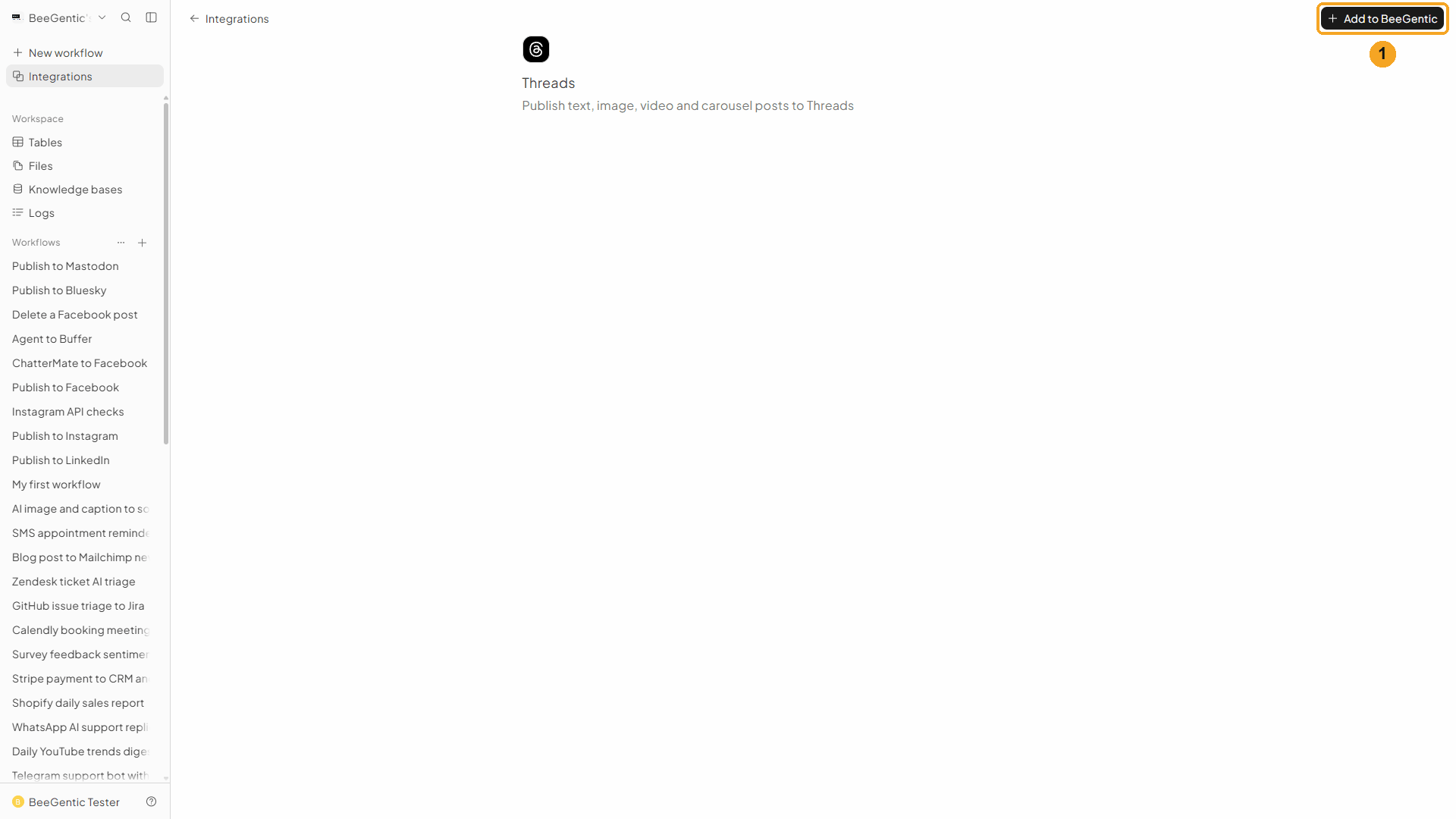
| # | What to do |
|---|---|
| 1 | Click Add to BeeGentic. |
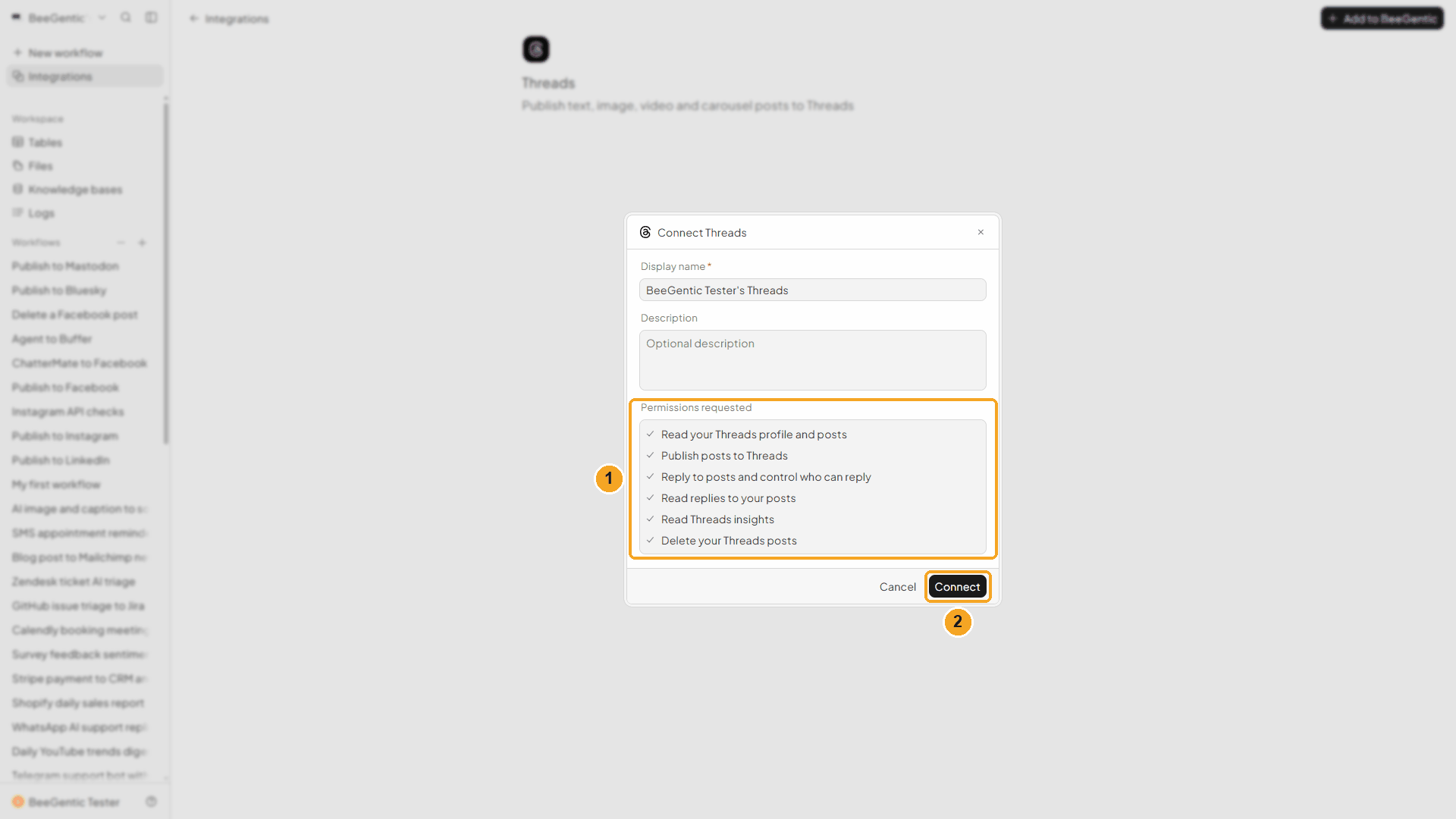
| # | What it means |
|---|---|
| 1 | What BeeGentic will be allowed to do: read your profile and posts, publish, manage and read replies, read insights, delete posts. |
| 2 | Click Connect. Threads opens. |
Watch this step
Approve on Threads
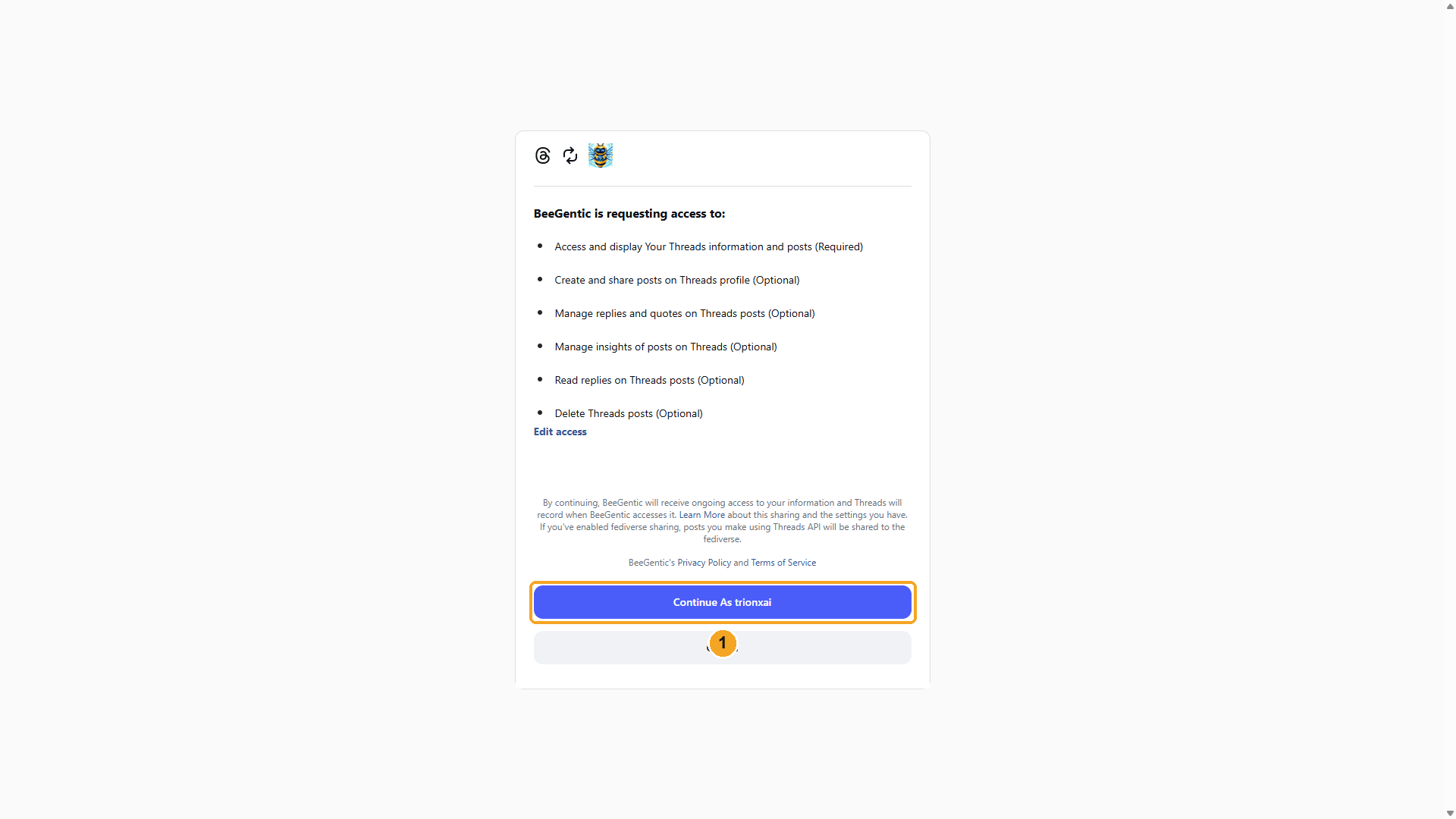
| # | What to do |
|---|---|
| 1 | Review the access, then click Continue As your username. You're sent back to BeeGentic, connected as Your name's Threads. |
Watch this step
Part 2: Build the workflow
Create the workflow and add the Agent
+ New workflow → name it Publish to Threads. Then Toolbar → Agent. In Messages:
You write social posts for BeeGentic, an AI workflow-automation platform. Write a Threads post (max 400 characters) announcing: <start.input>. Conversational, one emoji, one hashtag #BeeGentic. Return only the post text.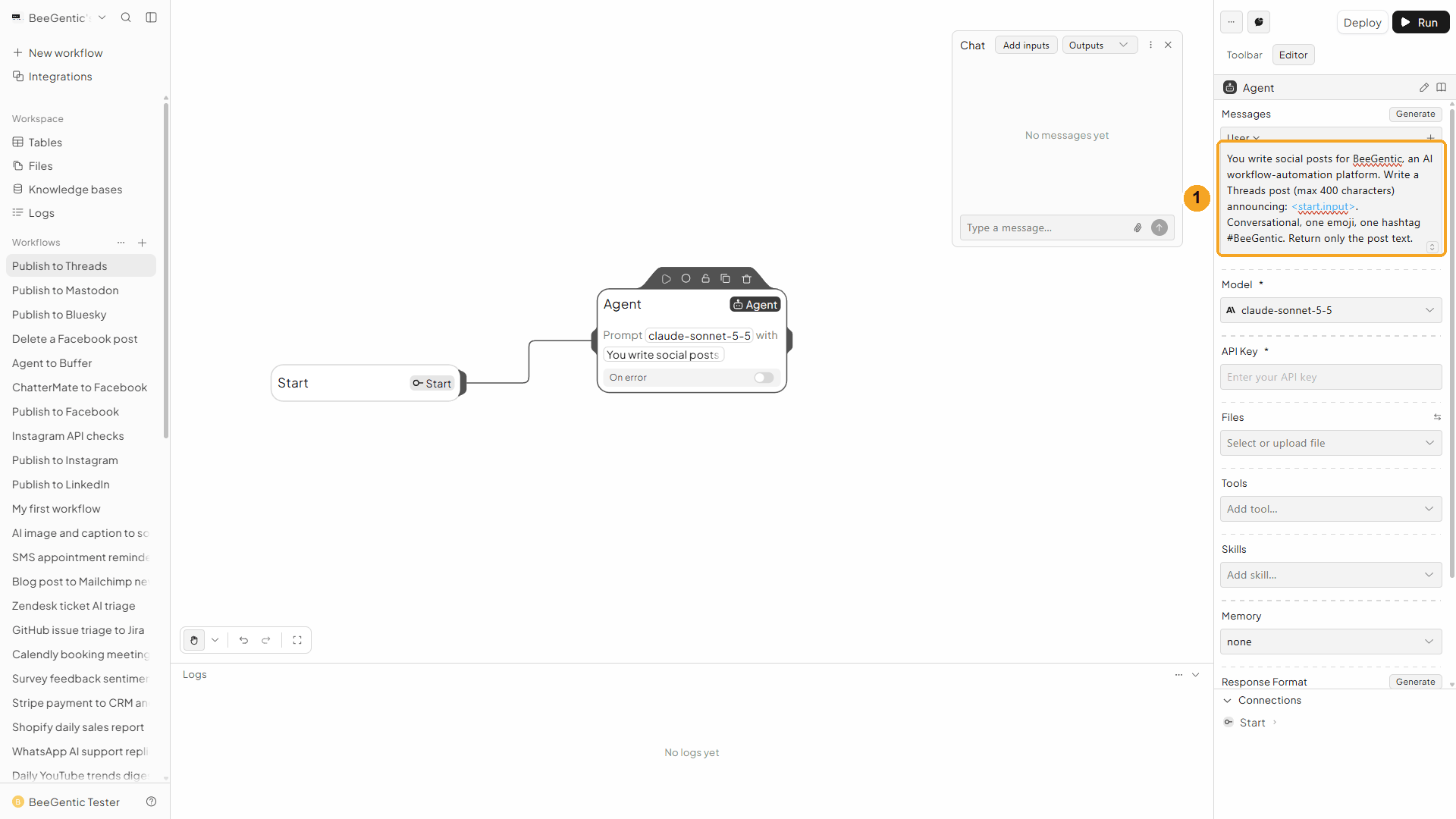
| # | What you see |
|---|---|
| 1 | The message. One sentence about who you are keeps the AI on topic. |
Watch this step
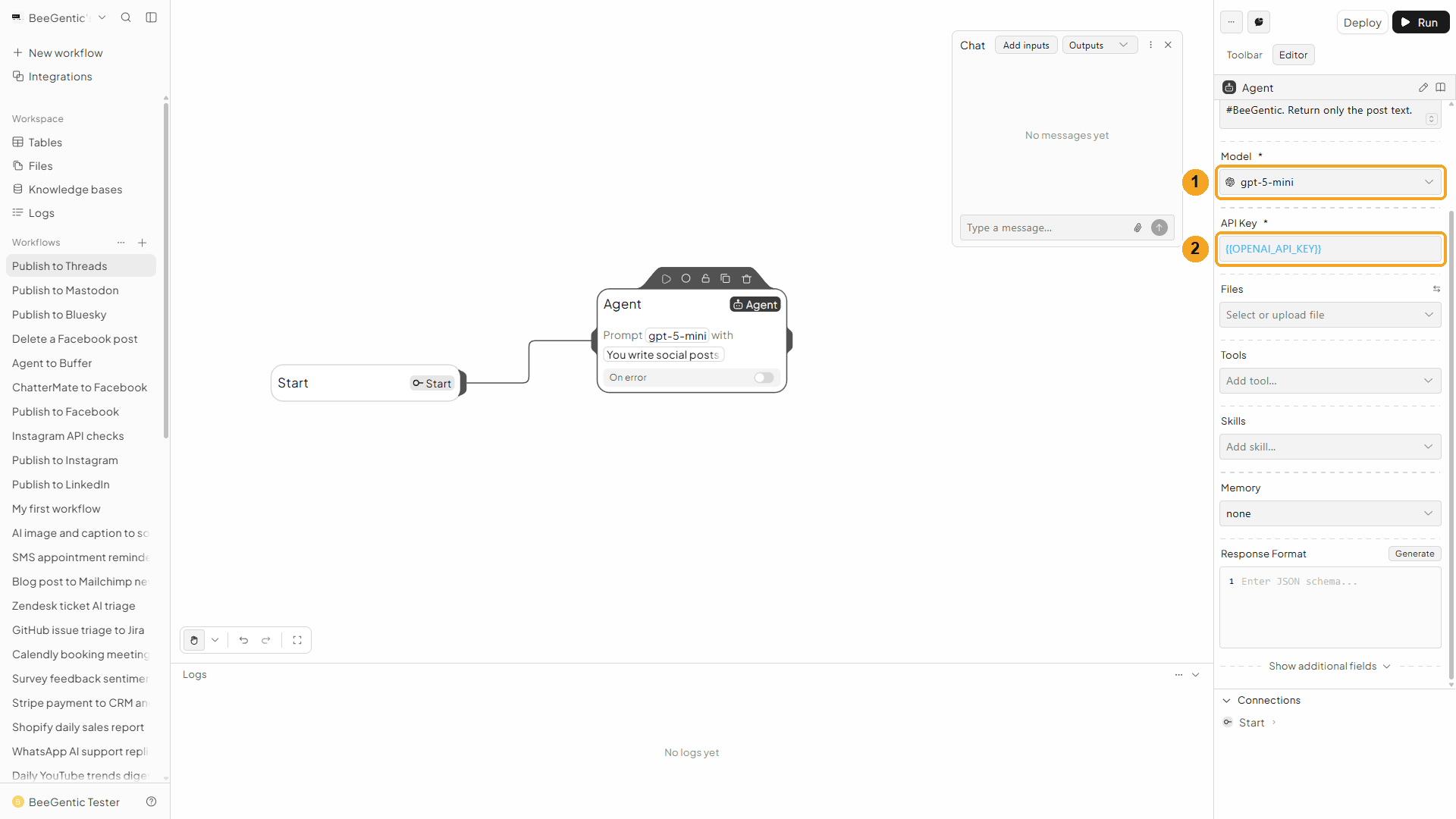
Add the Threads block
Toolbar → Threads.
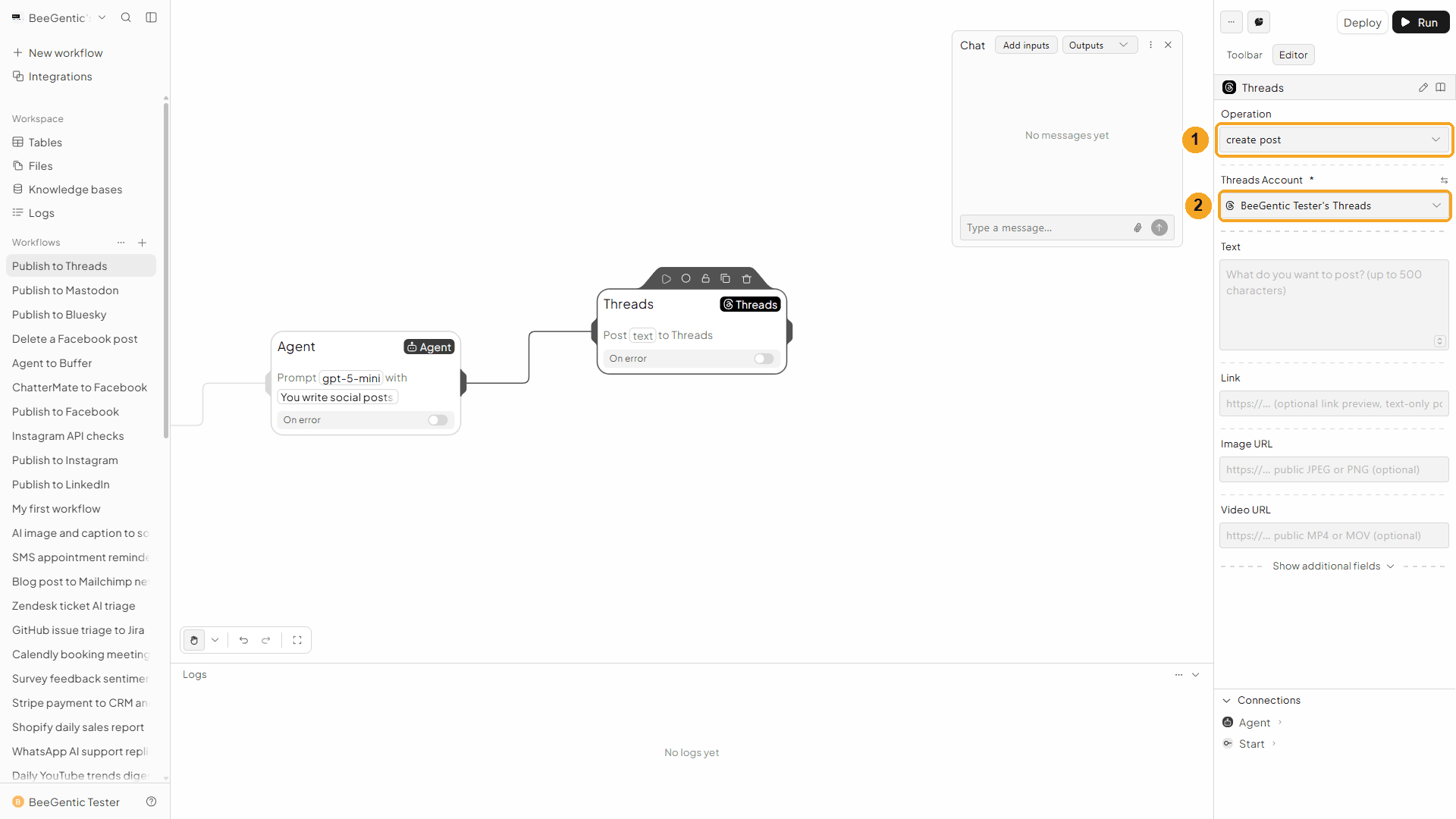
| # | Field | Value |
|---|---|---|
| 1 | Operation | Create Post (the default) |
| 2 | Threads Account | The connection from Part 1 |
Watch this step
Text
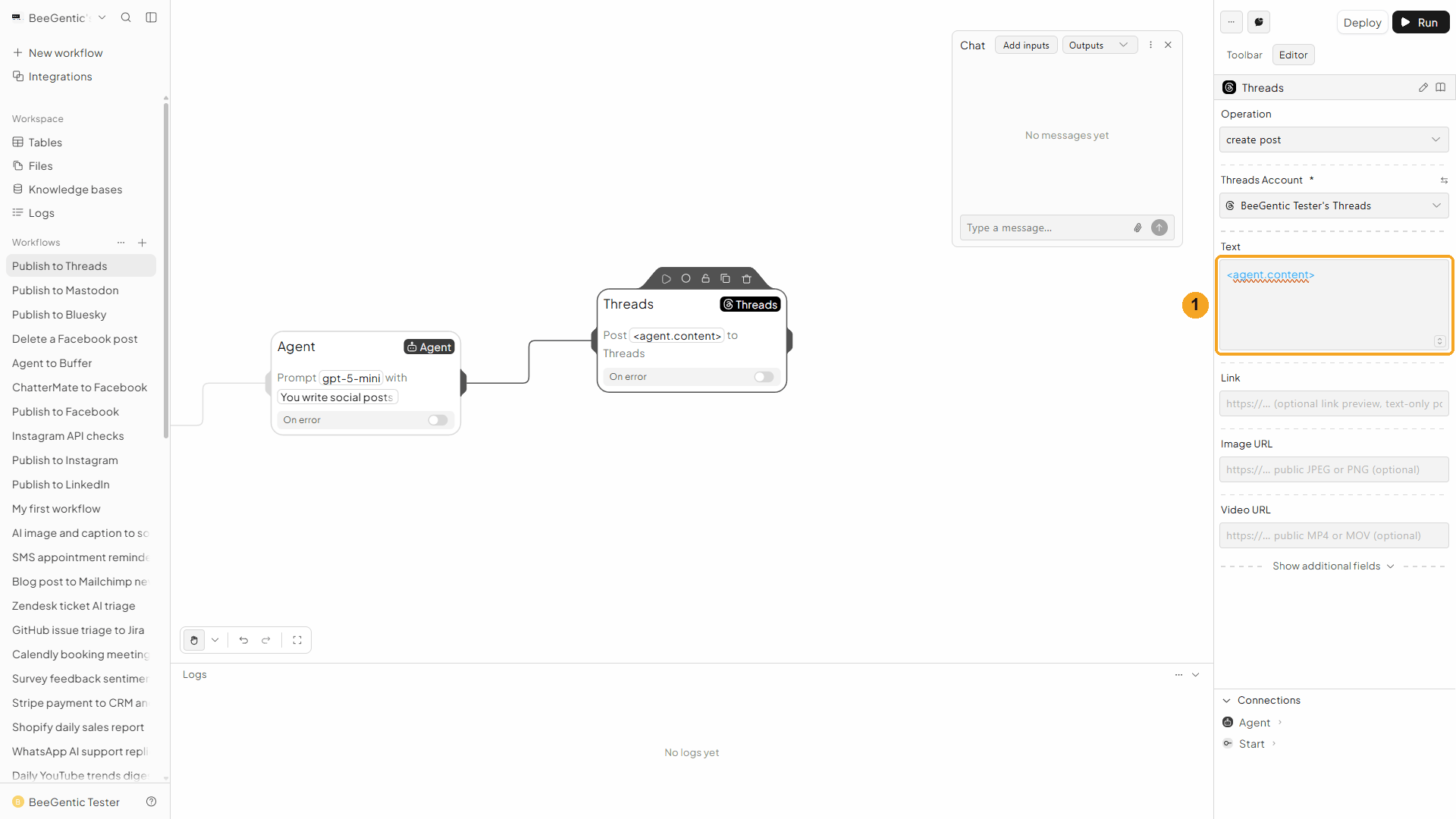
| # | Field | Value |
|---|---|---|
| 1 | Text | <agent.content> (up to 500 characters) |
Optional: Link (a preview, text posts only), Image URL or Video URL (public https://), Reply Control and Topic Tag (advanced).
Press Shift + L to tidy. Your finished workflow:
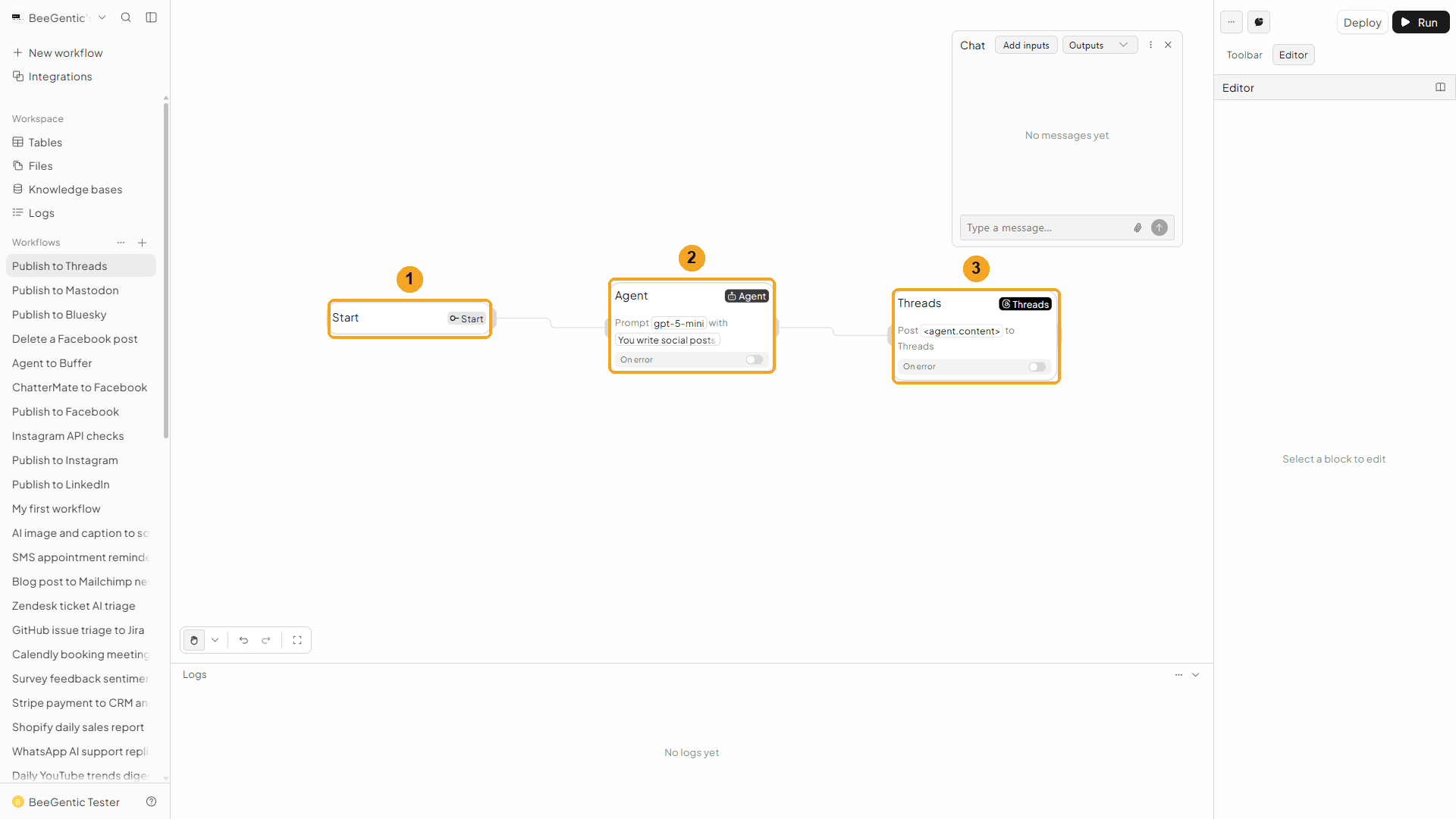
| # | Block | What it does |
|---|---|---|
| 1 | Start | Your chat message becomes <start.input> |
| 2 | Agent | Writes the post |
| 3 | Threads | Publishes <agent.content> |
Part 3: Run it and check the result
Send the topic from Chat
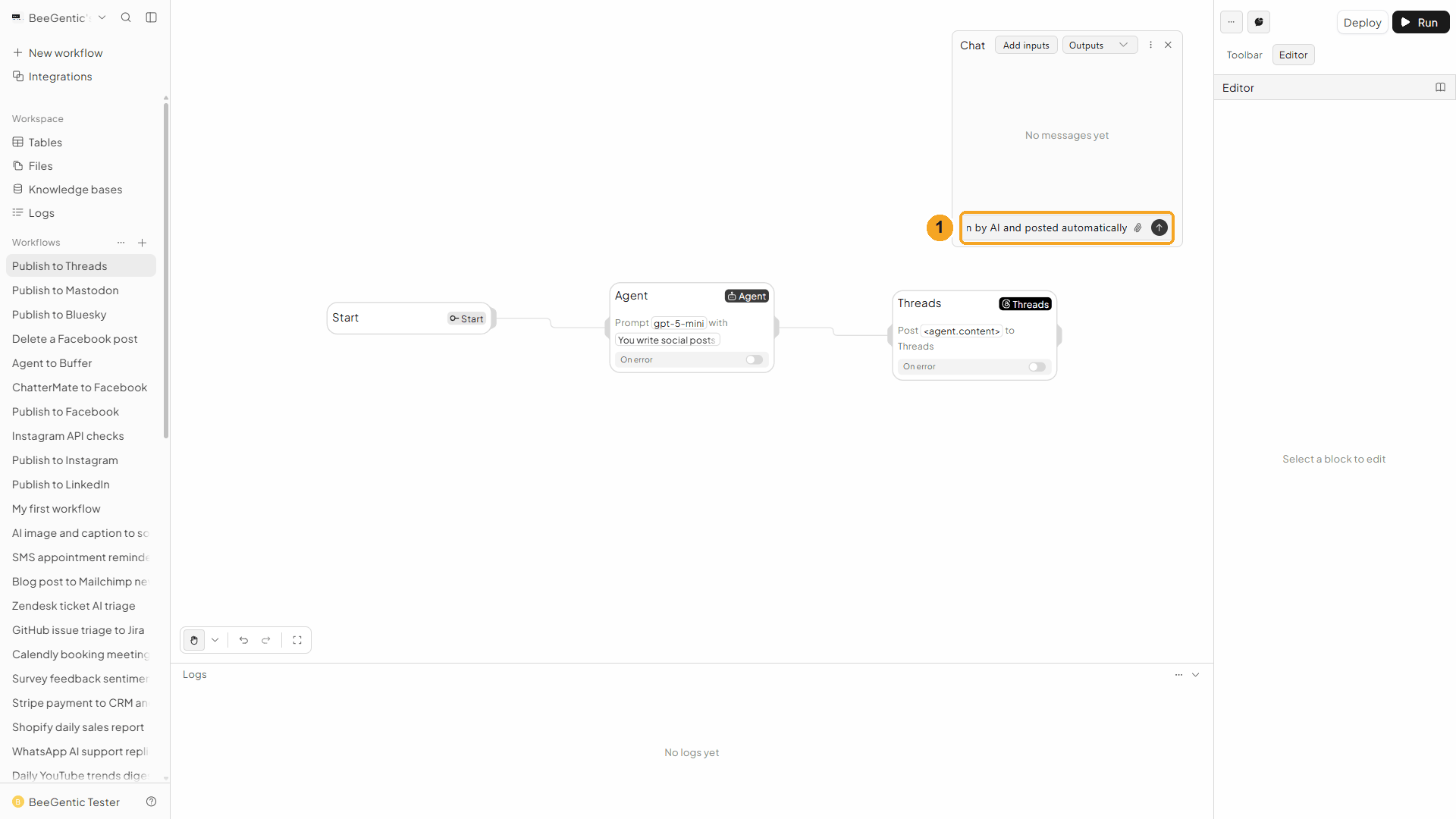
| # | What to do |
|---|---|
| 1 | Type the topic and press Enter. |
Example message we sent:
BeeGentic now publishes to Threads, written by AI and posted automaticallyRead the output
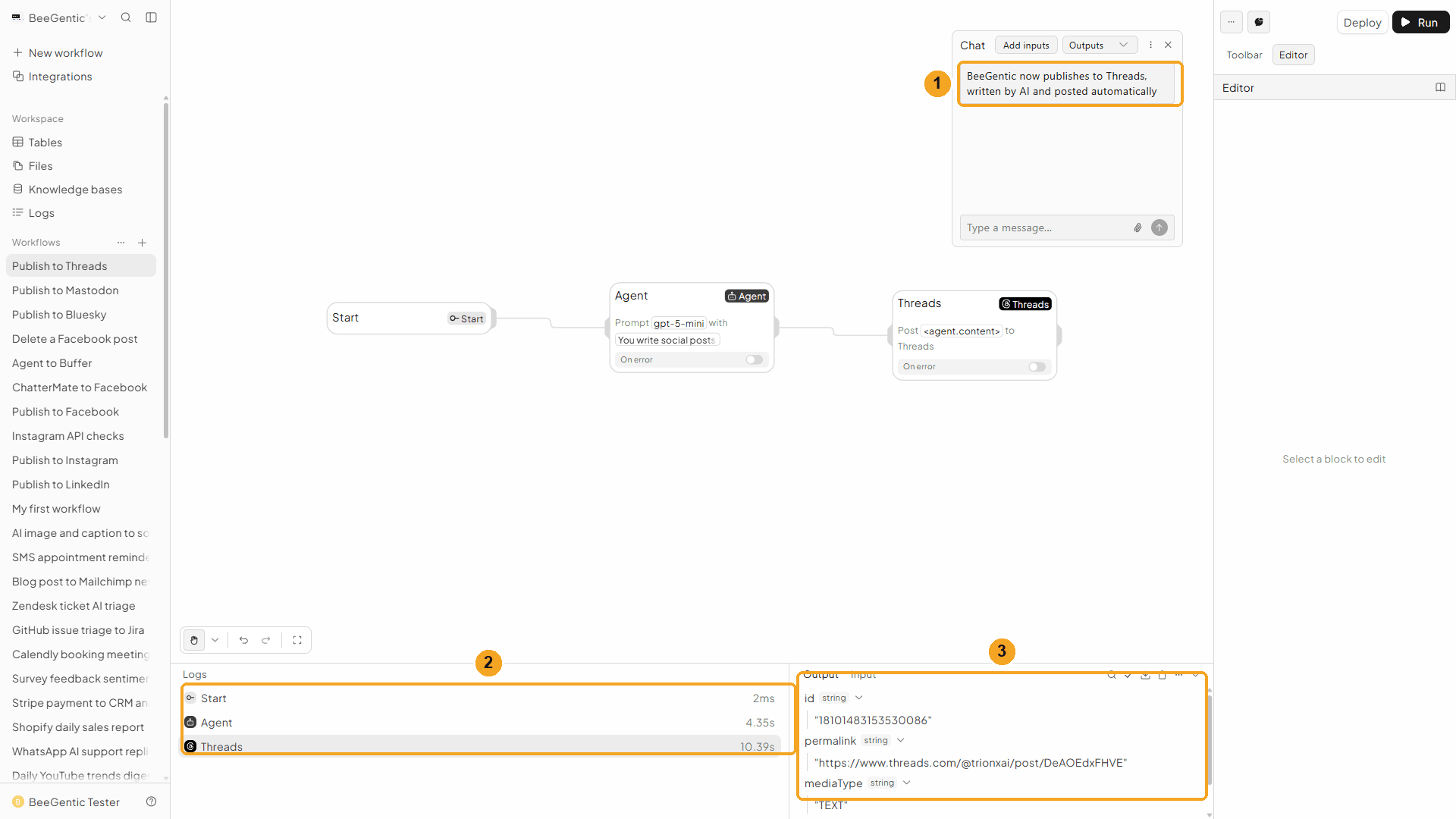
| # | What you see |
|---|---|
| 1 | Your message. |
| 2 | Each block's run time. Threads takes about 10 seconds, because BeeGentic waits until Threads has the post ready, then publishes it. |
| 3 | The output: id, permalink, mediaType and username. |
Watch the run
See it on Threads
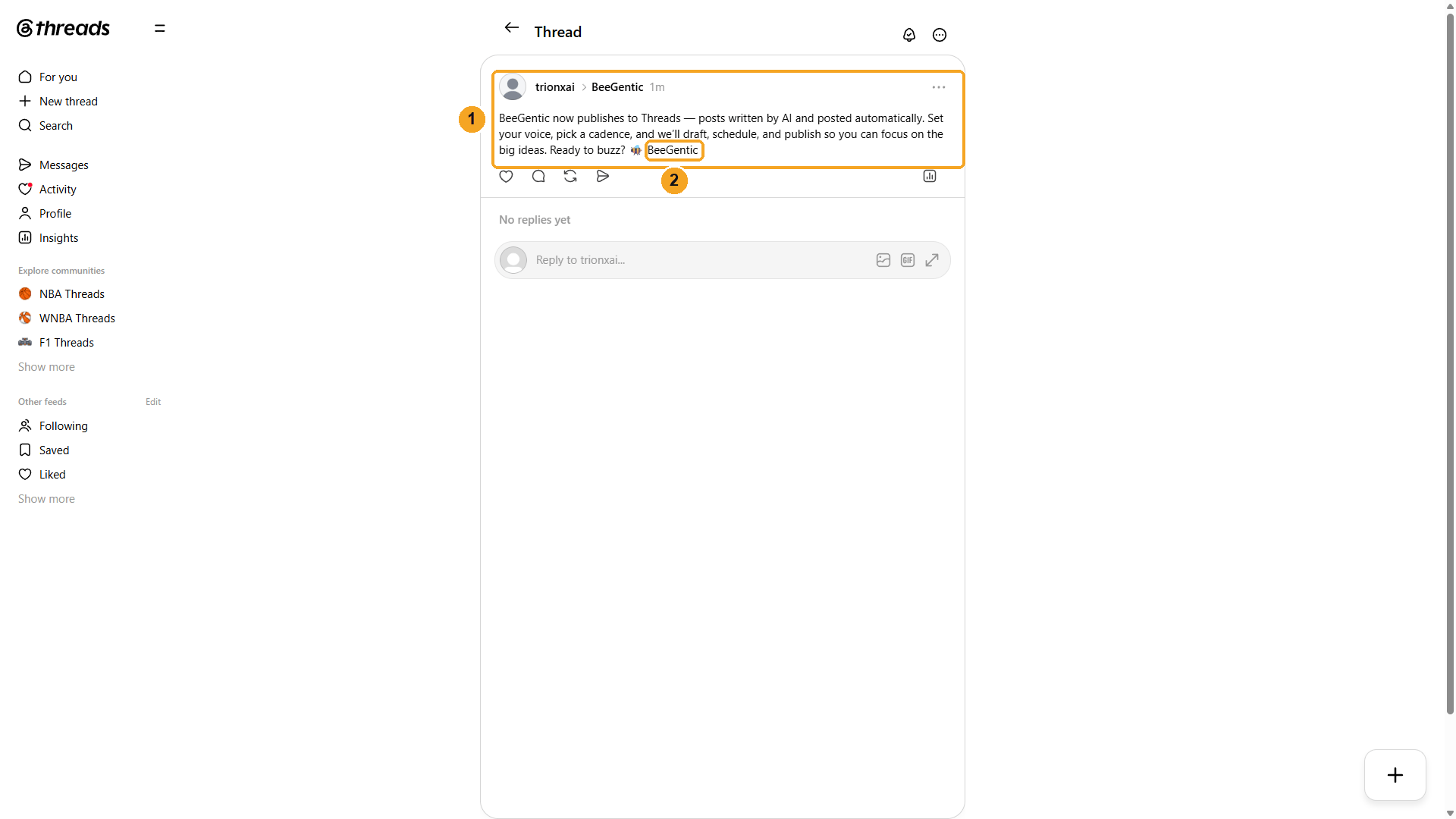
| # | What you see |
|---|---|
| 1 | The post on your profile. |
| 2 | The hashtag becomes a Threads topic. |
The real post BeeGentic published:
We deleted this test post afterwards with Delete Post.
Watch this step
Part 4: Make it automatic
| You want | Do this |
|---|---|
| A post every day | Replace Chat with a Schedule trigger. |
| An image or video post | Fill Image URL or Video URL. Video can take up to 5 minutes to process; BeeGentic waits. |
| Several images in one post | Operation → Create Carousel, 2-20 public image/video URLs |
| Only followers can reply | Reply Control (advanced) → Followers only |
Other operations
| Operation | What it does |
|---|---|
| Create Carousel | 2-20 images or videos in one post |
| Delete Post | Deletes a post by ID |
| Get Profile | Your username, name and bio |
| Get Posts | Your recent posts with links |
| Get Publishing Limit | How many of your 250 posts per 24 hours you've used |
Troubleshooting
| Problem | Fix |
|---|---|
| Can't connect, or "app not available" | During Meta's review, your Threads profile must be a tester. Ask the BeeGentic team. |
| "Threads posts are limited to 500 characters" | Shorten the text. Emoji count as more than one character. |
| Video post takes a while | Threads processes video first. BeeGentic waits up to 5 minutes. |
| Publishing limit reached | Threads allows 250 posts per profile per 24 hours. Check with Get Publishing Limit. |
Instagram auto-share to Facebook
What Instagram's "Sharing across profiles" does, how to turn it on, and why it doesn't copy posts that BeeGentic publishes.
Publish to YouTube
Upload videos to your YouTube channel from a workflow, with an AI-written description, tags, privacy, scheduling and thumbnails. Real result included.