


ChatterMate → Facebook Page
Let ChatterMate write the post and BeeGentic publish it to your Facebook Page. No OpenAI or Anthropic key needed. Real result included.
What you'll build: you type a topic, ChatterMate writes the post, and BeeGentic publishes it straight to your Facebook Page. Three blocks: Start → ChatterMate → Facebook Page. About 5 minutes.
Posts to: Facebook Pages you manage (incl. business-portfolio Pages) · Connect with: Sign in with Facebook · Block: Facebook Page
| Text | Link | Image | Video | Multi | Schedule | Edit | Delete | Read | Comments | Insights |
|---|---|---|---|---|---|---|---|---|---|---|
| ✅ | ✅ | ✅ | — | — | ✅ | — | ✅ | ✅ | — | — |
Not supported: Personal profiles · Facebook Groups · Reels and Stories · Editing posts · Comments and Page insights
⏳ Meta App Review pending: only app testers can connect
✅ supported · ⚠️ partly (hover for details) · — not supported
Narrated walkthrough (2 min 30 s), with captions (CC button). The orange numbers in each screenshot match the # column under it.
Why ChatterMate?
| Your own AI key (guide) | ChatterMate (this page) | |
|---|---|---|
| Who pays for the AI | Your OpenAI / Anthropic / Google account | Your ChatterMate credits (your ChatterMate plan) |
| Which model | You choose | You choose, or ChatterMate auto-routes to a good-value model |
| What you set up | An AI key from a provider | A ChatterMate API key |
| Facebook part | Same | Same |
Before you start
| You need | Why |
|---|---|
| A ChatterMate account with credits | ChatterMate writes the post |
| Facebook connected in BeeGentic | Follow Part 1 of Publish to a Facebook Page. It's done once. |
Part 1: Get a ChatterMate API key
Open API Keys in ChatterMate
In ChatterMate, click your avatar → Settings → API Keys (under Advanced).
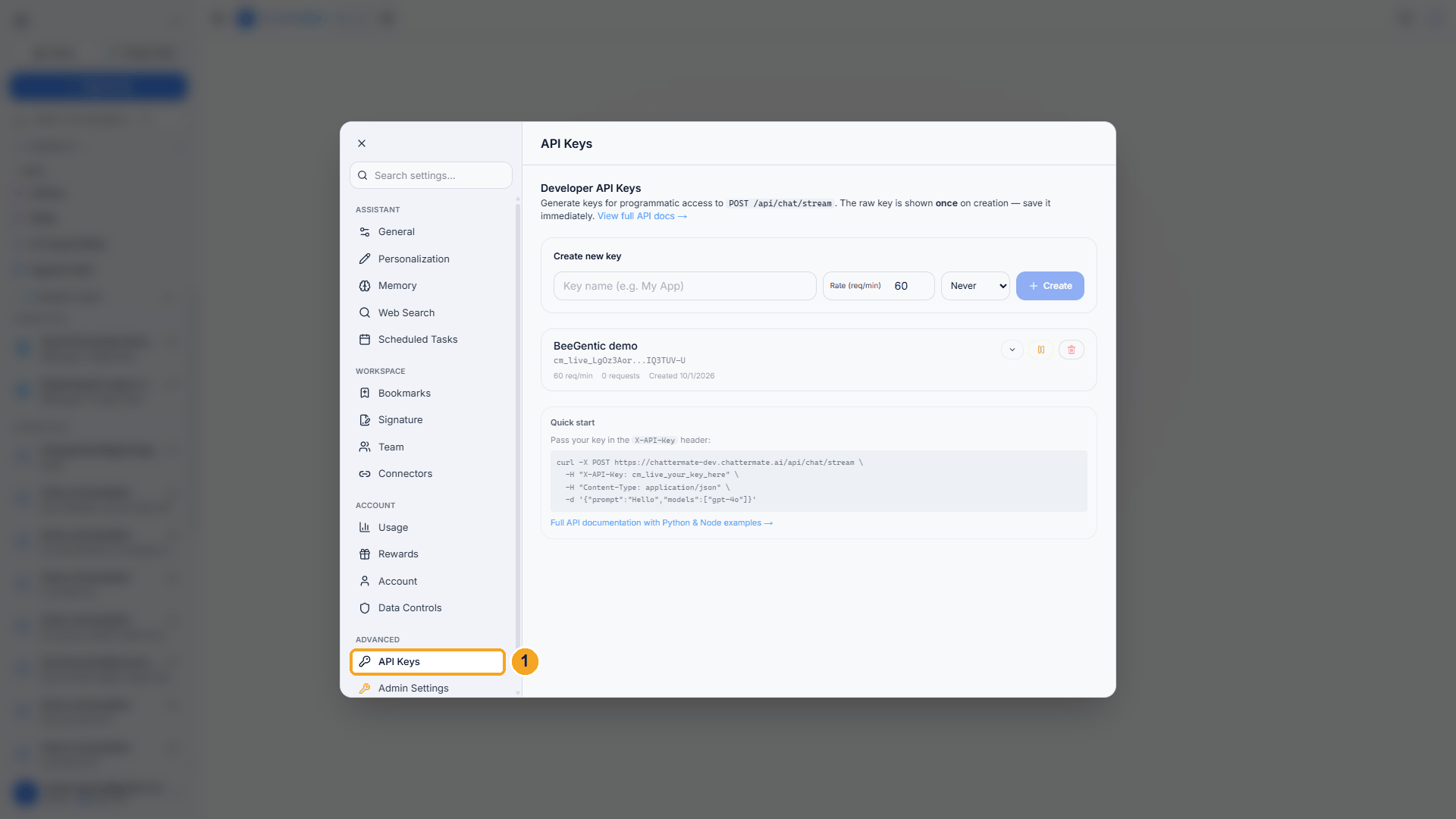
| # | What to do |
|---|---|
| 1 | Click API Keys. |
Watch this step
Create the key
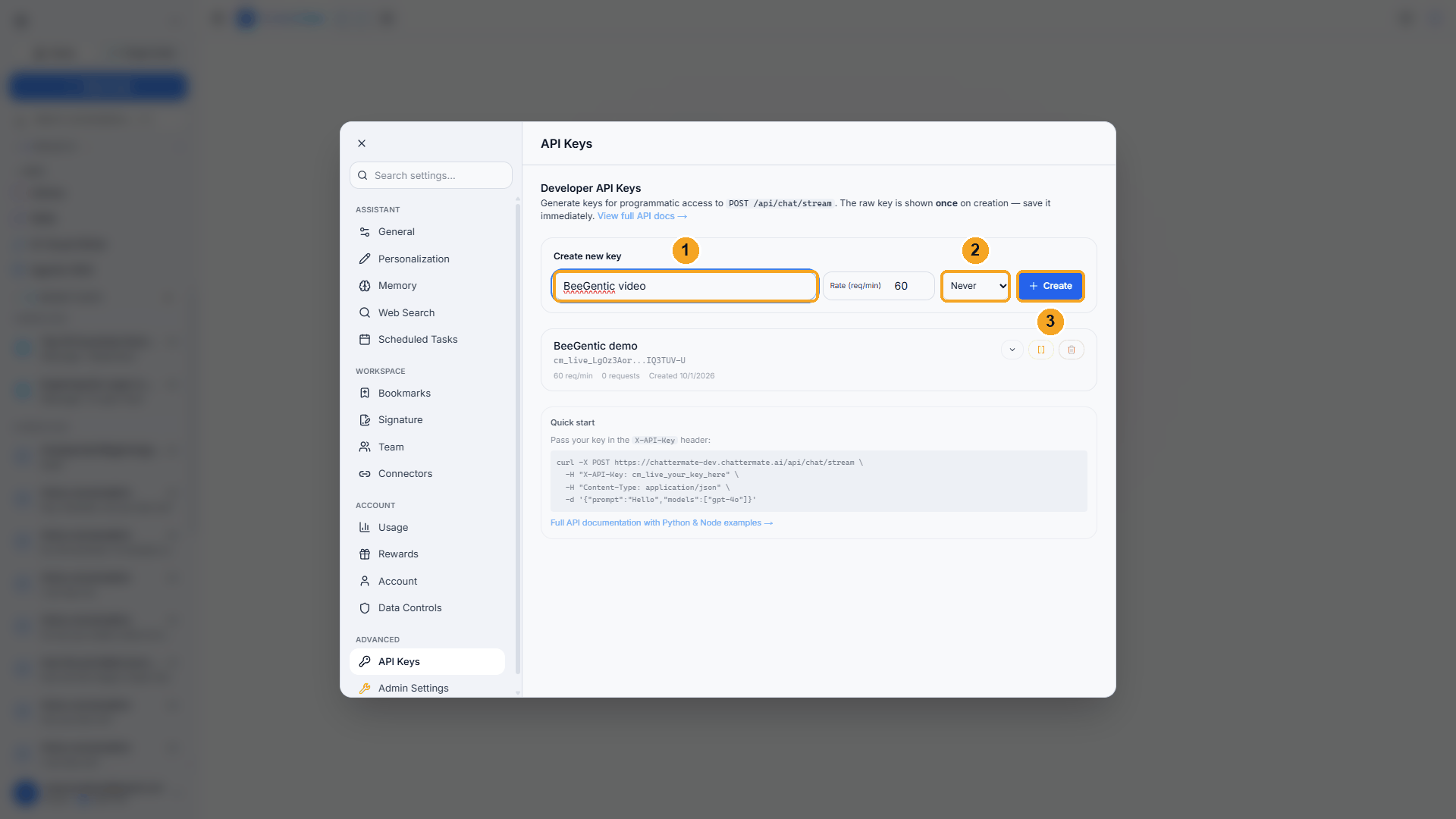
| # | Field | Value |
|---|---|---|
| 1 | Key name | e.g. BeeGentic |
| 2 | Expires | Never, or 30/90 days if your security policy requires it |
| 3 | Click Create |
Rate (req/min) can stay at 60. That's far more than a posting workflow needs.
Copy it right away
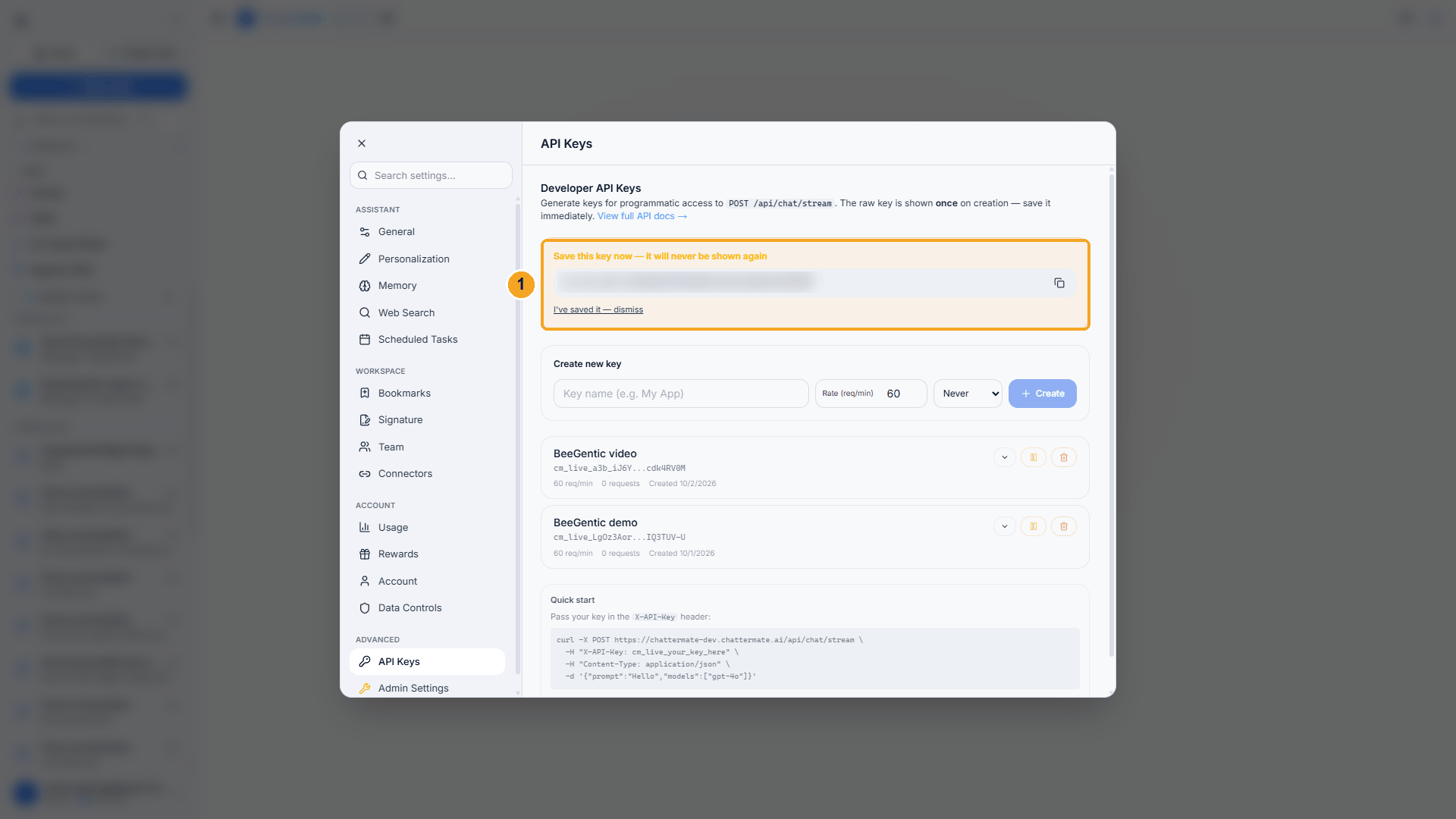
| # | What to do |
|---|---|
| 1 | Copy the key. It starts with cm_live_. ChatterMate shows it only once. (It's blurred here.) |
Treat the key like a password. Anyone who has it can spend your ChatterMate credits. If it leaks, delete it in API Keys and create a new one.
Part 2: Save the key in BeeGentic
Add a secret
In BeeGentic: Settings → Secrets.
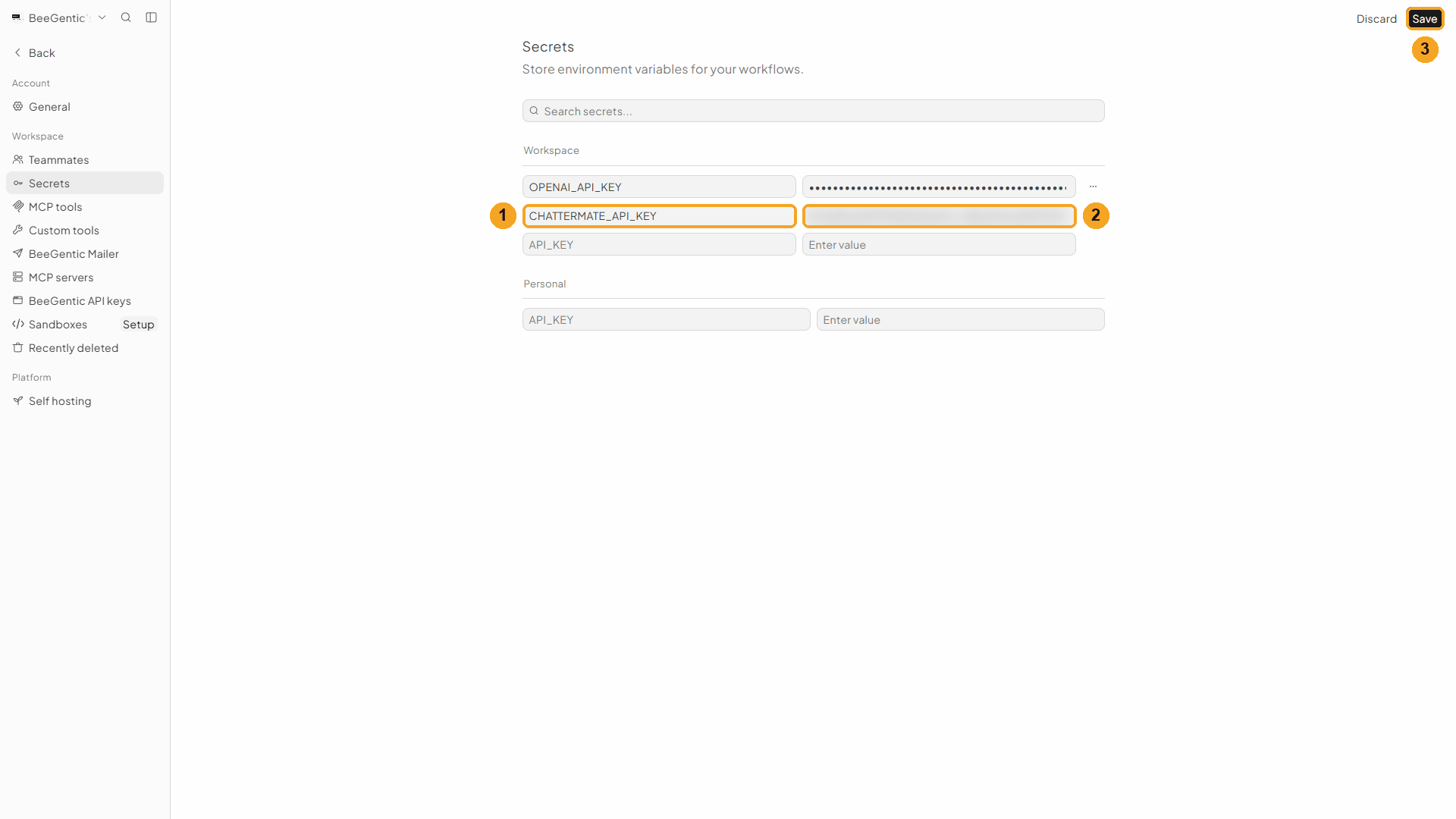
| # | Field | Value |
|---|---|---|
| 1 | Name | CHATTERMATE_API_KEY |
| 2 | Value | The cm_live_… key you copied (blurred here) |
| 3 | Click Save |
Watch this step
Part 3: Build the workflow
Create the workflow
+ New workflow → name it ChatterMate to Facebook.
Add the ChatterMate block
Toolbar → ChatterMate. In Prompt, type:
Write a Facebook post (max 60 words) announcing: <start.input>. Friendly and clear, one emoji, end with 2 relevant hashtags. Return only the post text.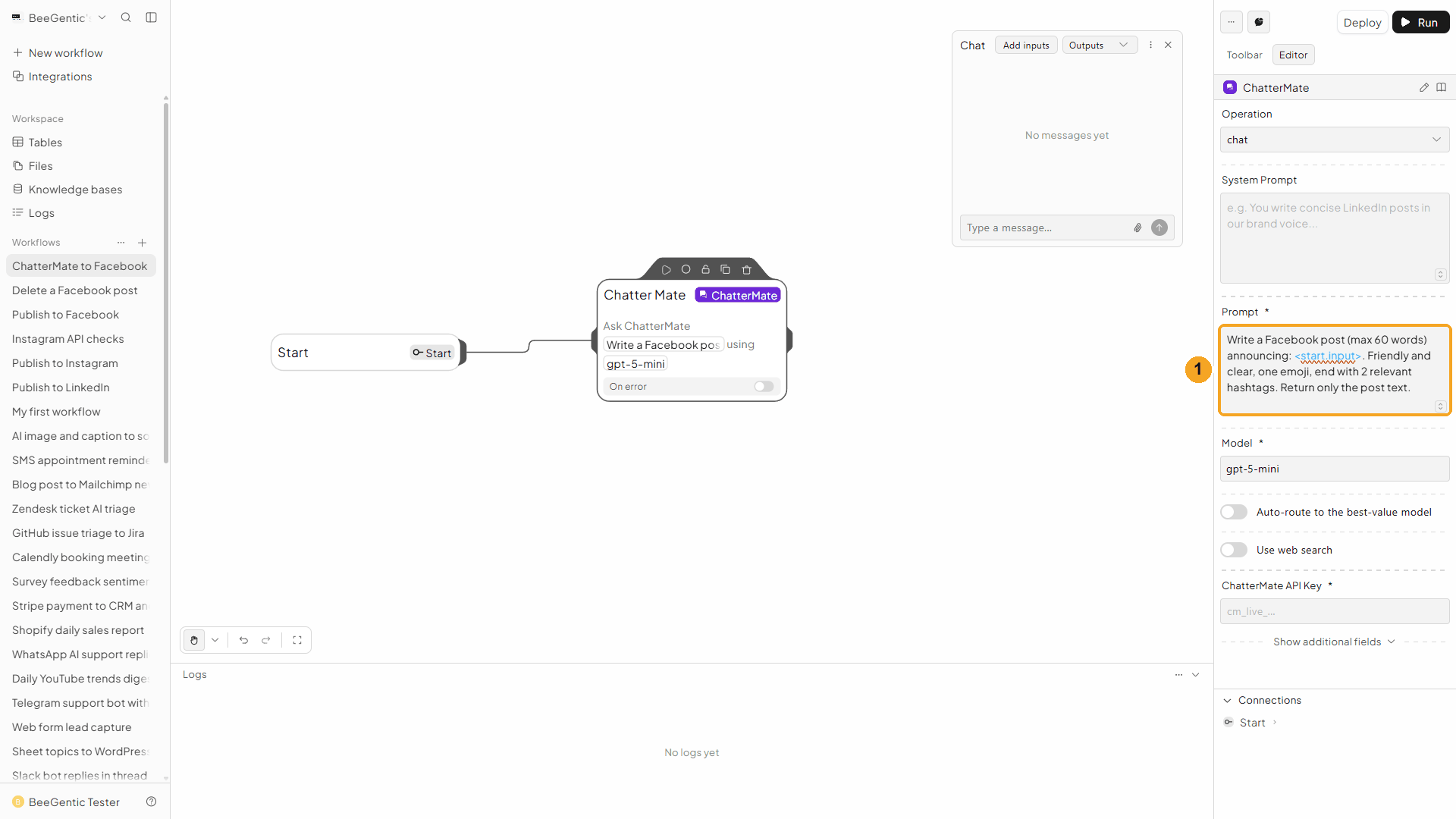
| # | What you see |
|---|---|
| 1 | The prompt, with <start.input> as a highlighted reference. |
Watch this step
Add the key reference
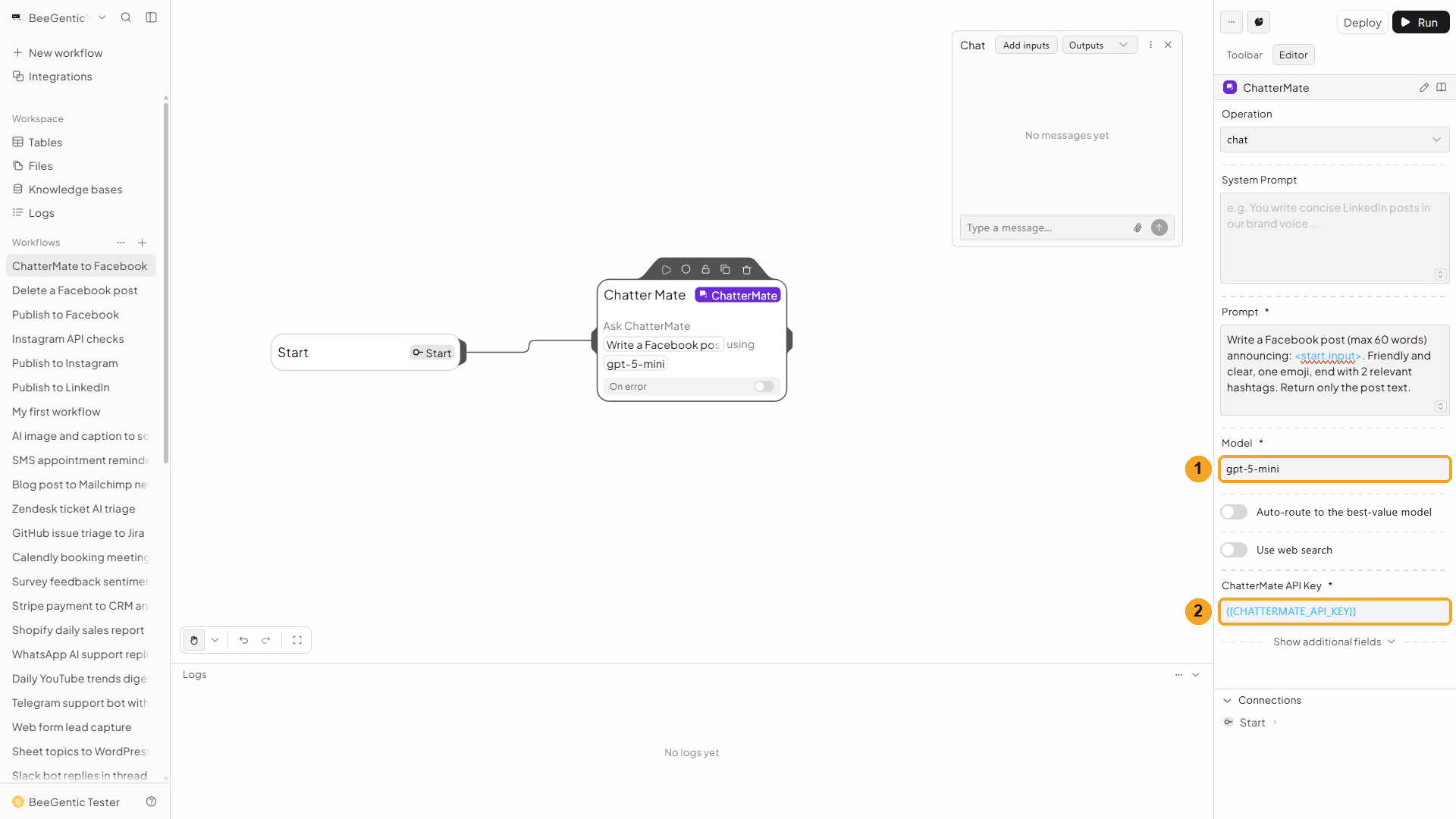
| # | Field | Value |
|---|---|---|
| 1 | Model | gpt-5-mini, or turn on Auto-route to the best-value model and let ChatterMate choose |
| 2 | ChatterMate API Key | {{CHATTERMATE_API_KEY}}: BeeGentic fills in the real key at run time |
Add the Facebook Page block
Toolbar → Facebook Page, then set:
| Field | Value |
|---|---|
| Operation | Create Post |
| Facebook Account | Your connection |
| Page ID | Your Page's ID (how to find it) |
| Post Text | <chattermate.content>: the post ChatterMate wrote |
Press Shift + L to tidy. Your finished workflow:
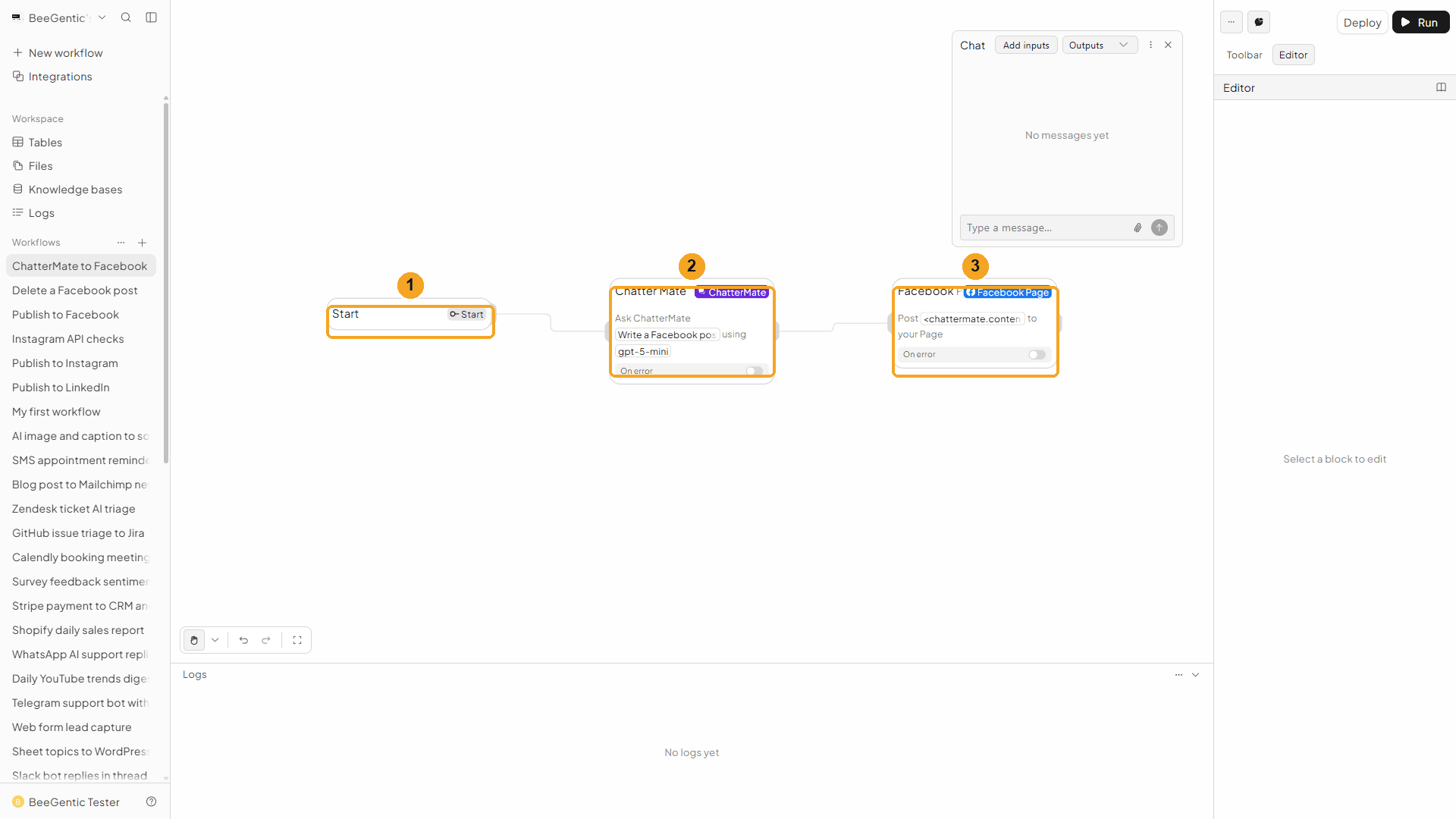
| # | Block | What it does |
|---|---|---|
| 1 | Start | Your chat message becomes <start.input> |
| 2 | ChatterMate | Writes the post |
| 3 | Facebook Page | Publishes <chattermate.content> to your Page |
Watch this step
Part 4: Run it
Send the topic
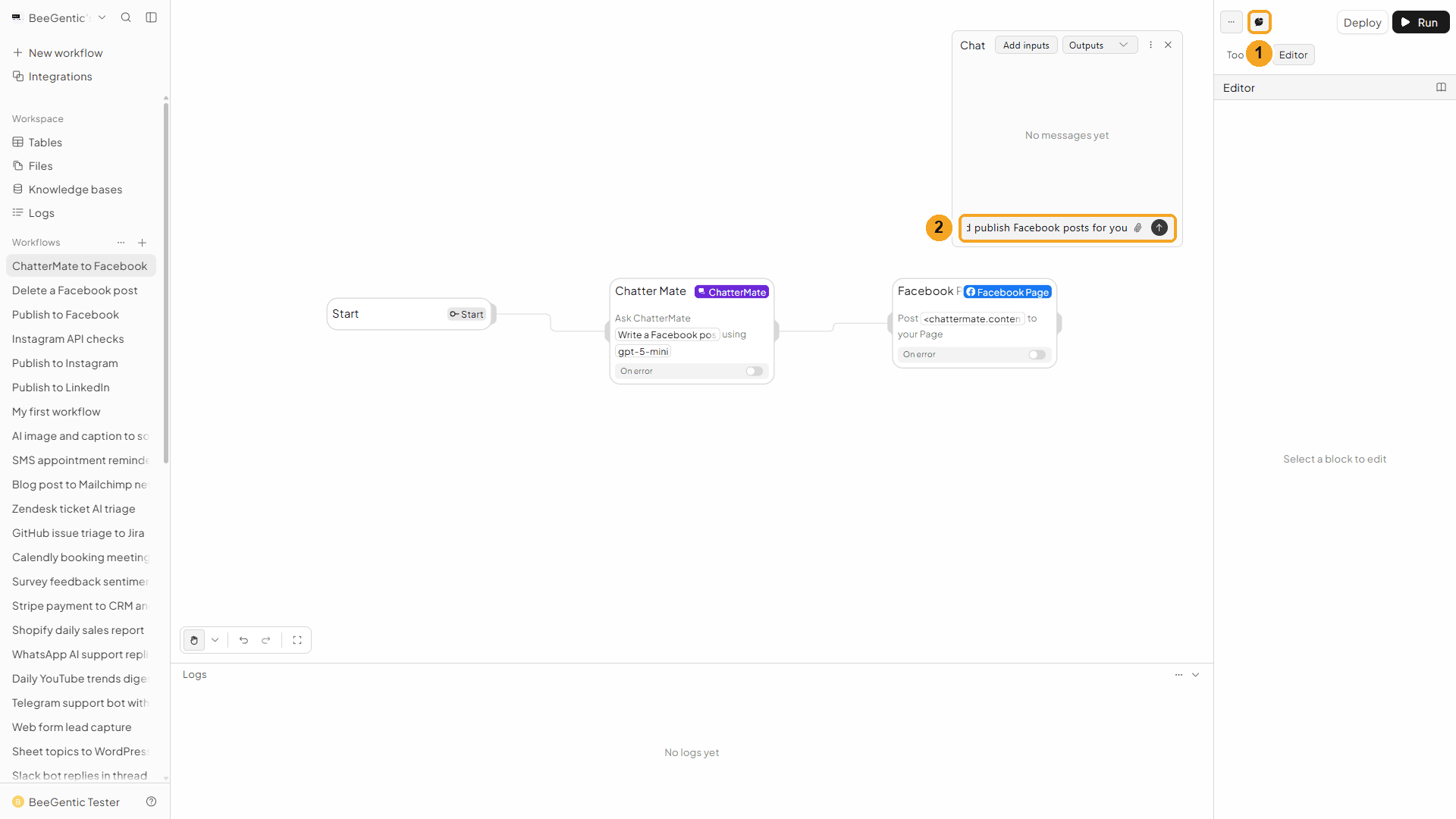
| # | What to do |
|---|---|
| 1 | Open Chat (speech-bubble button). |
| 2 | Type the topic and press Enter. |
Example message we sent:
ChatterMate and BeeGentic now team up to write and publish Facebook posts for youCheck the output
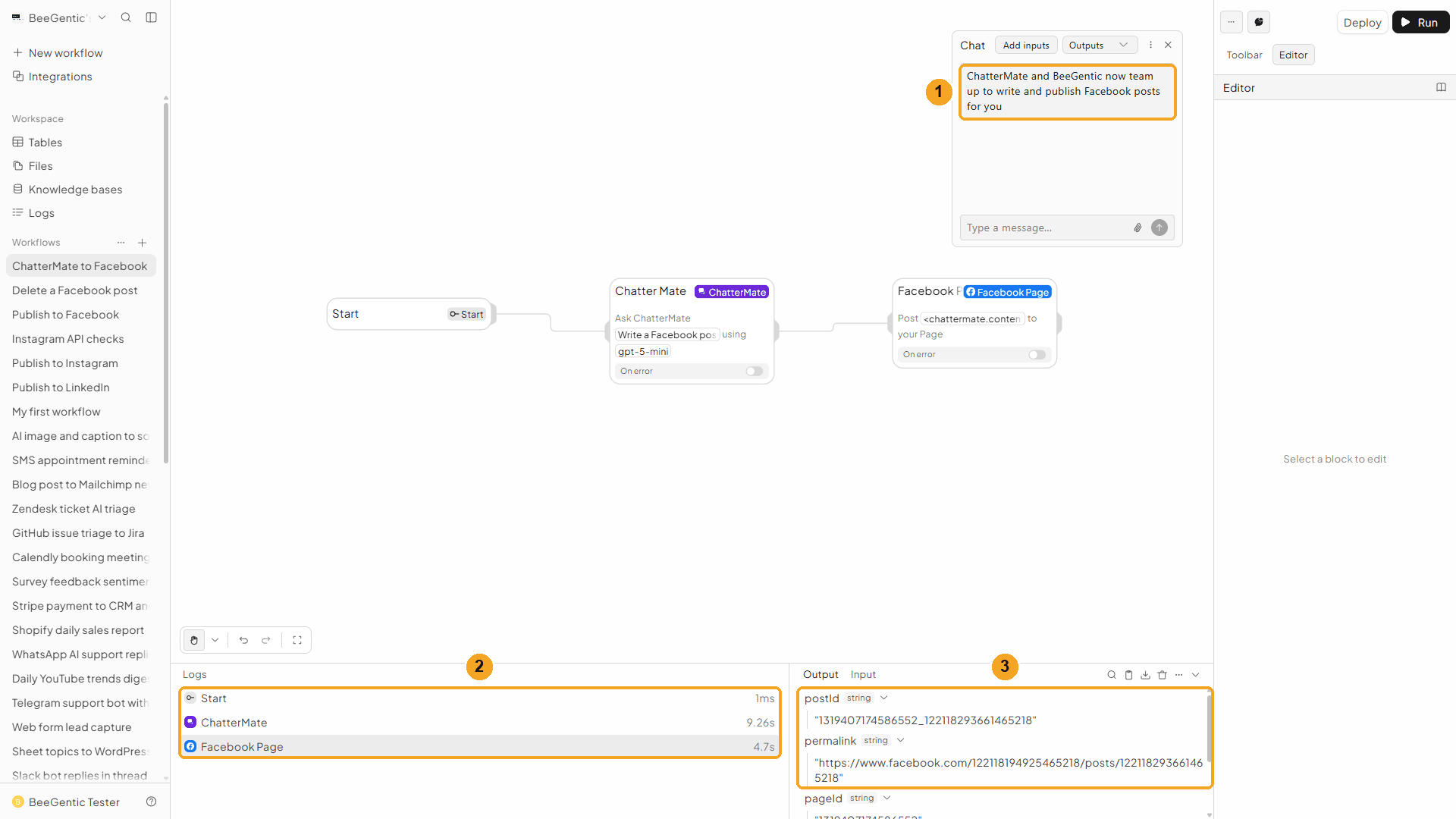
| # | What you see |
|---|---|
| 1 | Your message. |
| 2 | The ChatterMate and Facebook Page steps in the log. |
| 3 | The postId and permalink of the new post. |
Watch the run
Live on Facebook
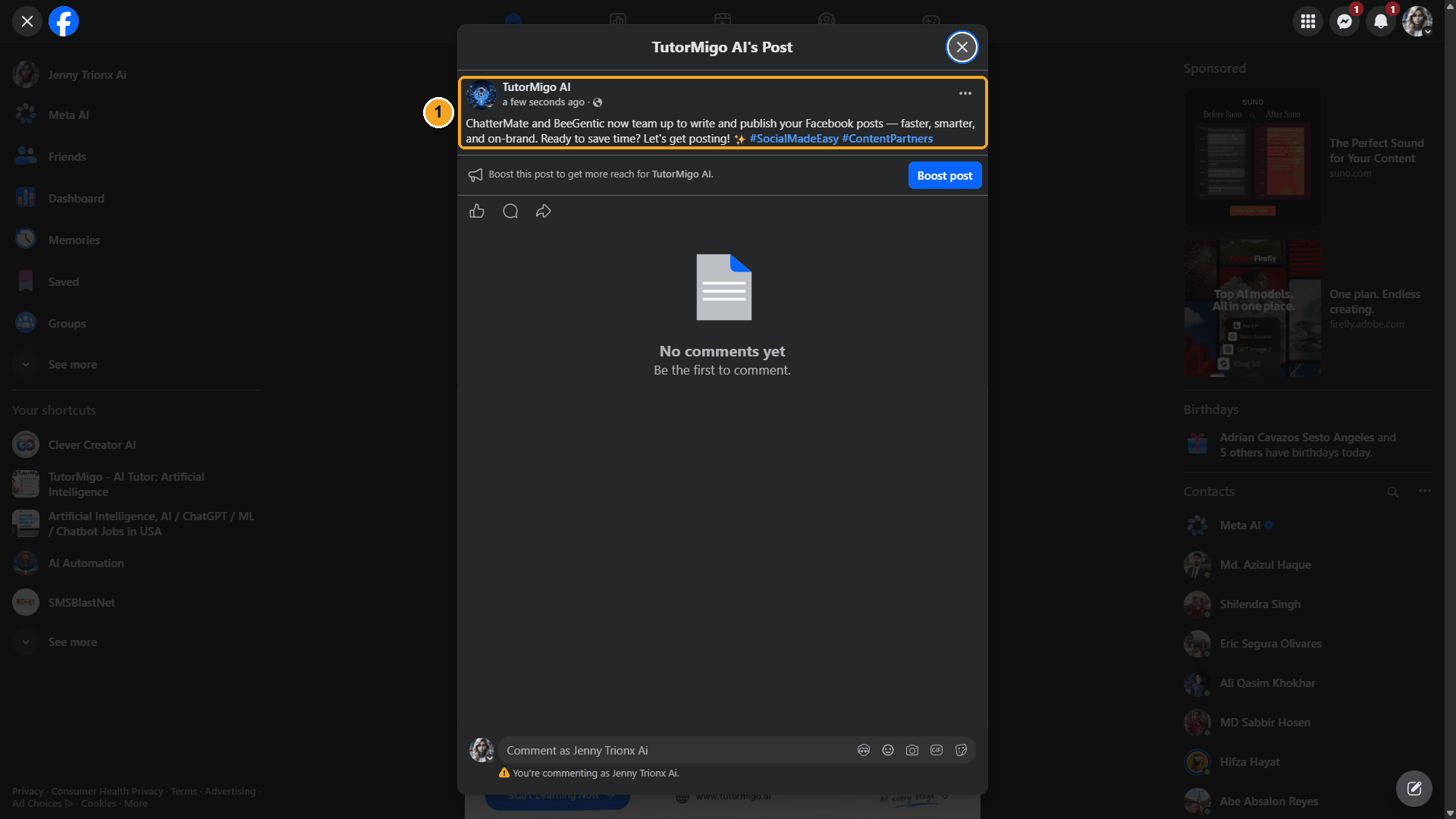
| # | What you see |
|---|---|
| 1 | The post, published as your Page, written by ChatterMate. |
The real post ChatterMate wrote and BeeGentic published:
We deleted this test post afterwards with the Facebook Page block's Delete Post operation.
Next steps
- Swap Chat for a Schedule trigger to post every week. See Make it automatic.
- Add a second network block after ChatterMate (LinkedIn, Instagram) to post the same text everywhere.
Troubleshooting
| Problem | Fix |
|---|---|
ChatterMate request failed (401) | The key was deleted or mistyped. Create a new one and update the CHATTERMATE_API_KEY secret. |
ChatterMate request failed (402) or a credits message | Top up in ChatterMate (Settings → Usage) or upgrade your plan. |
ChatterMate request failed (429) | You hit the key's per-minute limit. Wait a minute, or raise Rate (req/min) on a new key. |
| Facebook errors | See Facebook troubleshooting. |
Publish to a Facebook Page
Connect Facebook once, then BeeGentic writes and publishes posts to your Pages directly, with no Buffer. Real result included.
Facebook via Buffer
BeeGentic writes the post and hands it to Buffer, and Buffer publishes it to your Facebook Page on your schedule or right away. Real result included.