


Publish to Mastodon
Post to any Mastodon server from a workflow, with media, visibility, content warnings and scheduling. Connect with an access token from your server. Real result included.
What you'll build: you type a topic, an AI writes the post, and BeeGentic publishes it to your Mastodon account on any server (mastodon.social, fosstodon.org, your own…). Three blocks: Start → Agent → Mastodon. About 5 minutes.
Posts to: Your account on any Mastodon server · Connect with: Server URL + access token · Block: Mastodon
| Text | Link | Image | Video | Multi | Schedule | Edit | Delete | Read | Comments | Insights |
|---|---|---|---|---|---|---|---|---|---|---|
| ✅ | ✅ | ✅ | ✅ | ✅ | ✅ | — | ✅ | ✅ | — | ⚠️ |
Not supported: Editing posts · Polls · Replies and threads
✅ supported · ⚠️ partly (hover for details) · — not supported
Narrated walkthrough (2 min 20 s), with captions (CC button). Each step below also has a short silent clip. The orange numbers in each screenshot match the # column under it.
Before you start
| You need | Why |
|---|---|
| A Mastodon account on any server | BeeGentic posts as you |
An AI key saved as a secret, e.g. OPENAI_API_KEY | The Agent writes the post |
Follow your server's rules. Many servers, including mastodon.social, require you to disclose AI-generated content and to mark automated accounts (Edit profile → Automated account). This guide's Agent ends every post with (AI-assisted).
Part 1: Get an access token (once)
Open Development on your server
On your Mastodon server: Preferences → Development.
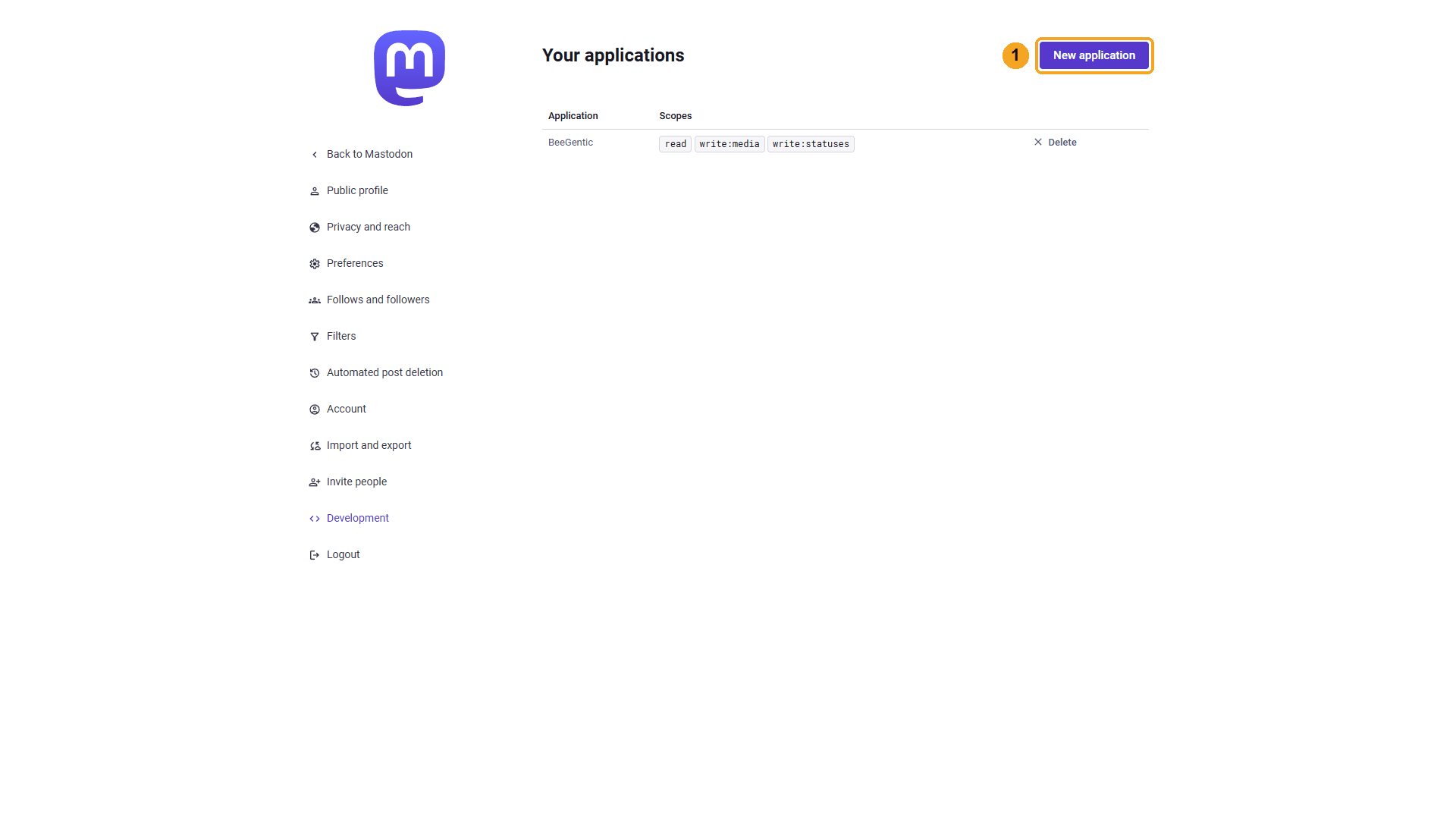
| # | What to do |
|---|---|
| 1 | Click New application. |
Name the application
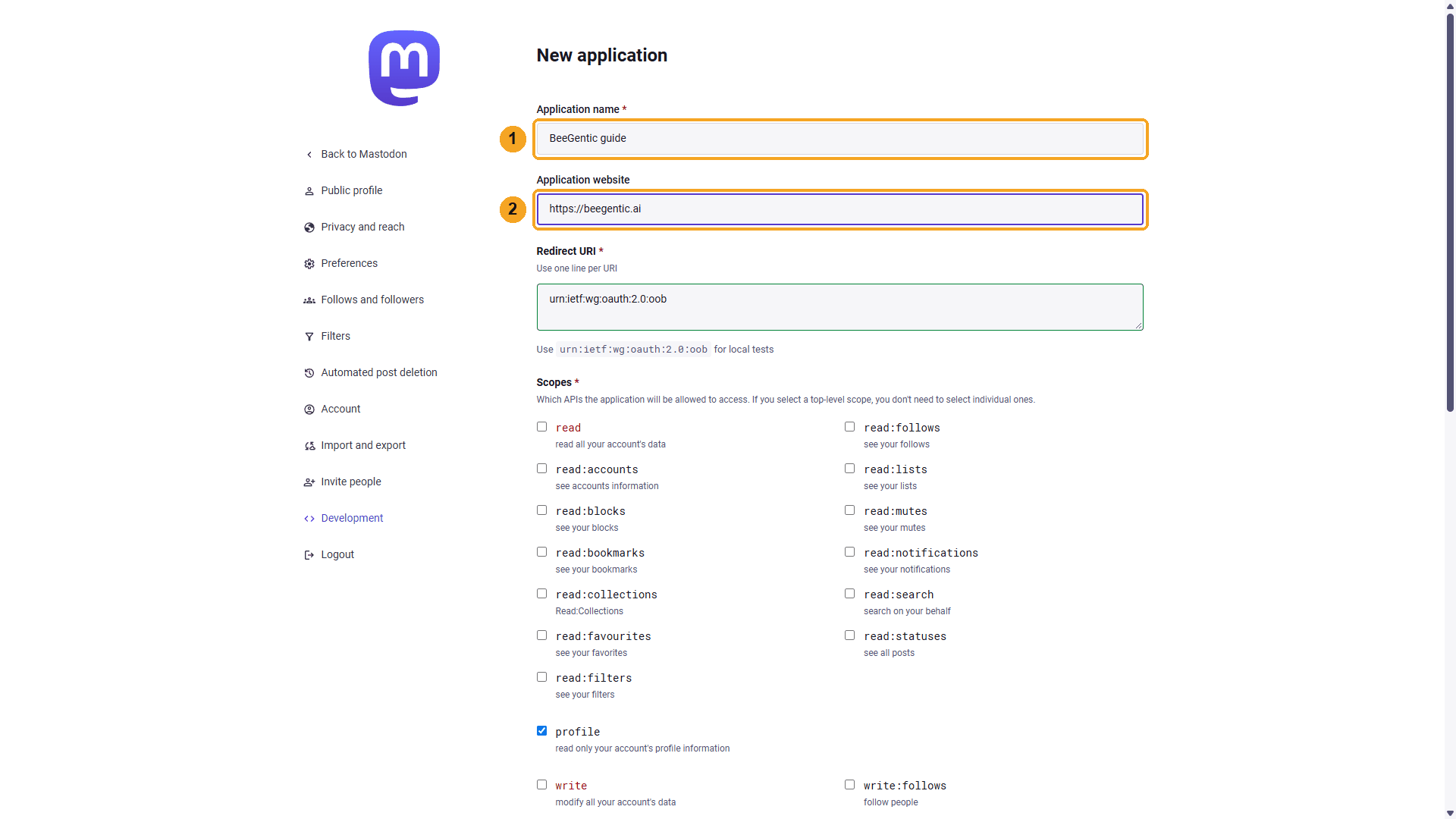
| # | Field | Value |
|---|---|---|
| 1 | Application name | BeeGentic |
| 2 | Application website (optional) | https://beegentic.ai |
Watch this step
Choose only the scopes BeeGentic needs
Untick everything, then tick read, write:statuses and write:media. Click Submit at the bottom.
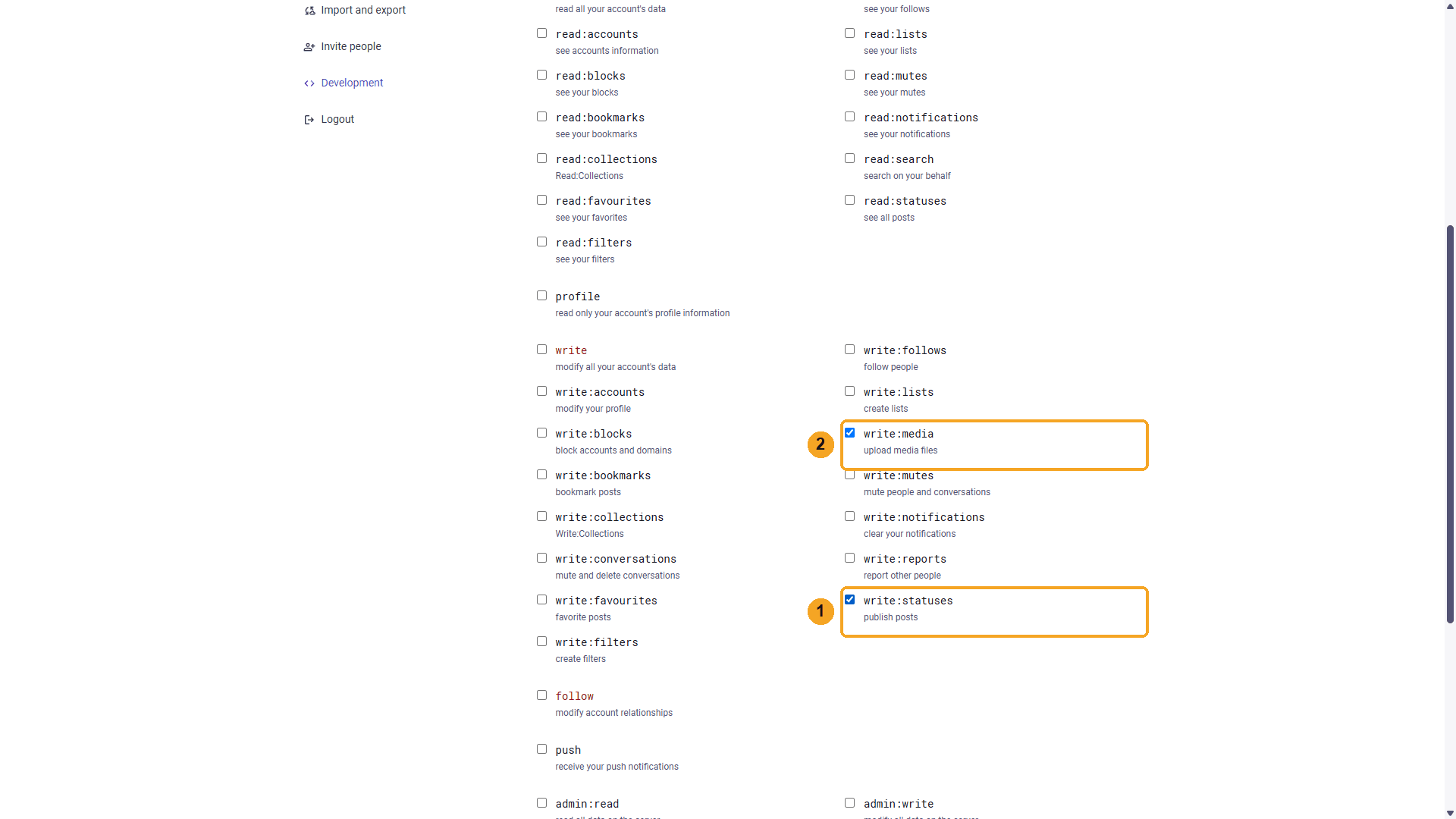
| # | Scope | Why |
|---|---|---|
| 1 | write:statuses | Publish and delete posts |
| 2 | write:media | Attach images and video |
read lets BeeGentic read your account and posts.
Watch this step
Copy the access token
Open the BeeGentic application.
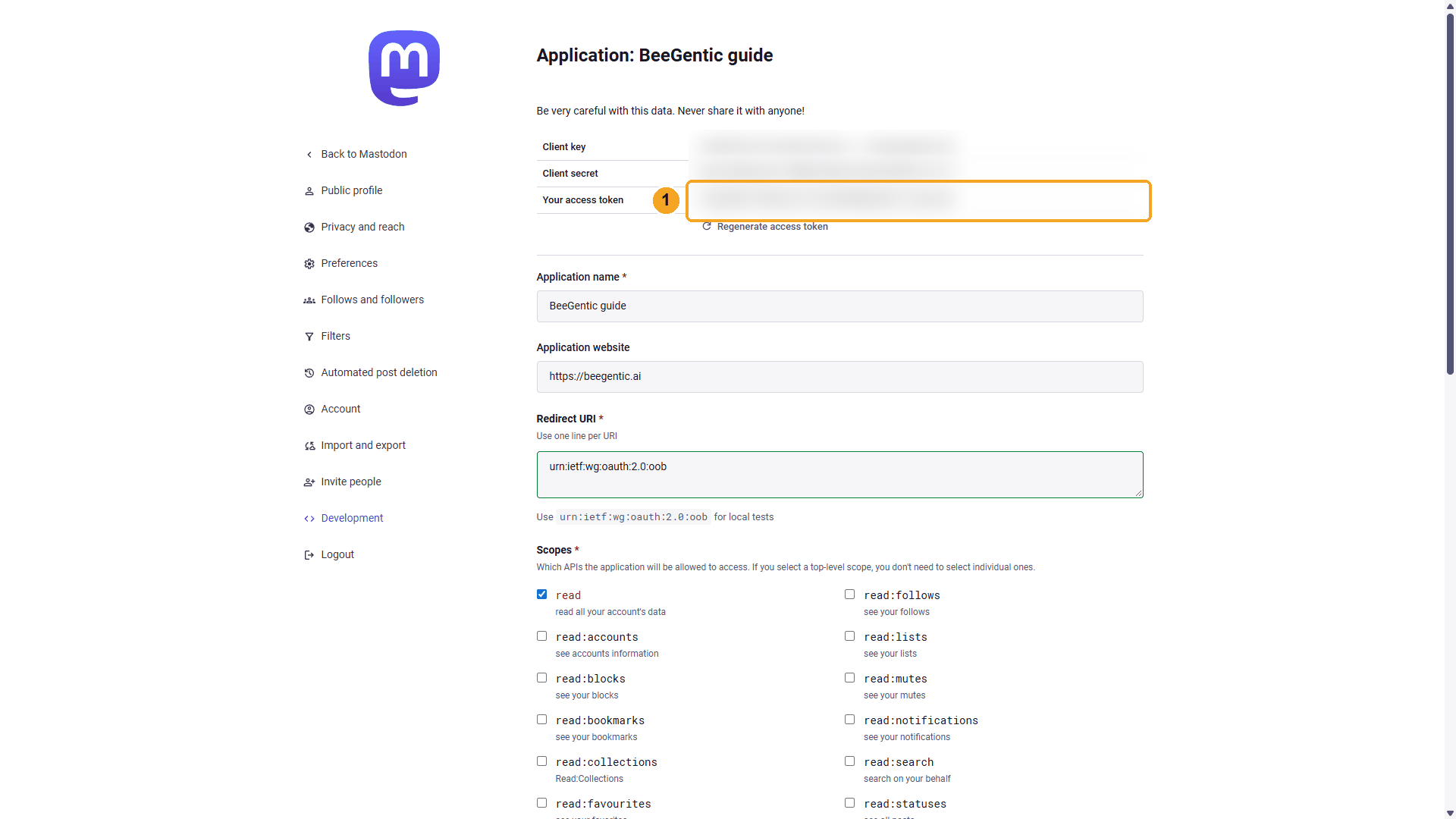
| # | What to do |
|---|---|
| 1 | Copy Your access token. All three values are blurred here; treat them like passwords. |
Save it as a secret in BeeGentic
Settings → Secrets.
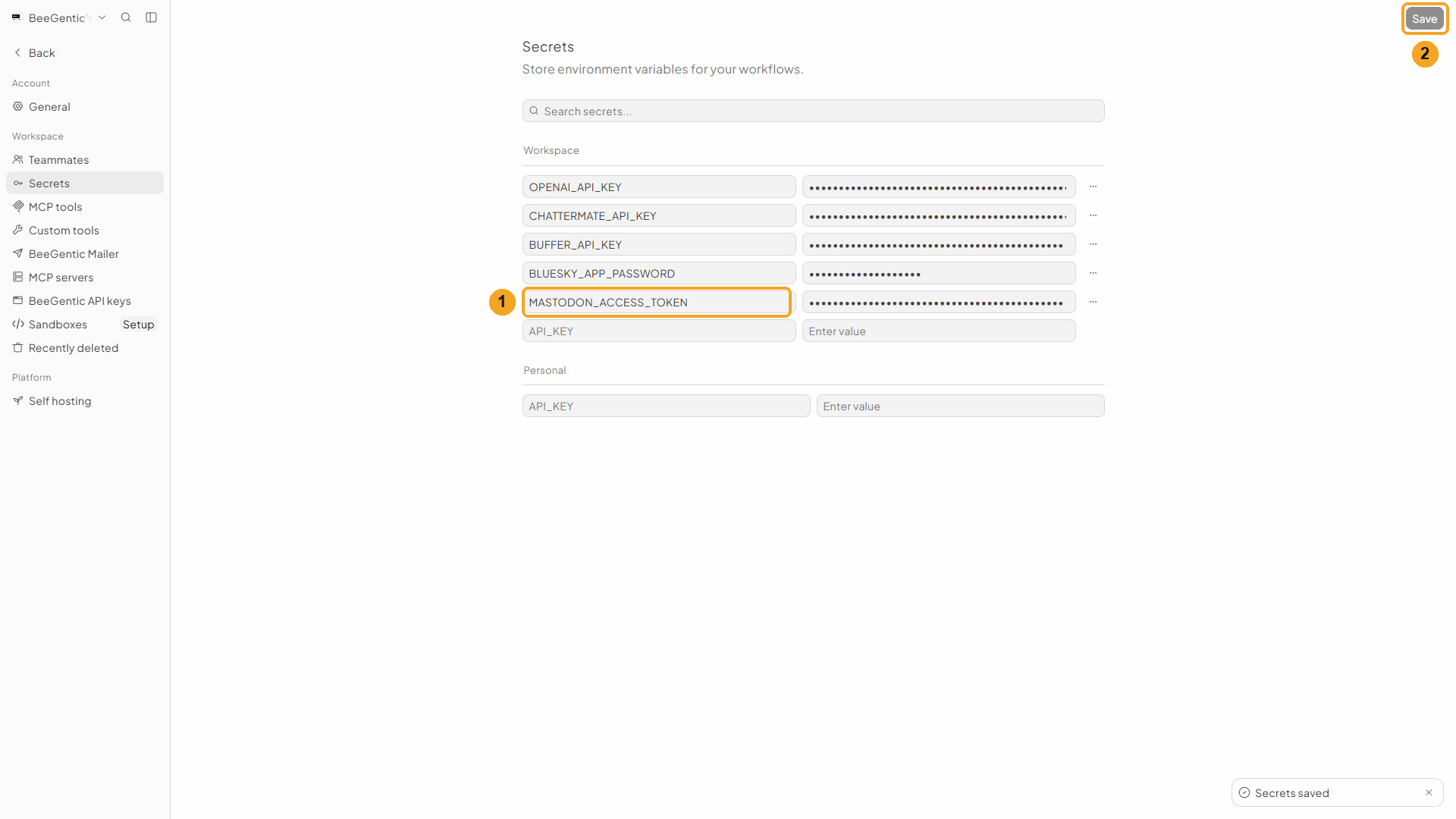
| # | What to do |
|---|---|
| 1 | Name MASTODON_ACCESS_TOKEN, paste the token as the value. |
| 2 | Click Save. |
Watch this step
Part 2: Build the workflow
Create the workflow and add the Agent
+ New workflow → name it Publish to Mastodon. Then Toolbar → Agent. In Messages:
You write social posts for BeeGentic, an AI workflow-automation platform. Write a Mastodon post (max 400 characters) announcing: <start.input>. Friendly, 2 hashtags including #BeeGentic, and end with (AI-assisted). Return only the post text.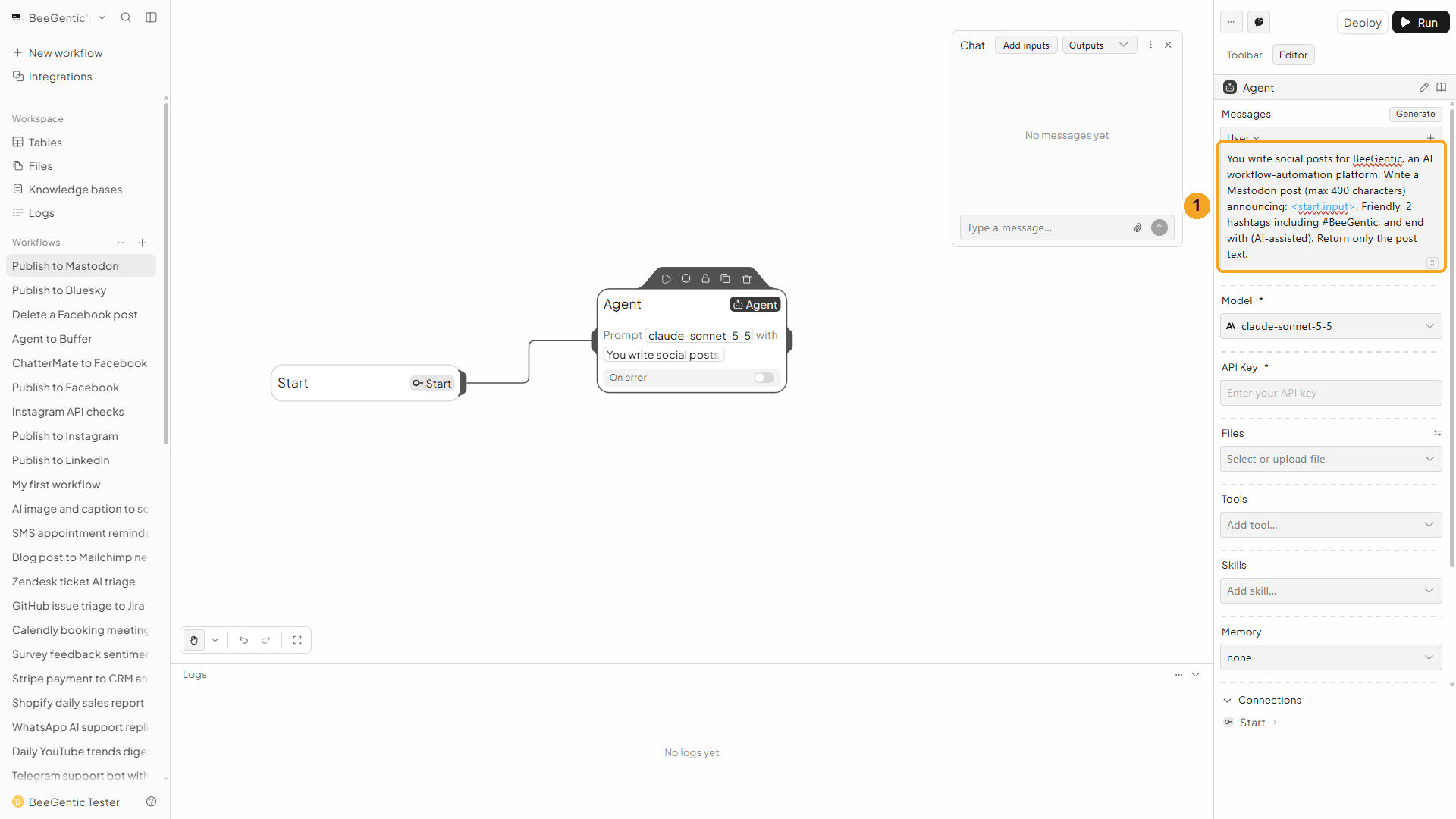
| # | What you see |
|---|---|
| 1 | The message. Saying who you are ("BeeGentic, an AI workflow-automation platform") keeps the AI on topic. |
Watch this step
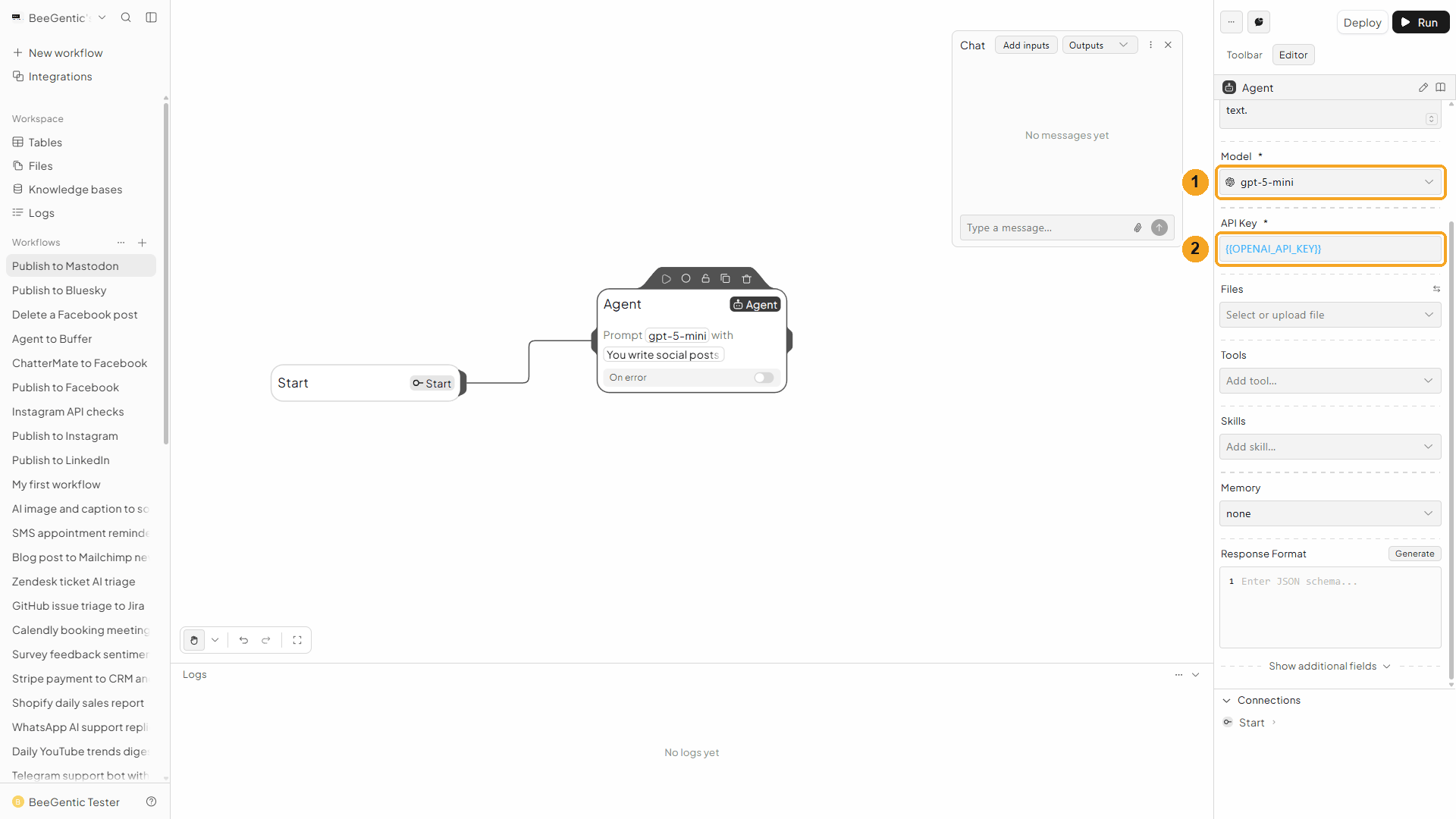
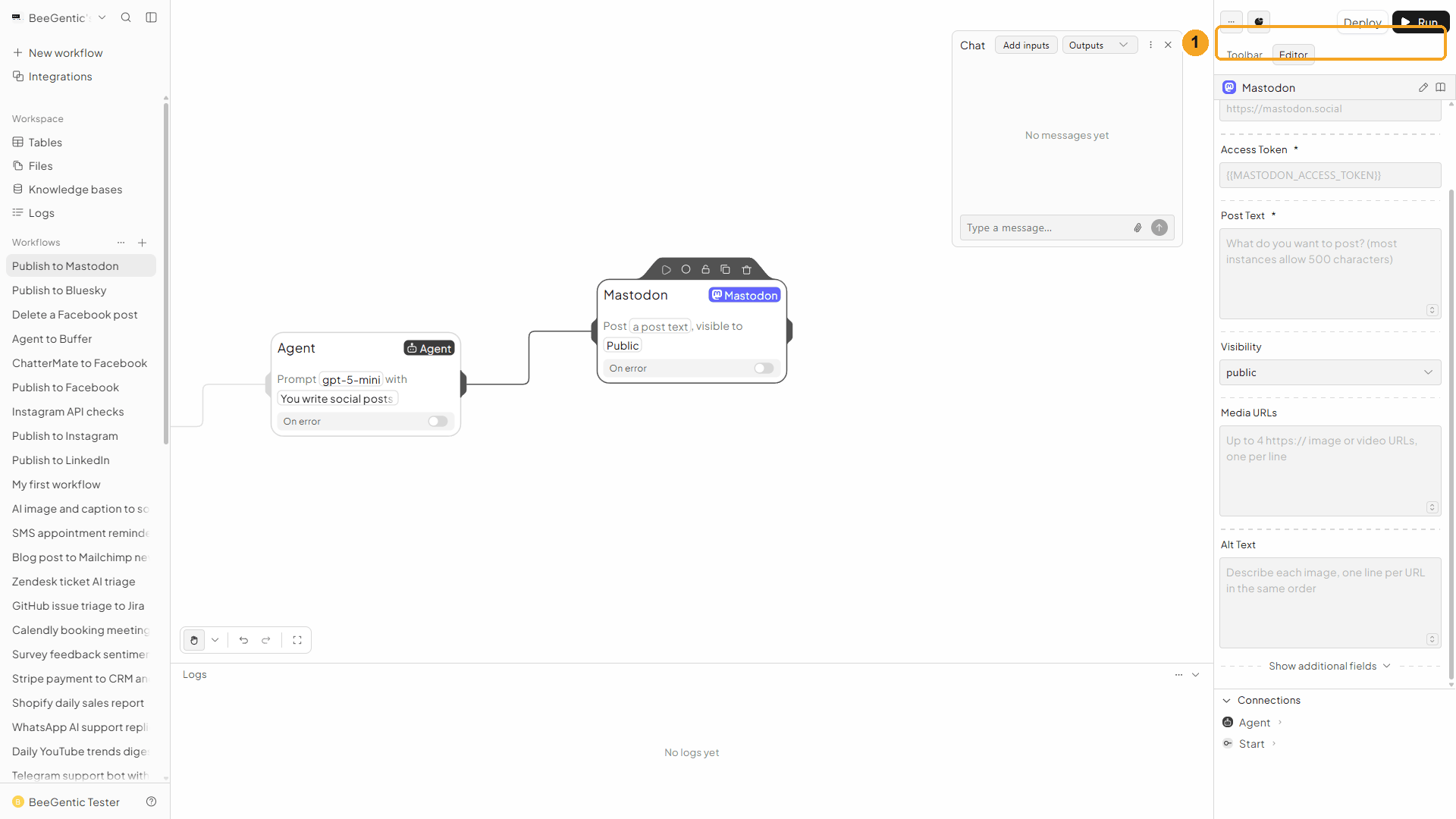
Server and token
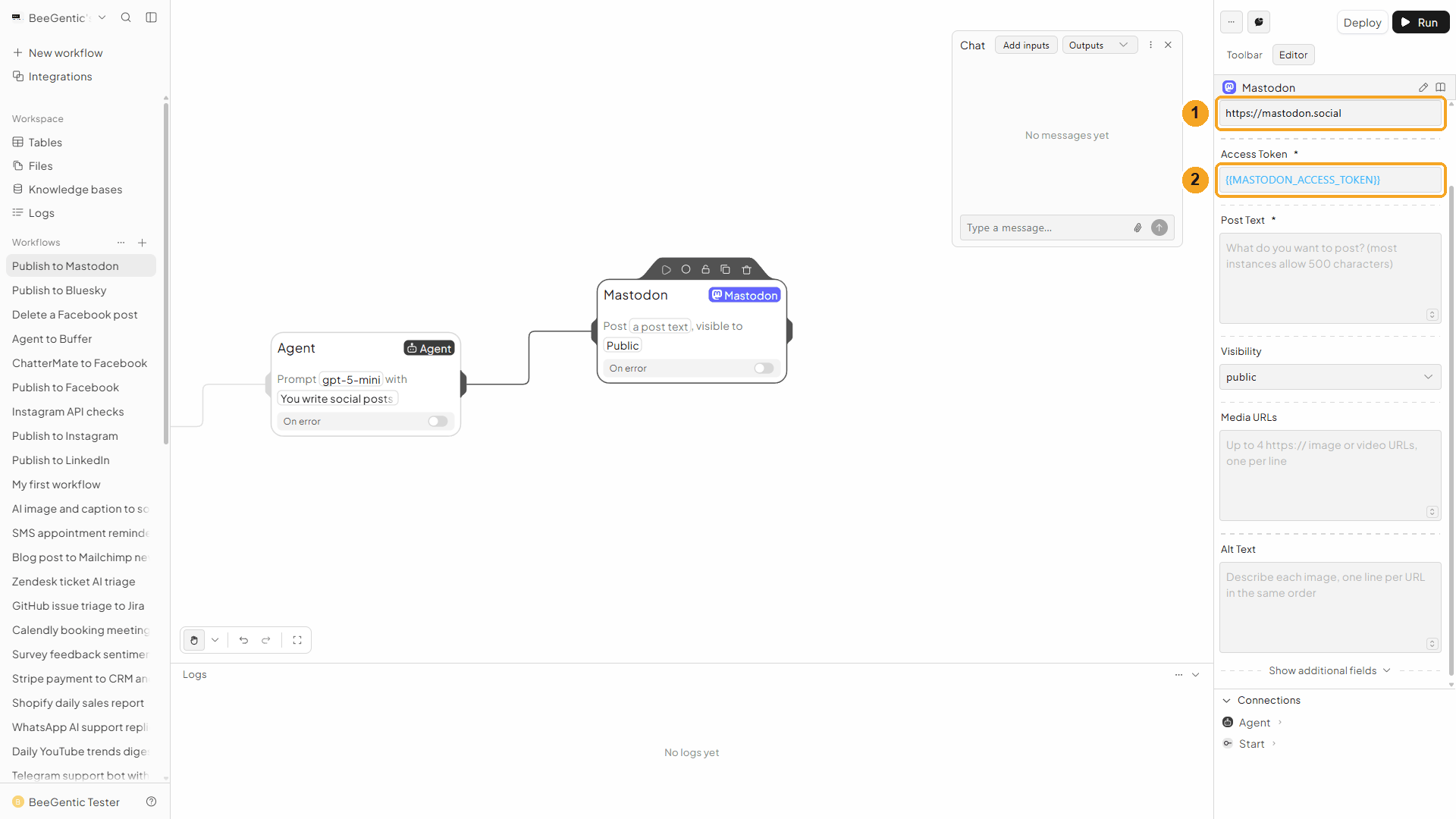
| # | Field | Value |
|---|---|---|
| 1 | Instance URL | Your server, e.g. https://mastodon.social |
| 2 | Access Token | {{MASTODON_ACCESS_TOKEN}} |
Watch this step
Post text and visibility
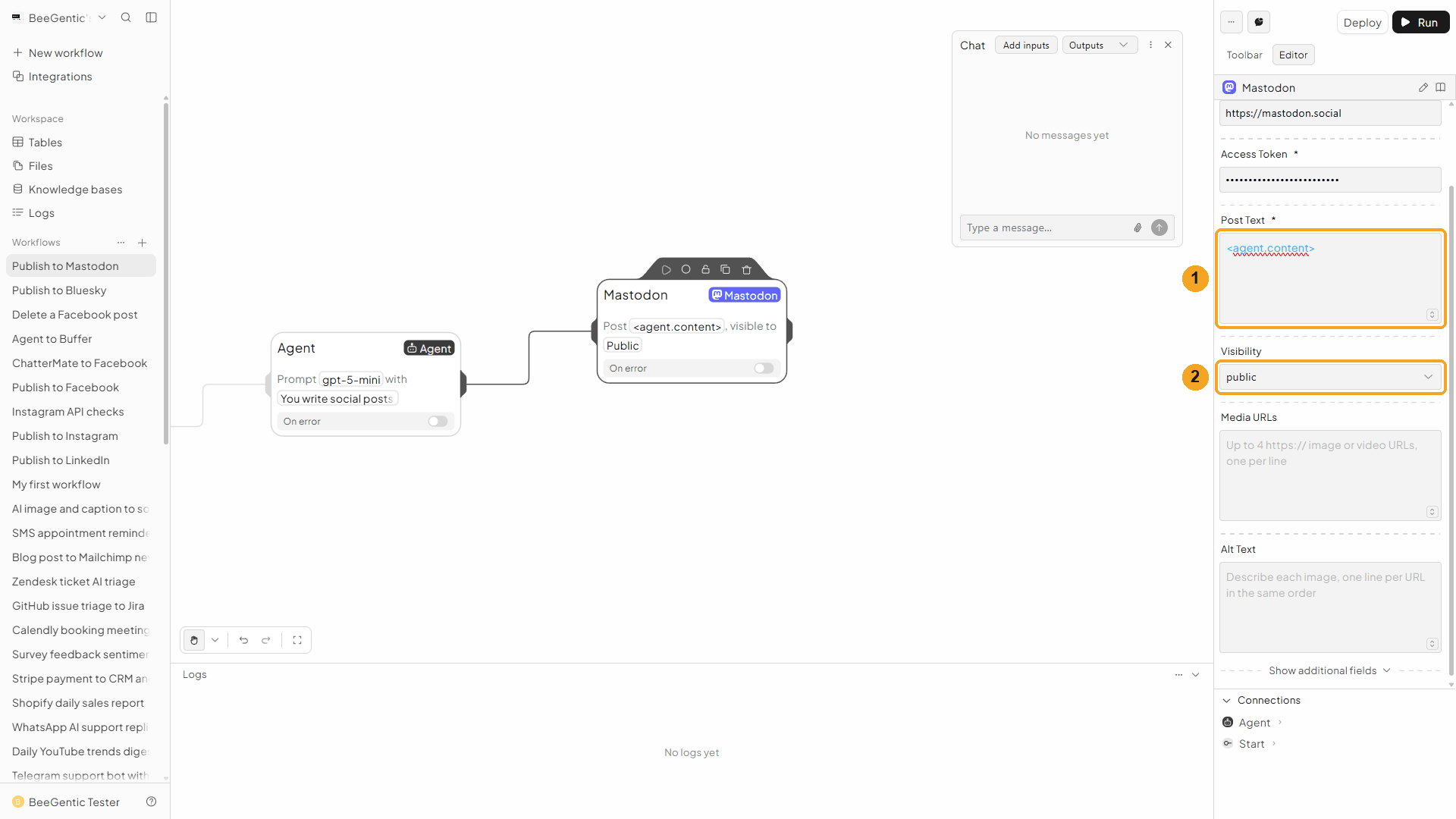
| # | Field | Value |
|---|---|---|
| 1 | Post Text | <agent.content> |
| 2 | Visibility | Public (profile and timelines), Unlisted (profile only), Followers only, or Mentioned people only |
More fields: Media URLs (up to 4 public images/videos, one per line) with Alt Text, Content Warning, Language, Schedule For (at least 5 minutes ahead) and Sensitive Media.
Press Shift + L to tidy. Your finished workflow:
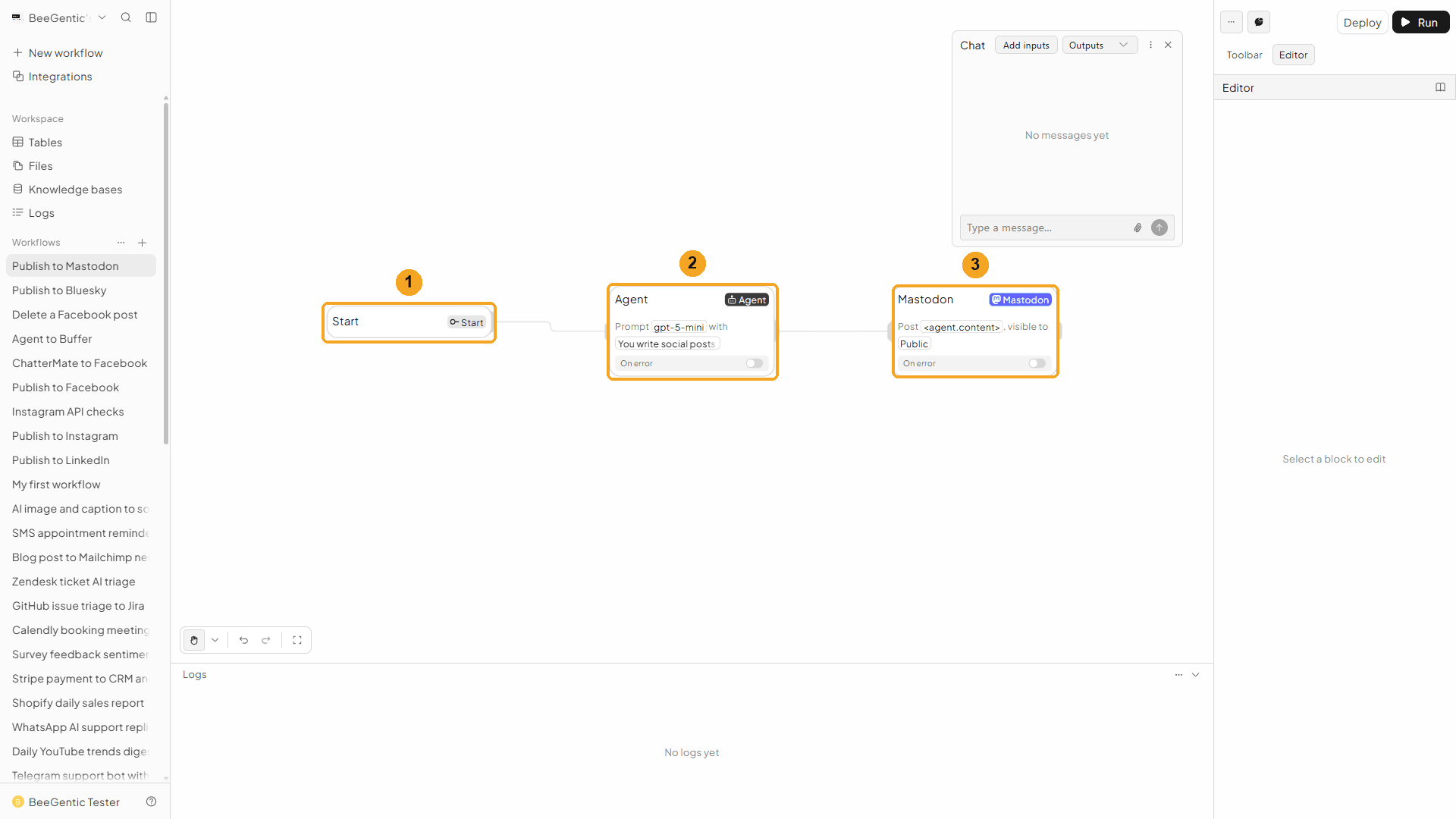
| # | Block | What it does |
|---|---|---|
| 1 | Start | Your chat message becomes <start.input> |
| 2 | Agent | Writes the post |
| 3 | Mastodon | Publishes it, public |
Watch this step
Part 3: Run it and check the result
Send the topic from Chat
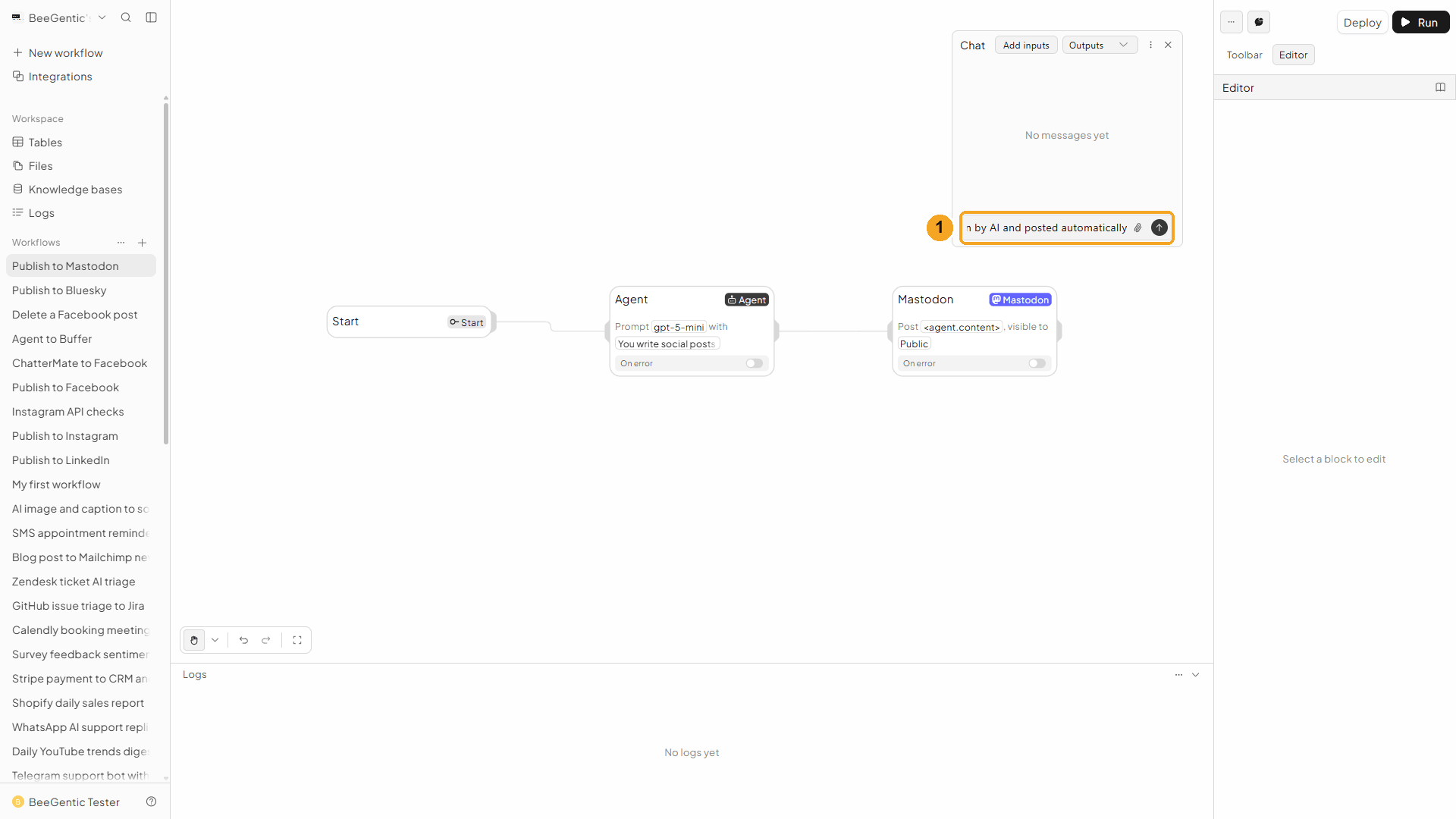
| # | What to do |
|---|---|
| 1 | Type the topic and press Enter. |
Example message we sent:
BeeGentic now publishes to Mastodon, written by AI and posted automaticallyRead the output
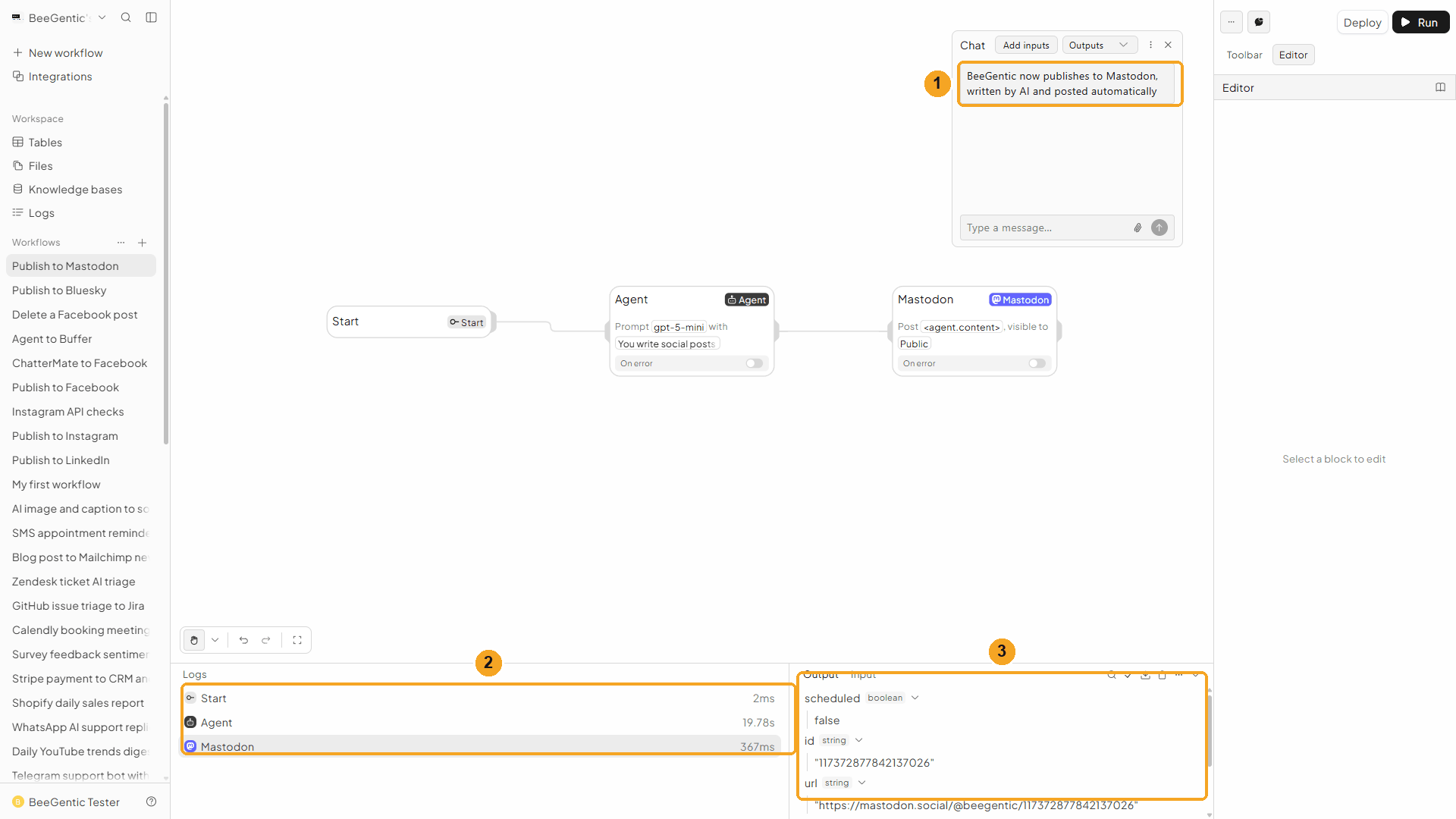
| # | What you see |
|---|---|
| 1 | Your message. |
| 2 | Each block's run time. |
| 3 | The output: id, url, createdAt, visibility, and scheduled: false. |
Watch the run
See it on Mastodon
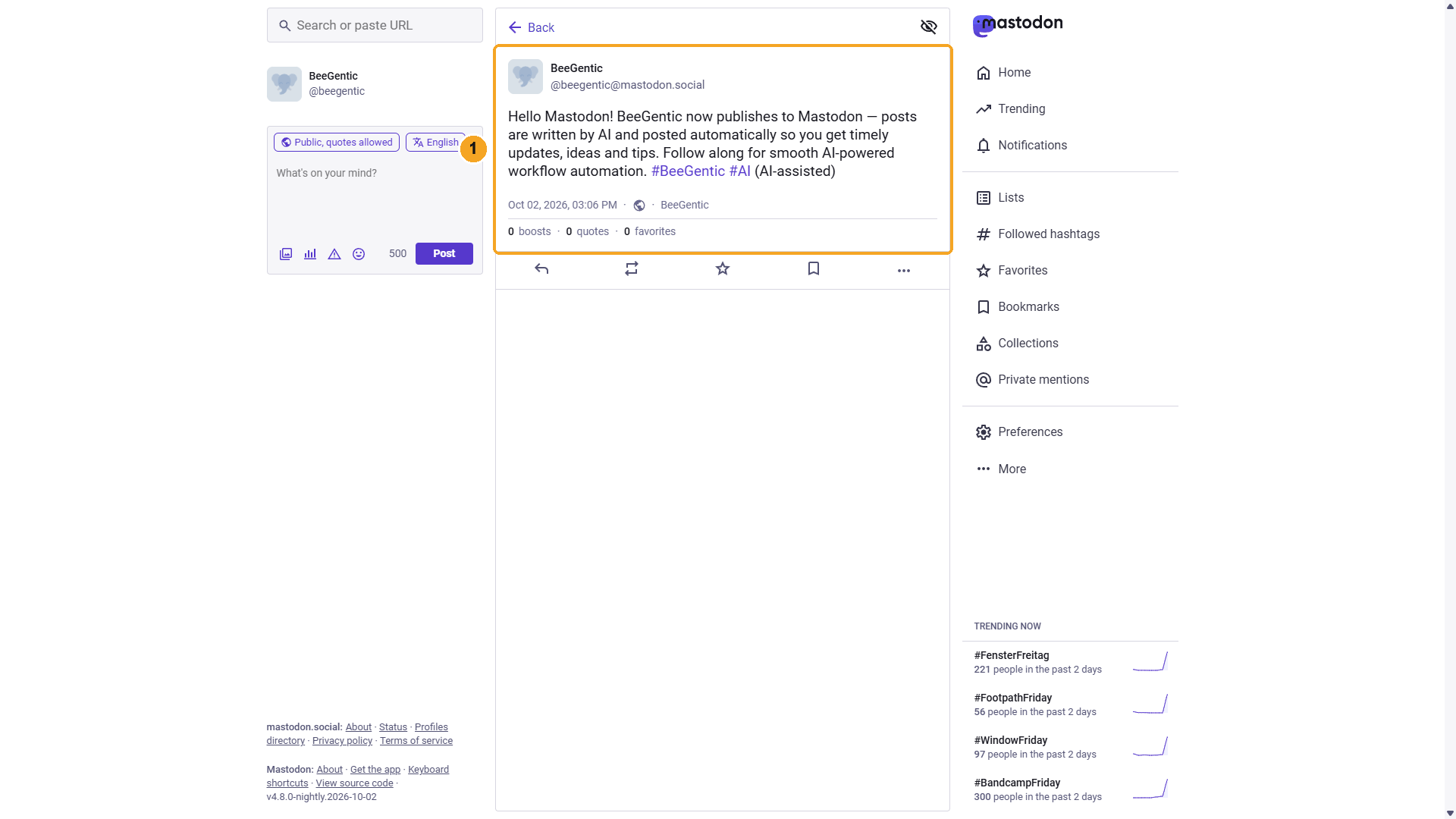
| # | What you see |
|---|---|
| 1 | The post, public, with clickable hashtags and the AI disclosure. |
The real post BeeGentic published:
We deleted this test post afterwards with Delete Post.
Watch this step
Part 4: Make it automatic
| You want | Do this |
|---|---|
| A post every weekday | Replace Chat with a Schedule trigger. |
| Posts at a set time | Fill Schedule For; Mastodon holds the post until then. |
| Images or video | Add public URLs in Media URLs and describe each in Alt Text (one line per URL). |
| The same post elsewhere | Add Bluesky, Threads or LinkedIn blocks after the same Agent. |
Other operations
| Operation | What it does |
|---|---|
| Delete Post | Deletes a post by ID or URL |
| Get Account | Your username, followers, following and post count |
| Get Posts | Your recent posts (boosts excluded) |
Troubleshooting
| Problem | Fix |
|---|---|
The access token is invalid | Copy the token again from Preferences → Development → BeeGentic. |
This action is outside the authorized scopes | Recreate the application with write:statuses (and write:media for media). |
| "Post is … characters but this instance allows …" | Most servers allow 500 characters (the content warning counts too). Shorten the text or ask the Agent for fewer characters. |
| Media still processing | Videos can take up to a minute; BeeGentic waits. Very large files may time out. |